
Tasting Note Digital Menus: A Guide for Hospitality Pros

TL;DR:
A tasting note digital menu is an interactive platform that offers structured flavor descriptions for beverages, enhancing guest confidence and operational efficiency. It uses optical character recognition and professional databases to quickly digitize and enrich existing wine lists, enabling filters, real-time stock updates, and multi-language support. Implementing such menus reduces staff workload, boosts sales, and strengthens brand identity through customization.
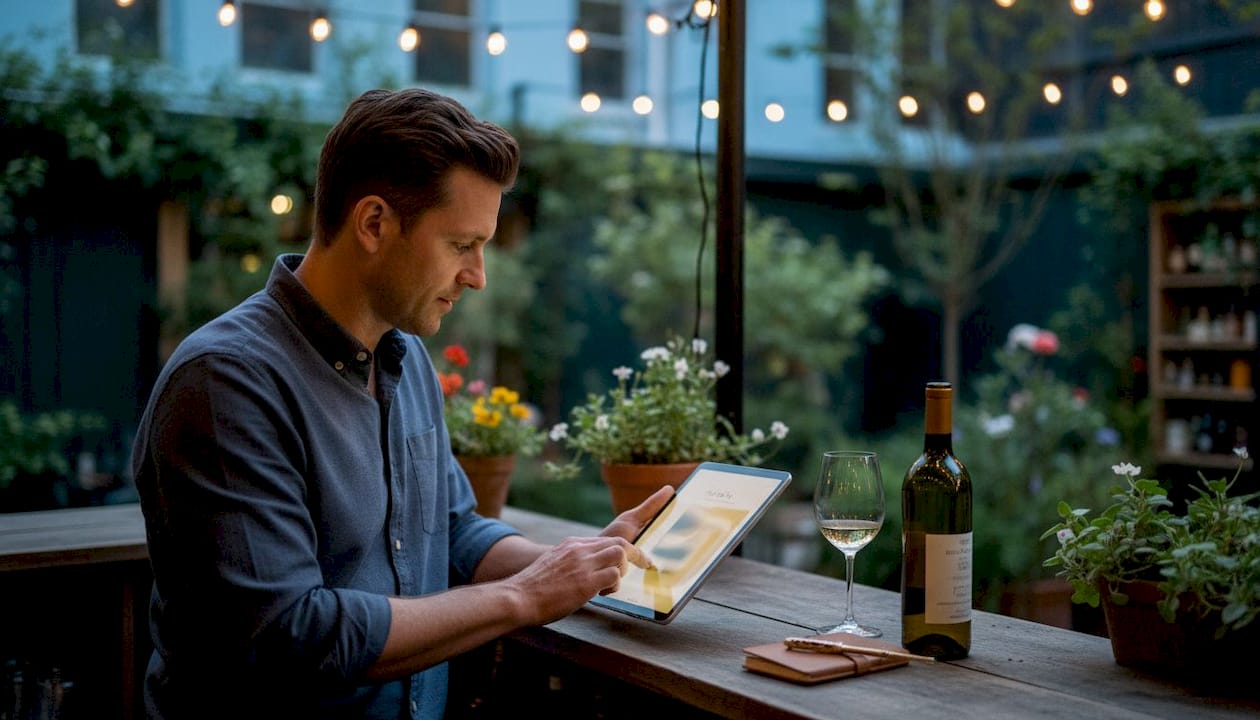
A tasting note digital menu is defined as an interactive digital platform that presents professionally written flavor descriptions to guide guests through beverage selections in real time. Unlike a printed wine list, this format pulls enriched content from professional databases like Wine Advocate and Decanter, giving guests credible, structured tasting information at the table. The result is a guest experience that feels guided and confident, not guesswork. For restaurant and bar managers, the operational payoff is equally real: fewer routine staff interruptions, faster ordering, and menus that update automatically when stock runs out. This guide explains how these systems work, what they deliver, and how to build one that fits your brand.
What is a tasting note digital menu and how does it work?
A tasting note digital menu works by converting your existing wine or beverage list into a searchable, enriched digital format. The process starts with digitization, typically using optical character recognition (OCR) to read your current paper or PDF list. Once ingested, automated enrichment populates each item with fields like producer, vintage, grape variety, region, and tasting notes drawn from professional sources. Digitization uses OCR and enrichment to populate these fields with minimal manual input.
The guest-facing interface is where the real value shows up. Guests can filter the beverage list by region, vintage, price point, or food pairing with a few taps. A guest who wants a full-bodied red under $80 that pairs with duck can find it in seconds, without flagging down a server. Advanced filtering by region and pairing makes this kind of guided browsing possible at scale.
On the backend, managers get stock tracking tools that remove sold-out items from the guest view automatically. Automated stock management hides sold-out items the moment a bottle is gone, preventing the awkward moment when a guest orders something unavailable. That invisible accuracy protects both the guest experience and the server’s credibility.
The setup timeline is faster than most managers expect. Digitization completes within 24–48 hours, with a brief manager review to confirm accuracy before going live. The full rollout, from raw PDF to live digital menu, typically requires less than two hours of active staff time.
Upload your existing wine list as a PDF or image file.
OCR reads and extracts each item’s key data points.
Automated enrichment matches each item to a professional tasting database.
Managers review and approve the populated fields.
The menu goes live on tablets, QR codes, or a mobile interface.
Pro Tip: Reserve your manager review time for items with unusual spellings or small-producer wines. Automated enrichment handles major labels accurately, but niche producers occasionally need a manual correction.
What are the benefits of using a tasting note digital menu?
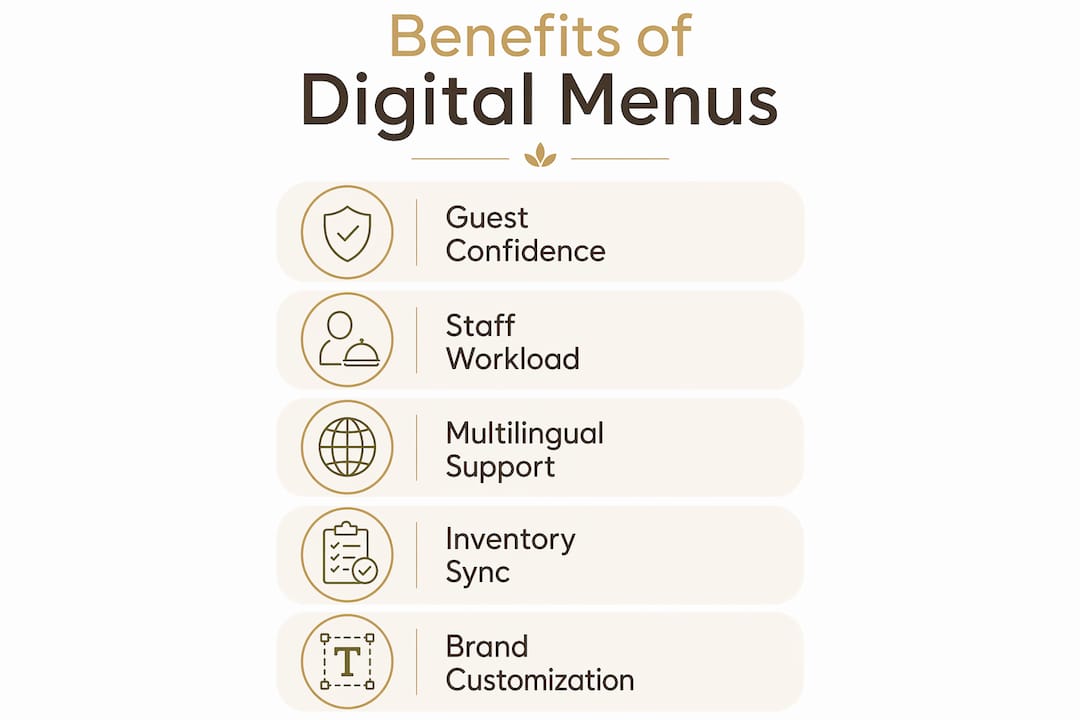
The most direct benefit is guest confidence. When a guest reads a structured tasting note that describes a Burgundy as having “dried cherry, forest floor, and a long silky finish,” they make a more informed choice. That confidence translates into higher satisfaction and fewer returns or complaints about a selection not meeting expectations.
Staff workload drops significantly when digital tasting notes handle routine questions. A virtual sommelier interface handles 70–80% of standard guest interactions, freeing staff for personalized, high-value service. That means your sommelier spends less time explaining what “tannic” means and more time recommending a rare vertical to a serious collector.
The sales impact is measurable. Guests who can filter by pairing or flavor profile spend more time engaging with the menu. That engagement correlates with higher average check values, particularly in the beverage category where margins are strongest. A searchable, sortable digital format enables informed decision-making that a static paper list simply cannot replicate.
Key benefits for hospitality managers include:
Guest satisfaction: Credible, professional tasting notes reduce ordering anxiety and increase confidence.
Staff efficiency: Routine questions are handled digitally, freeing staff for complex guest needs.
Sales lift: Guided filtering encourages guests to explore higher-margin selections.
Brand differentiation: A polished digital menu signals professionalism and attention to detail.
Multilingual support: International guests read tasting notes in their preferred language without staff translation.
The multilingual capability deserves special attention. A bar in a tourist-heavy city can serve a French couple, a Japanese business traveler, and a local regular from the same digital menu, each reading in their own language. That kind of reach is impossible with a printed list.
How to create effective tasting notes for digital menus
Effective tasting notes follow a consistent, repeatable structure. The four-part format of appearance, nose, palate, and verdict gives guests a reliable framework for every item they read. Consistent structure in tasting notes is more effective than elaborate prose because guests can scan and compare quickly.
The verdict is the most important part. A note that ends with “best enjoyed with aged cheddar or on its own as an aperitif” gives a guest a clear, practical reason to order. The honest verdict guides guests on memorable characteristics and purchase intent better than any technical description. Skip the academic theory and write for the person who just wants to enjoy a great glass.
Avoid jargon that alienates casual drinkers. Words like “petrichor,” “reductive,” or “brett” mean nothing to most guests and create friction instead of confidence. Use sensory language that connects to everyday experience: “blackberry jam,” “fresh-cut grass,” or “toasted almonds” land immediately.
Best practices for writing digital tasting notes:
Keep each note under 60 words. Brevity respects the guest’s time and attention.
Lead with the most distinctive characteristic, not the most technical one.
Write the verdict as a recommendation, not a score.
Use the same structure for every item so guests can compare across selections.
Let automated enrichment handle the baseline, then customize the verdict in your own voice.
Pro Tip: Write your verdict in the voice of a trusted friend, not a critic. “You’ll love this if you enjoy smoky whisky” outperforms “exhibits phenolic complexity with a long peated finish” every time.
Integration and customization: tailoring digital tasting menus to your brand
A digital tasting menu should look and feel like your restaurant, not a generic catalog. Most platforms allow full customization of layout, color palette, typography, and photography. A fine-dining establishment might choose a dark, minimal design with high-resolution bottle shots. A lively wine bar might prefer a warm, approachable layout with casual language in the tasting notes.
Integration with your existing point-of-sale system keeps inventory data accurate without double entry. When a bottle sells through the POS, the digital menu reflects that change automatically. This connection also enables reporting on which items guests browse most versus what they actually order, a gap that reveals upselling opportunities.
The table below outlines the key customization and integration dimensions to evaluate when building your digital tasting menu:
Dimension | What to configure | Why it matters |
Visual branding | Colors, fonts, logo, photography | Reinforces brand identity at the table |
Language settings | Guest-facing language options | Serves international guests without staff translation |
POS integration | Real-time stock sync | Prevents orders for unavailable items |
Content management | Manager editing of notes and verdicts | Keeps descriptions accurate and on-brand |
Filter options | Region, grape, price, pairing | Guides guests to the right selection faster |
Content management workflows are straightforward after the initial digitization. Managers typically spend one to two hours reviewing the auto-populated fields, adjusting verdicts, and uploading photography. After that, ongoing updates take minutes per item. A step-by-step menu customization approach helps managers build a workflow that keeps the menu current without becoming a burden.
For establishments with international clientele, multilingual support is not optional. A well-designed digital menu that supports multiple languages signals respect for every guest, regardless of where they are from. Pairing that with local SEO visibility through restaurant-focused digital marketing extends that welcome beyond the front door.
Common challenges and practical tips for implementing tasting note digital menus
Data ingestion is the most common friction point. OCR performs well on clean, formatted PDFs but struggles with handwritten lists, unusual fonts, or poorly scanned documents. The fix is simple: provide the cleanest version of your list possible before upload. A freshly exported PDF from your inventory system beats a photographed paper menu every time.
Guest adoption takes a few weeks to normalize. Some guests, particularly older demographics, prefer the tactile experience of a printed list. The solution is not to eliminate paper entirely but to position the digital menu as an enhancement. Train staff to introduce the digital menu as a tool that helps guests find exactly what they want, not as a replacement for personal service.
Connectivity is a real operational concern. A digital menu that fails during a busy Saturday service creates more frustration than a paper list ever could. Address this by ensuring your venue has reliable Wi-Fi coverage at every table and by maintaining a printed backup for high-traffic periods.
Practical implementation tips:
Staff training: Run a 30-minute session showing staff how to introduce and navigate the digital menu with guests.
Connectivity audit: Test Wi-Fi signal strength at every table before going live.
Phased rollout: Launch with the beverage menu first, then expand to food once the team is comfortable.
Guest communication: Add a brief table card explaining the QR code or tablet menu to reduce hesitation.
Feedback loop: Collect guest feedback on the digital menu experience during the first month and adjust accordingly.
Pro Tip: Place a small card at each table that reads “Scan to explore our full wine list with tasting notes.” That single line sets expectations and removes the guesswork for guests who have never used a digital menu.
Key Takeaways
A tasting note digital menu delivers the most value when it combines automated enrichment, honest verdicts, and real-time stock accuracy to guide guests and free staff for higher-value interactions.
Point | Details |
Automated enrichment speeds setup | OCR and database enrichment get a full menu live within 24–48 hours. |
Honest verdicts drive decisions | The verdict section guides guests more effectively than technical tasting language. |
Stock automation prevents errors | Auto-hiding sold-out items protects guest experience and staff credibility. |
Customization reflects your brand | Layout, language, and content controls keep the menu on-brand and accurate. |
Digital menus support, not replace, staff | Routine questions shift to the platform, freeing staff for personalized service. |
Why I think most venues underestimate the verdict
After spending years watching hospitality teams agonize over tasting note prose, I’ve come to a firm conclusion: the appearance and nose sections are almost never what guests actually read. They scroll to the verdict. Every time.
The venues that get the most out of their digital tasting menus are the ones that treat the verdict as a micro-recommendation, not a formality. “Perfect for a celebration” or “pairs beautifully with the lamb shank” does more work than three sentences about color and aroma. Guests are not studying for a wine exam. They want permission to order confidently.
I’ve also seen managers resist digital menus because they worry it will make their sommelier feel redundant. That concern is misplaced. Digital menus complement human sommeliers by handling orientation so the sommelier can focus on the guests who genuinely want a deeper conversation. The technology does not shrink the sommelier’s role. It makes that role more meaningful.
The future of tasting note menus will involve more personalization, where the system learns a returning guest’s preferences and surfaces relevant selections automatically. That capability already exists in early form. Venues that build the habit of collecting guest data now will have a significant advantage when that personalization layer matures. Start with a solid digital menu today, and the upgrade path becomes much easier.
— Abhi
Mydigimenu brings tasting notes to life on your menu
Mydigimenu gives restaurant and bar managers a complete digital menu platform built for exactly this kind of enriched guest experience. The platform supports tasting note integration, multilingual content, and full brand customization, all accessible through tablets, QR codes, or mobile devices with no app download required.

Setting up a digital tablet menu with Mydigimenu takes hours, not weeks. The platform connects with POS systems, supports real-time stock updates, and gives managers full control over content and design. Whether you run a fine-dining room or a neighborhood wine bar, Mydigimenu turns your beverage list into an experience guests actually engage with. Explore pricing options to find the plan that fits your operation.
FAQ
What is a tasting note digital menu?
A tasting note digital menu is an interactive digital platform that presents structured flavor descriptions for beverages, helping guests make informed choices. It pulls content from professional databases and updates in real time based on stock availability.
How long does it take to set up a digital tasting menu?
Most digital tasting menus go live within 24–48 hours using OCR and automated enrichment, with a brief manager review before launch.
Do digital tasting menus replace sommeliers?
Digital tasting menus handle routine guest questions but do not replace sommeliers. They free staff to focus on personalized, high-value interactions that require human expertise.
What should a good tasting note include?
A good tasting note covers appearance, nose, palate, and a verdict. The verdict is the most important element, giving guests a clear, practical reason to order.
Can digital menus support multiple languages?
Yes. Most digital menu platforms, including Mydigimenu, support multilingual content so international guests can read tasting notes in their preferred language without staff assistance.
Recommended
Comments