
Streamline hotel food ordering: a workflow guide


TL;DR:
Implementing a digital food ordering system reduces errors, speeds up service, and enhances guest satisfaction.
Proper process redesign and staff involvement are essential for maximizing the benefits of technology adoption.
Picture this: a guest calls room service at 10 p.m., rattles off a customized burger order with three modifiers, gives a room number that gets scribbled down incorrectly, and the ticket winds up in the wrong kitchen station. Forty-five minutes later, the wrong meal arrives cold. That single failure costs you a positive review, a potential return guest, and the trust you worked hard to build. Missed details like menu modifiers and room numbers, combined with lost tickets and manual handoffs between front-of-house and kitchen teams, are the most common triggers for broken food ordering workflows. This guide walks you through every stage of a modern, digital-first hotel food ordering workflow so you can eliminate those friction points for good.
Table of Contents
Key Takeaways
Point | Details |
Digital workflows cut errors | Automated input, confirmation, and routing reduce manual mistakes in hotel food service. |
Operational gains | Hotels see faster orders, cost savings, and revenue growth after digital workflow adoption. |
Guest satisfaction rises | Real-time tracking and proactive updates deliver better dining experiences for guests. |
Staff and training matter | Success depends on ongoing staff adoption and smart process design, not just technology. |
Essential tools and requirements for a digital food ordering workflow
Now that the need for workflow improvements is clear, let’s look at what you’ll need to get started. Building a reliable system is less like flipping a single switch and more like assembling a finely tuned kitchen brigade. Every component has a role, and every gap creates an opening for errors.
Digital menu access options
The foundation of any modern hotel food ordering workflow is how guests access the menu. Three formats dominate the market today: QR code menus, tablet or iPad menus, and web-based app menus. QR codes are the most flexible since they work on any smartphone without an app download. Tablets installed at bedside, poolside, or in-room offer a curated, always-on experience. Web-based menus accessed through a hotel’s Wi-Fi portal sit somewhere between those two, requiring minimal setup. A well-rounded digital ordering solution typically combines at least two of these access points to cover every guest preference and situation.
According to digital signage insights from hospitality technology researchers, visual-first menus with high-quality images and video consistently outperform text-only formats in average order value and guest satisfaction scores. Rich media is not a luxury here. It is a revenue driver.
Order routing and kitchen display hardware
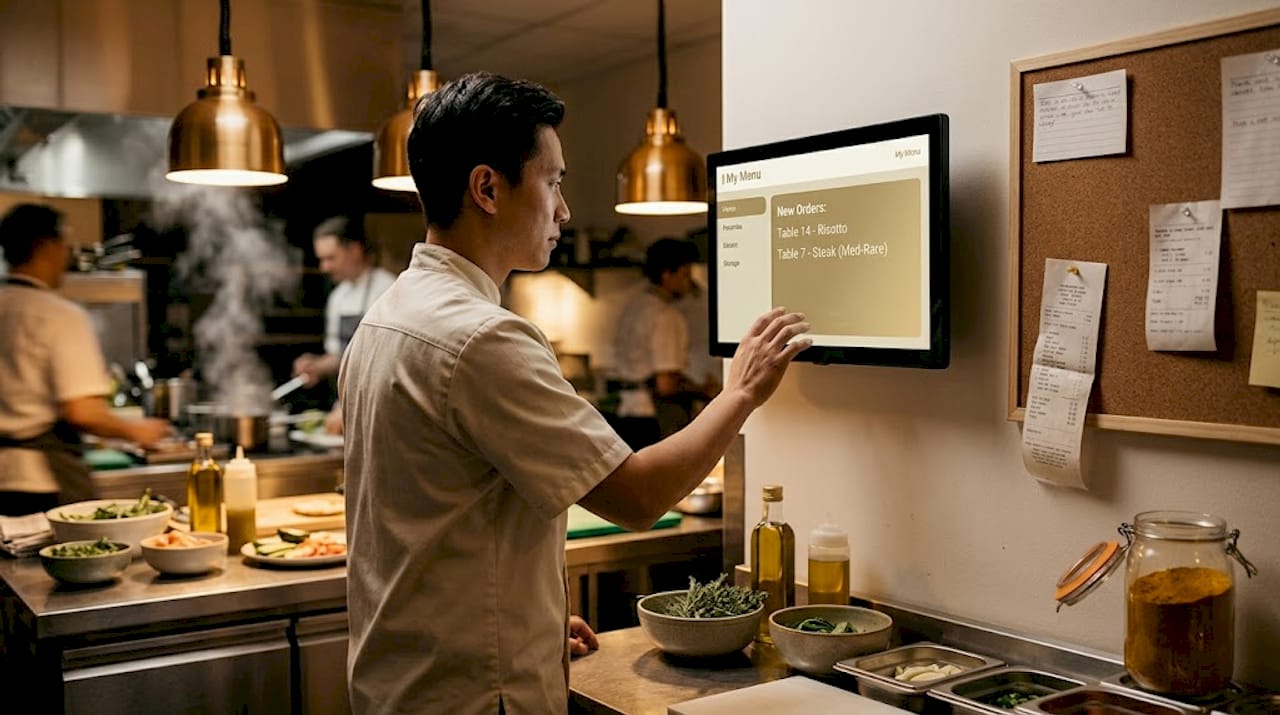
Capturing an order digitally means nothing if it still gets printed on paper and handed off manually. You need a kitchen display system (KDS) or a seamlessly integrated POS that receives orders electronically and assigns them to the correct fulfillment station, whether that is the main kitchen, the bar, room service dispatch, or a poolside grill. A complete digital ordering workflow moves guests from menu browsing to order confirmation to automated routing, all without a single phone call or handwritten ticket.
Staff dashboard and training
Technology without adoption is just expensive furniture. Implementation success depends on staff workflows, including how well your team monitors dashboards, catches edge cases, and guides guests toward the digital channel. Budget time for hands-on training sessions, role-specific dashboards, and feedback loops so staff can flag system issues early.
You can explore a broader set of restaurant workflow tools that give managers real-time visibility into order queues, prep times, and delivery status.
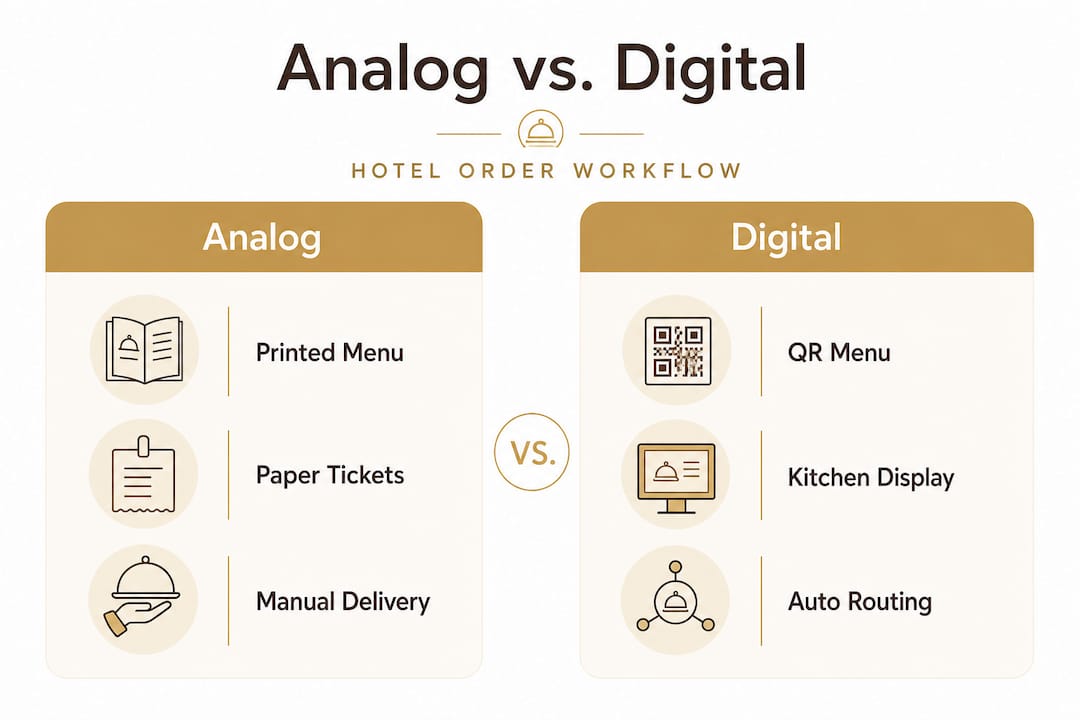
Analog vs. digital requirements at a glance
Requirement | Analog workflow | Digital workflow |
Menu distribution | Printed, updated infrequently | Instant updates via cloud |
Order capture | Phone call or paper ticket | QR, tablet, or web form |
Order routing | Manual handoff | Automated to KDS or POS |
Error tracking | Reactive (guest complaint) | Proactive (real-time flags) |
Payment verification | Manual room posting | Integrated billing or e-payment |
Staff monitoring | Supervisor check-ins | Live dashboard alerts |
Pro Tip: Start with QR menus in high-traffic areas like the in-room booklet and the pool deck before rolling out tablets. This staged approach builds staff confidence and guest familiarity without overwhelming either group.
Step-by-step hotel food ordering workflow
With your toolkit set, let’s break down the complete workflow step by step. Each stage is a checkpoint where you can either reinforce accuracy or inadvertently invite error. Understanding the flow in sequence helps you identify exactly where your current process breaks down.
Menu access. The guest scans a QR code on the in-room card, opens the tablet app, or navigates to the hotel’s web portal. The menu loads instantly with photos, descriptions, allergen info, and pricing. No waiting on hold, no squinting at a laminated sheet.
Item selection and customization. The guest browses and selects items, toggling modifiers like “no onions,” “extra sauce,” or “gluten-free bun” from clearly labeled options. These digital input fields eliminate the ambiguity that causes so many kitchen errors.
Order details and room verification. Before submitting, the system prompts the guest to confirm their room number, delivery preference (room, pool, restaurant table), and any special timing requests. This is the critical handoff where analog systems most often fail.
Payment and billing confirmation. The guest selects a payment method: charge to room folio, credit card on file, or an alternative digital payment. The system logs the transaction immediately, creating an auditable record that protects both guest and hotel.
Automated order routing. The system routes the order to the correct fulfillment point automatically. A burger goes to the hot kitchen. A cocktail fires to the bar. A cheese board routes to the pantry. No phone relay, no second-guessing.
Real-time status updates. The guest receives a confirmation message and live status updates, “received,” “in preparation,” “on its way.” This single feature dramatically reduces follow-up calls and front-desk interruptions, freeing staff for higher-value interactions.
Delivery and closure. The order arrives, the delivery is confirmed in the system, and the guest’s folio or payment record updates automatically. Best practices call for a single queue status model that moves from received through preparation to delivery, with escalation triggers if any stage takes too long.
Workflow stage performance benchmarks
Stage | Analog average time | Digital average time | Improvement |
Menu access to order placed | 8-12 minutes | 3-5 minutes | Up to 60% faster |
Order routing to kitchen | 3-5 minutes | Under 30 seconds | Near-instant |
Delivery time communication | Reactive (guest calls) | Proactive (push notification) | Zero follow-up calls |
Error rate (wrong items) | 8-12% of orders | Under 2% | 80%+ reduction |
For a closer look at how sequencing affects speed and accuracy, the team at MyDigiMenu has detailed guidance on building an efficient step flow that integrates each of these stages into a cohesive, manageable process.
Troubleshooting, common mistakes, and how to avoid them
Even with a strong workflow, mistakes can slip through. Here’s how to prevent and fix them before they reach a guest’s table or, worse, a review site.
The most common failure points
Missed modifiers. A guest requests no dairy, but the modifier field was skipped or poorly designed. The system must make all allergen and preference fields prominent, not buried in a final “notes” section.
Incorrect room numbers. A guest miskeys their room number or the system doesn’t validate against the property management system (PMS). Always integrate a PMS lookup so the system cross-references the room number with the registered guest in real time.
Lost tickets at shift handoff. Orders placed near a shift change can disappear into limbo if kitchen staff don’t formally acknowledge open tickets on the KDS. Missed details and manual handoffs between front-of-house and kitchen teams remain the top causes of lost orders even in partially digitized operations.
No escalation path for delays. If an order sits in “in preparation” for 25 minutes without a trigger, no one acts. Your system must include automated alerts that notify a supervisor when orders exceed defined time thresholds.
Solutions and fail-safes to implement
Make modifier fields mandatory, not optional, for items with common allergen risks.
Integrate PMS validation at checkout so room numbers are confirmed, not assumed.
Require kitchen staff to digitally acknowledge each order upon receipt on the KDS.
Set clear escalation timers: if an order is not acknowledged within 3 minutes, it pings a supervisor.
“Account for operational recovery and auditability from day one. Late, canceled, or incorrect orders, along with payment and folio posting exceptions, will degrade guest satisfaction at the exact moments where phone-based processes used to work around issues.” (Chekin, Hotel Room Service Best Practices)
This quote cuts to the heart of why so many digital rollouts underperform. The technology works. The gaps live in the exception handling. When things go wrong, guests judge you not on the error itself but on how fast and gracefully you recover. For detailed error reduction tips and a practical breakdown of what an ordering system should include to support recovery workflows, those resources are worth bookmarking.
Pro Tip: Build a “goodwill gesture” protocol into your recovery workflow. A complimentary dessert or a sincere digital message sent through the ordering platform can transform a frustrating error into a memorable service moment.
Expected results and impact: guest satisfaction and financial gains
What happens when this workflow is implemented? Let’s look at the data, because the numbers tell an exciting story.
Order speed and accuracy
Properties that fully digitize their food ordering consistently report dramatic improvements in both speed and precision. Hospitality Net case studies on in-room dining digitization show that over 90% of orders shift to digital channels, transactions complete 3 to 5 minutes faster per order, and real-time delivery estimates meaningfully improve guest communication. The reduction in follow-up calls alone frees up front-desk staff for more valuable guest interactions.
Accuracy improvements are equally striking. When guests input their own orders through a structured digital interface with validated fields, the ambiguity that plagues phone-based ordering nearly disappears. Guest experience improvements most commonly reported include faster ordering, less friction than phone calls, and real-time tracking that eliminates the dreaded “just checking on my order” calls.
Revenue uplift
The financial case is compelling. Mobile ordering benchmarks from industry analysis show a 42% year-on-year growth in mobile orders across reporting hotel groups, an average reduction of roughly 10 minutes in wait times, and an average revenue uplift of 20% since mobile ordering platforms became mainstream. Digital menus with rich imagery and smart upsell prompts drive higher average check sizes because guests browse more thoroughly and discover items they might have never heard about in a phone order.
Labor cost savings
Beyond revenue, labor efficiency is a major motivator. Case-level data points to monthly savings of approximately $3,600 in labor costs at individual properties, along with 58% of total in-room dining revenue attributable to the digital channel over specified periods. These are not trivial numbers for a food and beverage operation running on tight margins.
You can explore how guest engagement impact compounds over time as guests grow familiar with and prefer the digital channel, and how digital operations restructure labor allocation to focus your team’s energy where it matters most. For a visual perspective on how interactive menu boards can further support upselling and engagement in lobby and dining areas, that resource is worth exploring too.
Key performance outcomes to expect post-implementation:
90%+ digital order adoption within the first 60 to 90 days at most properties
3 to 5 minutes saved per transaction on average
20% average revenue uplift tied to better browsing and upsell design
Measurable labor savings from reduced phone order handling
Significant drop in follow-up calls due to real-time status notifications
Expert perspective: why conventional wisdom on hotel food ordering is outdated
Most guides frame hotel food ordering digitization as a technology procurement exercise. Buy the platform, install the QR codes, train the staff for two hours, and watch efficiency climb. That framing is dangerously incomplete.
The harder and more important truth is that technology without process redesign simply digitizes your existing problems. If your current workflow has unclear routing rules between room service, poolside delivery, and restaurant tables, a shiny new platform will just route orders to the wrong place faster. Routing rules must be explicit and differentiated by fulfillment type from day one. Otherwise you inherit order accuracy issues and slower production coordination, just in a more expensive format.
Staff buy-in deserves equal weight to technology selection. The hospitality teams who see the strongest results are the ones where managers involve kitchen leads, servers, and room service staff in workflow design before launch. When the people executing the process help design it, they catch the edge cases that no software vendor will anticipate: the suite guests who always order for three different rooms simultaneously, the weekend brunch rush that overwhelms a single KDS screen, the late-night orders that fall between two shift handoffs.
For workflow design insights that incorporate these human factors alongside the technical ones, that resource reflects lessons learned from real hotel implementations, not just theoretical frameworks.
Legacy inefficiencies in hotel F&B workflows are sticky because they masquerade as “the way we’ve always done it.” Questioning them requires courage and leadership. But the data, and the guest reviews, reward those who do.
Ready to transform your hotel’s food ordering workflow?
A well-designed digital food ordering workflow does not just reduce errors. It elevates the entire guest experience, turning a routine room service call into a seamless, intuitive, even enjoyable interaction.

MyDigiMenu.com equips hotel food service teams with the tools to make that transformation real. From a hotel QR menu that guests can access instantly with no app download required, to a fully featured digital tablet menu designed for in-room and poolside experiences, the platform handles the entire workflow from menu access to order routing to payment. With multilingual support, POS integrations, real-time order tracking, and built-in upsell features, MyDigiMenu.com gives your team the operational confidence to deliver extraordinary dining experiences at scale.
Frequently asked questions
What is the typical digital food ordering process in hotels?
Guests select menu items via QR code, app, or web portal; customize their order with modifiers; confirm their room and payment details; and the system automatically routes the order to the correct kitchen station, bar, or room service fulfillment point.
How do hotels reduce mistakes in the food ordering workflow?
Digital ordering systems use structured input fields, PMS-integrated room validation, and real-time order confirmation to prevent missed modifiers and lost tickets, while automated escalation alerts catch delays before they become complaints.
What real gains can hotels expect from digitizing food ordering?
Hotels consistently report 90%+ digital order adoption, transactions completing 3 to 5 minutes faster, labor savings around $3,600 per month, and 58% of in-room dining revenue attributed to the digital channel.
What happens when orders go wrong or late?
Proactive status updates and automated escalation timers alert supervisors to delays, while recovery protocols such as goodwill gestures or priority remakes ensure guest satisfaction is protected even when errors occur.
Recommended
Comments