
Map Modifiers First: Delivery Menu Sync for Restaurant Operators

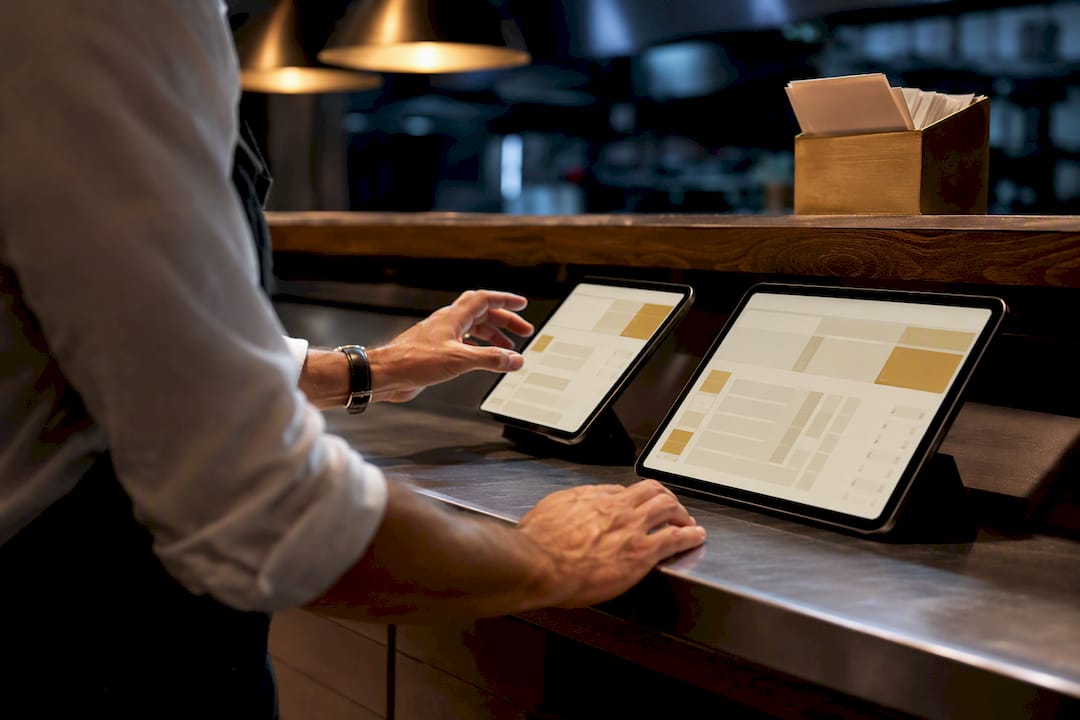
The right approach to delivery menu sync keeps your POS as the single source of truth, routes menu data through a dedicated sync layer with staged publishing, and maps every modifier before anything goes live. Skip modifier mapping and you get rejected orders. Skip staging and you get a live menu with yesterday’s prices. Test before publishing, every time.
TL;DR:
Modifier mapping is the main cause of integration failures, so normalize modifier options and set fallback rules before launching.
Skipping the staging process or testing thoroughly increases the risk of live menu errors, rejected orders, and outdated prices.
Confirm POS data matches delivery channel requirements, including SKU, name, price, and modifier IDs, beforehand to prevent rejected updates.
Using real-time two-way sync with proper modifier mapping and scheduled staging reduces data drift and ensures menu consistency across platforms.
Conduct a pilot by connecting one location, testing with sample orders, and gradually expanding to prevent costly errors during full rollout.
Table of Contents
What Is Delivery Menu Sync, Exactly?
Delivery menu sync is the process of keeping one accurate menu, hours, and pricing structure across your POS and every delivery channel you use, automatically. Instead of a manager logging into three or four delivery dashboards to update a price or mark an item sold out, a menu synchronization service pushes that change everywhere at once. The technical term for this in the industry is “menu integration” or “channel menu management,” and it works alongside, not instead of, your point-of-sale system.
Preflight Checklist Before You Sync Anything
Rushing setup is the single biggest reason integrations fail in the first two weeks. Before you connect anything, work through this list:
Confirm POS master data. Standardize SKUs, item names, and base prices in your POS. That is your source of truth, permanently.
Gather channel credentials. Collect API keys or delivery-platform staff logins for each channel you plan to connect.
Map items, modifiers, and sizes. Build the item-to-item and modifier-to-modifier map before you touch a publish button.
Enable staging and schedule a publish. Set your first go-live for a slow period, not a Friday dinner rush.
Run a dry-run test. Push a handful of test orders through before real customers see the menu.
Document rollback steps. Know exactly how to revert if the first publish breaks something.
Pro Tip: Print this checklist and tape it to the manager’s station during your first rollout. Teams skip step three under time pressure more than any other, and it’s the one that causes the most order errors.
How Does Data Actually Flow Between Systems?
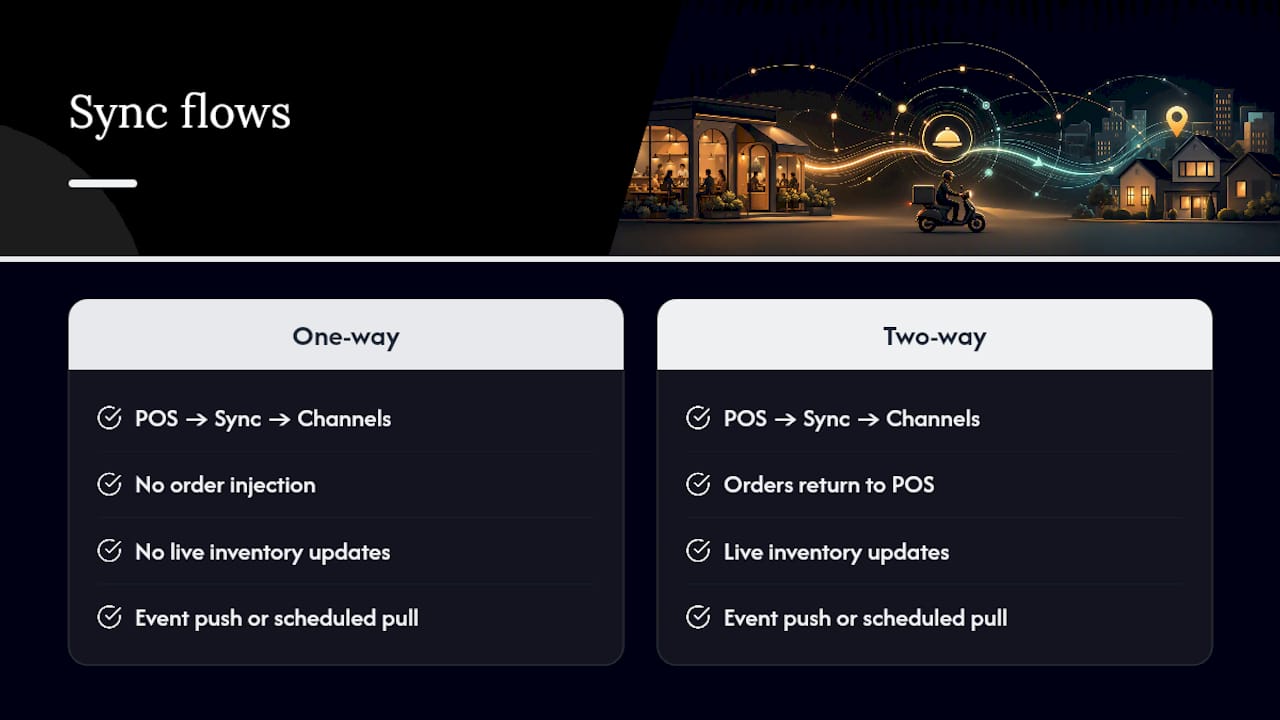
Menu data moves in one direction and orders often move in the other. Your POS pushes item data, pricing, and availability into the sync layer, which reformats and distributes it to every connected delivery channel. When a customer orders on a delivery app, that order can flow back into the POS automatically if the integration is two-way, printing a ticket in the kitchen exactly as a dine-in order would.
Two-way sync matters most when you need order injection or live inventory updates. One-way sync (POS to channels only) is enough for operators who just need consistent menus and hours across platforms without order routing. The mechanism behind the update also matters: some platforms use event-driven push, updating channels the instant something changes in the POS, while others rely on scheduled pulls that check for changes every few minutes. That gap sounds small until a sold-out item stays orderable on a delivery app for another ten minutes, generating a ticket you can’t fulfill. Confirming whether a service is truly real-time or interval-based is worth asking any vendor directly. Keeping the POS authoritative throughout prevents “data drift,” where the version of the menu customers see on a delivery app quietly diverges from the one your kitchen is actually running.
How Do You Connect Your POS and Set Up Channels?
Setup happens in five stages, and skipping the order rarely goes well.
Audit and standardize POS items. Every SKU, name, and base price needs to match what you actually charge, with no legacy typos or duplicate entries.
Create channel credentials. Generate API access or dedicated staff logins for each delivery platform, and store them somewhere the whole management team can reach, not just one person’s inbox.
Import items into the sync layer. Fill in every required field: SKU, price, description, image URL, and applicable tax rules. Channel developer specifications for menu updates typically require structured fields for availabilities, categories, and modifier groups, so incomplete records get rejected at this stage, not later.
Set per-channel overrides where needed. A delivery-only upcharge or a channel-specific photo belongs here, not in your core POS record.
Start in staging mode. Preview the full menu as it will appear on each channel, then schedule your first publish for a controlled window.
Following this order means your first live sync is a formality, not a gamble.
Why Do Modifiers Break More Integrations Than Anything Else?
Modifiers, sizes, and combo meals are where most delivery menu sync projects go wrong. A POS might store “Large” as a size modifier with a price delta, while a delivery platform expects it as a separate SKU entirely. Mismatches like this are the leading cause of setup failures, producing rejected orders or, worse, orders that go through at the wrong price.
Work through this mapping checklist before your first publish:
Match modifier group IDs between POS and each channel, not just the display names.
Normalize option names (“Extra Cheese” and “Add Cheese” need to become one option).
Set price deltas and capacity limits for every modifier, including combo components.
Define fallback rules for anything that doesn’t map cleanly, and tell staff how to handle it manually if it slips through.
Pro Tip: Run five to ten sample orders covering your most complex combos, size options, and stacked modifiers before launch. If the math on a triple-modifier burger order comes out wrong in testing, it will come out wrong on a Saturday night, too.
Staging, Scheduling, and Local Overrides
Draft mode lets you preview every change across channels before customers see it, which is exactly how operators coordinate seasonal menus and limited-time offers without a scramble across four separate dashboards. Schedule rollouts for specific times, and set availability windows so breakfast items disappear from delivery apps the moment lunch service starts.
Local overrides let a single location adjust pricing or availability without breaking the sync for every other store on the account. Keep a version history active, so a bad publish is a two-minute rollback instead of an afternoon of manual fixes across platforms.
What Should You Test Before Going Live?
Run dry-run publishes using sandbox or test accounts before touching your production menu. Push simulated orders through and confirm they inject into the POS correctly and print exactly as a real order would. Set up alerts for sync errors, mapping mismatches, and channel rejections so you hear about a problem in minutes, not from an angry customer. Track rejected orders, sync failures per hour, and time-to-propagation as your core reliability metrics, and revisit them monthly.
What Daily Habits Keep Multi-Channel Menus Accurate?
Drift creeps in fast once multiple people can edit menus in multiple places. Keep it contained:
Make all substantive edits in the POS; treat direct channel-app edits as a last resort, not routine.
Assign one role responsible for publishing changes, and require a second approval on price or modifier edits.
Run a quick check at the start of peak hours and a full reconciliation after close.
Document how staff should handle refunds, voids, and modifier mismatches when they slip through, so nobody improvises under pressure.
What Fifteen Years of Watching Integrations Fail Taught Me
Most delivery menu sync problems aren’t technical. They’re organizational. A restaurant buys a sync tool, connects three delivery apps in an afternoon, skips the modifier mapping because it’s tedious, and goes live the same day. Two weeks later, a manager is manually voiding mispriced orders during the dinner rush and blaming the software.
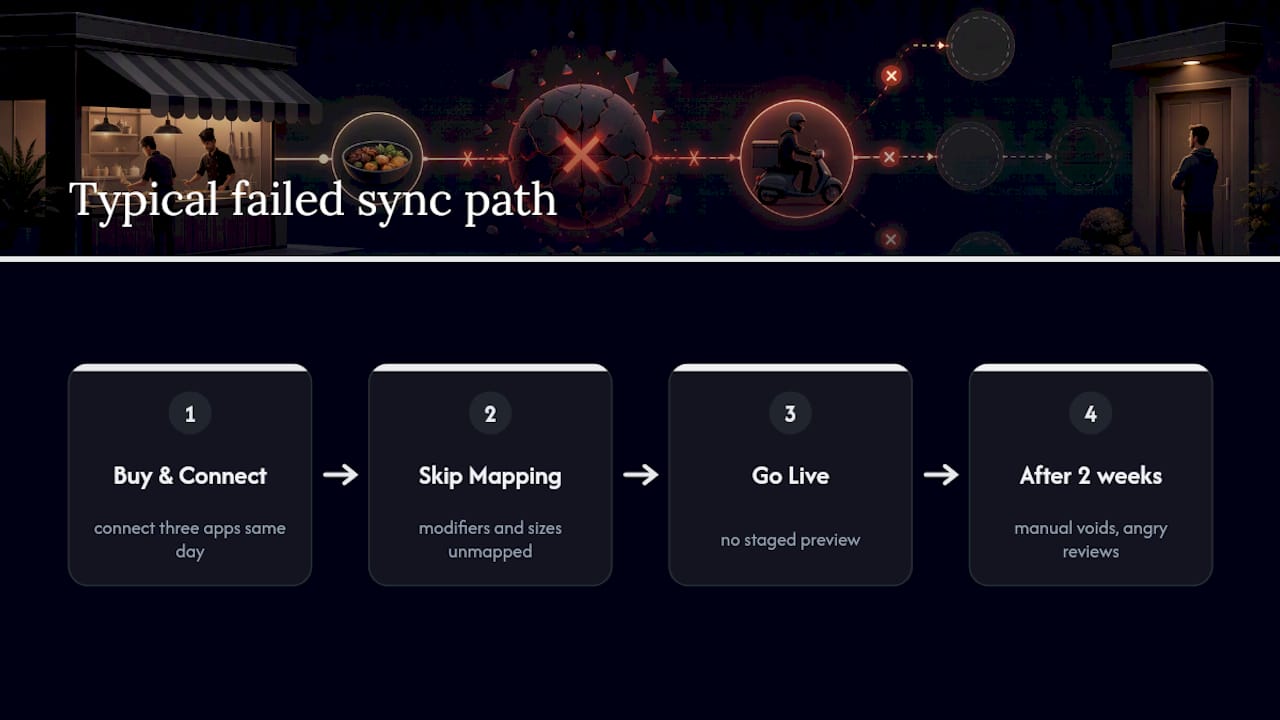
The software rarely deserves the blame. Mapping modifiers, sizes, and combos correctly takes real time, and there’s no shortcut around it. Platforms exist that support POS integration, staged publishing, and modifier-level mapping so operators can catch mismatches in a preview instead of a live ticket.
Treat your first sync like a pilot, not a launch. The operators who skip that step are the ones writing angry reviews about “buggy” delivery integrations three weeks later.
— Abhi
Ready to Put This Into Practice?
Some digital menu platforms provide one dashboard for menu sync instead of separate delivery-app logins, with staging, scheduled publishing, and modifier mapping built into the same platform used for on-site digital menus. This offers a practical advantage over patching together channel-by-channel updates by hand, reducing places where a price or sold-out flag might fall out of sync.

A sensible way to start is a focused pilot: audit your POS data, connect a single location, and run the sync for two weeks before rolling out to every store. Mydigimenu’s plans, including StartUp Menu at $39 per month, are built to support exactly that kind of staged rollout. If you’re also running a tablet-based in-house menu, the Tablet Menu product keeps your on-premise presentation consistent with what delivery customers see. Check the pricing page, pick a plan that matches your channel count, and get your first location connected this week.
Sources
A few resources are worth bookmarking as you build out your sync setup:
FAQ
What Is the Best Software for Food Delivery Dispatch?
There’s no single universal answer. The right choice depends on how many delivery channels you run and whether you need two-way order injection back into your POS. A menu synchronization service that supports staged publishing and precise modifier mapping generally outperforms tools that only push basic item updates.
Which Delivery Partner App Is Best?
This depends on your local market and which platforms your customers already use, not on any single “best” app. What matters more is choosing a sync layer that integrates cleanly with whichever delivery apps dominate your area, so your menu stays consistent no matter which app the order comes through.
Which Food Delivery APIs Are Available for Integration?
Most major delivery platforms publish developer APIs for menu updates, availability, and order injection, and formats vary by provider. A dedicated integration guide can walk you through what each channel typically requires before you start mapping fields.
What Is the Best Food Ordering Software for Restaurants?
The best system combines your on-site digital ordering with delivery menu sync in one platform, rather than running separate tools that don’t talk to each other. Mydigimenu’s plans start at $39 per month for StartUp Menu, with higher tiers adding deeper POS and delivery integration features.
How Often Should Delivery Menus Sync With the POS?
Real-time or near-real-time sync is worth prioritizing for pricing and sold-out flags, since even a short delay can mean a customer orders something unavailable. Less time-sensitive changes, like seasonal menu additions, can run through a scheduled staging and publish process instead.
Recommended
Comments