
Start With Rules, Add AI Later: Menu-Triggered Campaigns for Operators

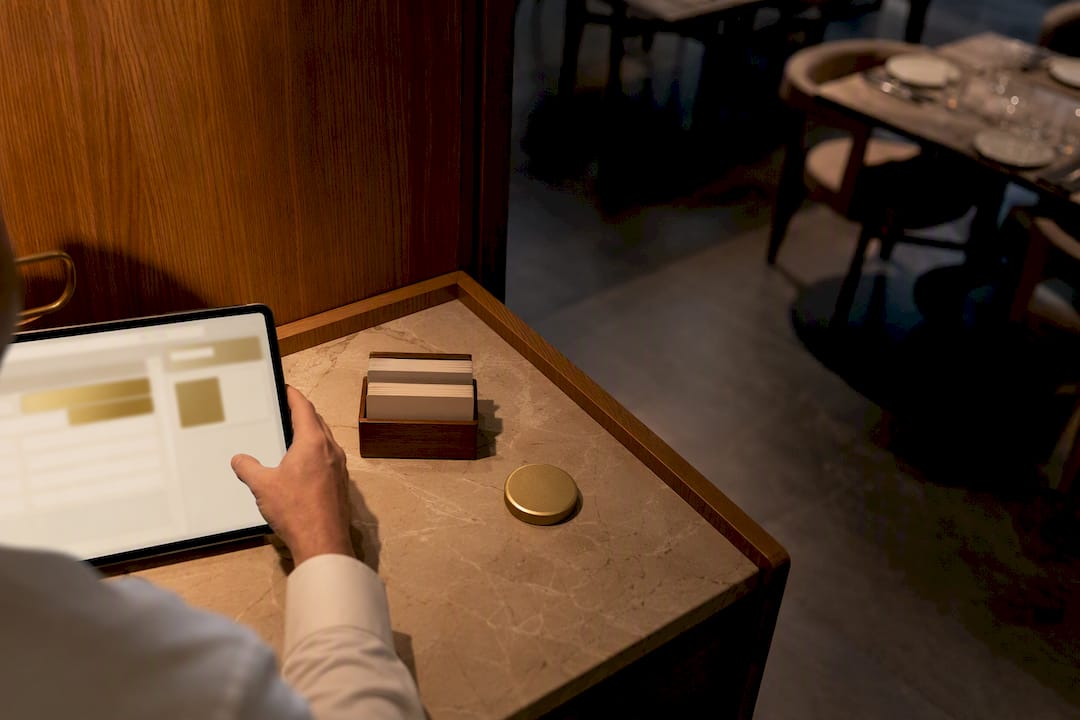
Menu-triggered campaigns automatically send or display targeted promotions when a guest views, clicks, adds, or abandons an item on your digital menu, converting passive browsing into active revenue without a server ever lifting a finger. Done right, they lift average order value, rescue near-miss carts before they vanish, and push high-margin dishes in front of the right eyes at the right moment. The only prerequisites are clean data integration and, for anything sent off-menu, a guest’s explicit opt-in.
TL;DR:
Most triggered campaigns see their biggest gains when starting with simple rules such as hiding sold-out items or implementing basic upsell prompts, before moving to AI-based automation.
To ensure reliable campaign performance, connect POS, inventory, and guest profile data, and always obtain explicit guest consent for push, SMS, and email outreach.
Measuring success involves tracking key metrics like average order value, conversion rate, cart recovery rate, and incremental revenue through controlled testing.
Starting with one trigger, rule, and location and gradually expanding allows for effective monitoring and adjustments without overloading the system.
Relying on rule-based automation first builds data maturity and trust before deploying AI tools that require high order volumes and guardrails to avoid costly mistakes.
Table of Contents
What Are Menu-Triggered Campaigns and How Do They Work?
A menu-triggered campaign fires the moment a guest does something specific on your digital menu, not on a schedule and not by a manager’s guesswork. That specificity is what separates it from a blanket email blast or a generic discount code plastered across every table tent in the building.
The most common triggers operators build around include:
Item view — a guest lingers on a dish page or opens the video preview.
Item click — a guest taps into details, sees allergens, or expands photos.
Add-to-order — a guest places an item in their cart.
Cart abandonment — a guest builds an order, then walks away or closes the session.
Repeat-item signals — a returning guest orders the same dish three visits running.
Each trigger needs somewhere to go. Event capture on the menu feeds a stream or queue, a rules engine (or an AI layer, more on that shortly) evaluates the event against your business logic, and an action fires: an in-menu banner changes, a push notification lands, an SMS goes out, or a follow-up email drops into an inbox.
None of that works in isolation. You need your POS wired in for live availability and sales history, inventory data so the system knows what’s actually in stock, a CRM holding guest profiles and consent records, and analytics to trace which trigger led to which sale. Data-driven menu boards already lean on POS, inventory, time, and even weather feeds to swap content automatically, and that same backbone powers a proper triggered-campaign setup.
What Types of Menu-Triggered Campaigns Should You Run?
Not every trigger deserves the same response. Matching the campaign format to the business goal is where most of the return lives.
In-menu upsell prompts. The instant a guest adds a burger, a contextual suggestion for fries or a shake appears on the same screen. This is the lowest-friction format because it never leaves the ordering flow. A guide on restaurant upselling covers placement tactics that keep these prompts feeling helpful instead of pushy.
Abandoned-cart recovery. A guest builds an order, then goes quiet. A timed sequence brings them back before the craving fades.
Daypart and event banners. Swap the whole visual theme and highlighted items for lunch versus dinner, or for a live sports final that has the bar packed and thirsty.
Push, SMS, and loyalty nudges. These require opt-in, but push notifications tied to purchase intent tend to outperform email for quick reorder decisions, especially with segmented, well-timed sequences.
Each format solves a different problem. Mixing all four without a clear objective for each is how operators end up with campaign fatigue instead of lift.
How Do You Implement Menu-Triggered Campaigns Step by Step?
Start with an audit, not a wish list. Map every event your systems can actually capture before you design a single campaign around it.
Inventory your data sources: POS SKUs, stock levels, order states, and how each connects to your menu platform.
Define one business rule per objective. Example: “When a guest adds a burger, show a combo upgrade offer within 3 seconds.”
Build consent flows before you build campaigns. Push, SMS, and email all need explicit opt-in, and that consent has to live in your CRM, not a spreadsheet.
Pilot in one location or one guest segment first. Measure the lift, adjust the rule, then roll out chainwide.
Pro Tip: Launch your first pilot around a single, boring, high-confidence rule, like hiding sold-out items automatically. It builds trust in the system before you ask it to run anything creative.
That sold-out example isn’t hypothetical filler. Tying inventory directly to the menu so unavailable dishes disappear on their own cuts down on order errors and the awkward “sorry, we’re out of that” moment at pickup. It’s a small rule with an outsized effect on guest trust, and it’s the kind of change worth mapping in a menu customization walkthrough before you touch anything more ambitious.
Should You Use Rule-Based Automation or AI-Driven Autonomy?
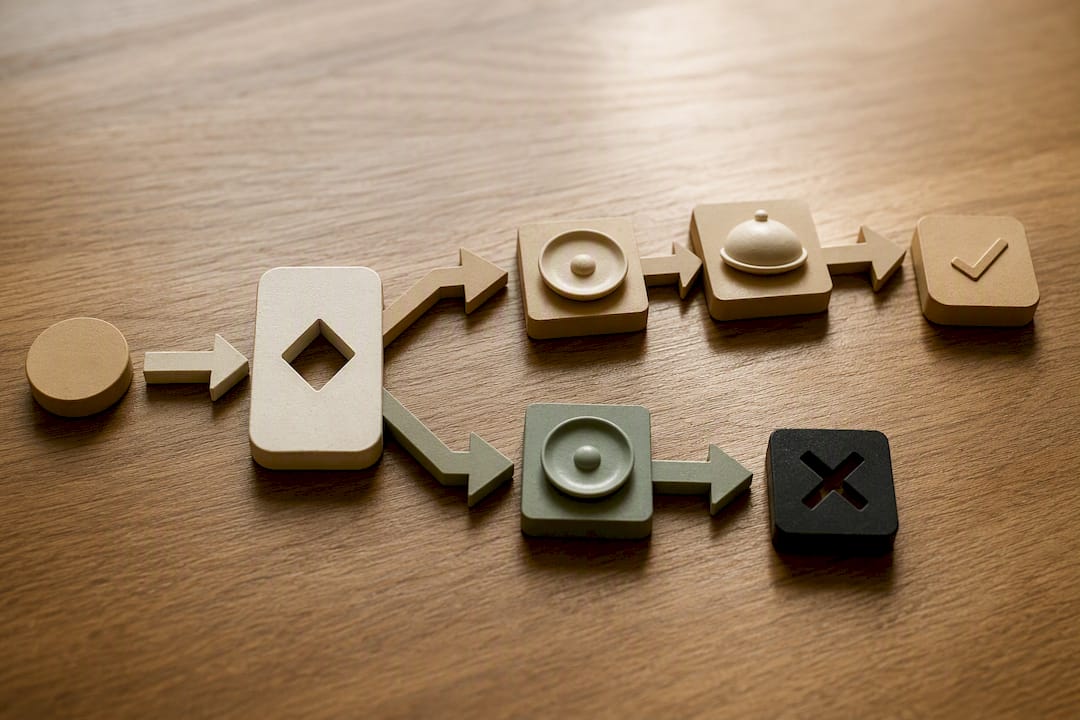
Start with rules. Almost every restaurant gets its fastest, most reliable wins from deterministic logic: if an item sells out, hide it; if it’s 2pm, switch to the lunch layout; if a burger gets added, suggest fries. These rules are auditable, cheap to build, and you can explain exactly why they fired.
AI and autonomous agents are a different tier entirely. They continuously test layout, copy, and offer combinations against live order data, adjusting in ways no static rule set could keep up with. Deliverect’s autonomous menu agents reportedly drove a 118% sales increase for one brand in a 2026 deployment, an eye-catching number that comes with a catch: that kind of optimization needs enough order volume to learn from, plus real guardrails, or it starts making confident, expensive mistakes.
The sensible progression looks like this:
Rules first, for anything predictable (sold-out handling, dayparting, standard upsells).
Monitored experiments next, where you test rule variations against control groups.
AI augmentation last, once your data volume and rule discipline can actually support it.
How Do You Measure the Impact of Menu-Triggered Campaigns?
Four numbers tell you almost everything. Average order value shows whether upsell prompts are working. Conversion rate, meaning the share of menu views that turn into completed orders, tells you if triggers are moving guests forward or just adding noise. Abandoned-cart recovery rate measures how many near-miss orders you’re actually rescuing. Incremental revenue, tracked against a control group that saw no campaign, tells you what’s real versus what would have happened anyway.
Attribution should be event-based: tag every action back to the specific trigger that caused it, then run short A/B or uplift tests rather than trusting before-and-after comparisons, which get muddied by seasonality and marketing noise. Report weekly during a pilot, monthly once a campaign is stable.
A useful benchmark to hold in mind: even without matching every historical claim, treat any campaign showing a double-digit lift in AOV or a measurable dent in cart abandonment within four weeks as worth scaling. Anything flat after a full month of clean data is worth pausing and rebuilding, not tweaking forever.
AOV: track weekly, compare pre/post trigger launch.
Conversion rate: menu views to completed orders, segmented by trigger type.
Recovery rate: percentage of abandoned carts converted within 72 hours.
Incremental revenue: measured against a no-campaign control group.
Guidance on boosting restaurant sales covers how to structure these comparisons without inflating results from seasonal swings.
What Do Menu-Triggered Campaign Examples Look Like?
Copy-ready structure beats a blank page every time. Here are three formats you can adapt this week.
Abandoned-cart recovery sequence. At 30 minutes: “Still deciding? Your cart is saved, just tap to finish.” At 24 hours: “Come back and grab 10% off your saved order.” At 3 days: a final, low-pressure nudge, since guests who haven’t returned by then rarely will. This mirrors the timed sequence pattern that works well for repeat-order recovery generally.
Item-level upsell. The moment a guest adds a pizza, show: “Add garlic knots for $3, or make it a combo and save $2.”
Daypart or event banner. During a championship game, swap the homepage banner to wings and pitchers, with a live countdown discount that expires at kickoff. Enterprise-scale deployments can push visual and pricing changes like this across hundreds of locations within minutes, though a single-location operator can run the same logic manually with a rules engine.
How Does MyDigiMenu Support Menu-Triggered Campaigns?
Mydigimenu builds the trigger infrastructure directly into the menu itself rather than bolting it on as a separate tool. QR menus and tablet ordering capture the view, click, and add-to-order events you need. Guest profile capture through social login feeds your CRM with consent-tagged data, so opt-in push, SMS, and loyalty nudges are compliant from day one.
A practical rollout follows four steps:
Audit your current menu data and identify which POS and inventory feeds are already connected.
Enable your first triggers, starting with sold-out hiding and one upsell prompt.
Pilot across one location, tracking AOV and recovery rate for two to four weeks.
Monitor results, then extend to loyalty and reservation triggers across every site.
The reservation module and built-in loyalty program add further trigger points once your core campaigns are stable, and a menu design guide walks through layout choices that make triggered content easier for guests to notice without feeling ambushed.
The Playbook Most Operators Get Backward
Most restaurants reach for AI first because it sounds impressive, then wonder why results are inconsistent. The uncomfortable truth is that a sold-out item quietly disappearing from your menu does more for guest trust, in the first month, than any autonomous optimization engine you haven’t fed enough data yet. Rules are boring. Boring is exactly what you want when real money and real guest patience are on the line.
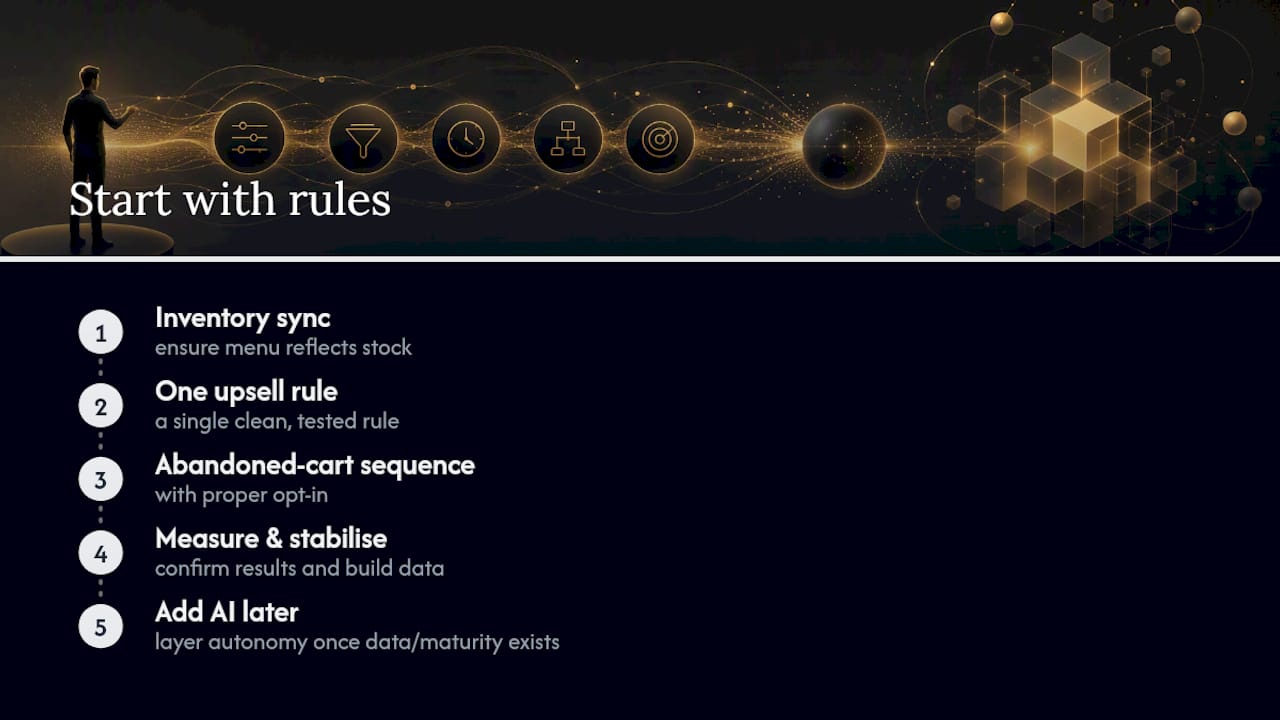
The conventional advice treats automation and AI as a single category, as if turning on “smart” features automatically means smarter results. It doesn’t. AI agents that rewrite menus and deploy promotions in real time can produce genuinely remarkable lift, but only once there’s enough order volume for the system to learn from and enough guardrails to keep it from optimizing itself into a corner. Skip that groundwork and you’re not running an experiment, you’re gambling with your menu.
Prioritize the boring wins first: inventory sync, one clean upsell rule, one abandoned-cart sequence with proper opt-in. Get those working and measured before layering on anything autonomous. The data maturity you build during that phase is what makes AI worth adding later, not a shortcut around it.
— Abhi
Ready to Turn Menu Clicks Into Orders?
Most platforms make you choose between a menu that looks good and one that actually captures the guest data needed to trigger anything. Mydigimenu does both: QR and tablet menus built to capture views, clicks, and add-to-order events, paired with CRM and loyalty tools that turn those events into real campaigns, not just dashboards nobody checks.

If you’re running a single location, the QR Menu gets your first triggers live without any app download friction for guests. If you manage multiple sites or want the full picture, the pricing plans break down what’s included at each tier, from the StartUp Menu through Emerald. Either way, the next step is the same: pick one trigger, one rule, and one location, and watch what the data tells you in two weeks.
Sources
FAQ
What Is a Menu-Triggered Campaign?
A menu-triggered campaign is a promotion or message that fires automatically based on a specific guest action on a digital menu, such as viewing an item, adding it to an order, or abandoning a cart.
What Data Do I Need Before Launching Menu-Triggered Campaigns?
You need POS integration for availability and sales, inventory data, a CRM holding guest profiles and consent, and analytics to track which trigger led to which outcome.
Is Opt-In Required for Push, SMS, or Email Triggers?
Yes. Any campaign that leaves the menu itself, including push notifications, SMS, and email, requires explicit guest opt-in recorded in your CRM before you send anything.
Should I Start With Rules or AI for Menu Triggers?
Start with rule-based automation for predictable scenarios like sold-out hiding and dayparting, then add AI-driven optimization once you have enough order volume and monitored experiments to support it.
How Much Does MyDigiMenu Cost for Triggered Campaigns?
Current pricing for MyDigiMenu’s plans, including the StartUp Menu, Silver Menu, and higher tiers, is listed on the pricing page.
Recommended
Comments