
Self-service ordering: Boost guest engagement and efficiency

TL;DR:
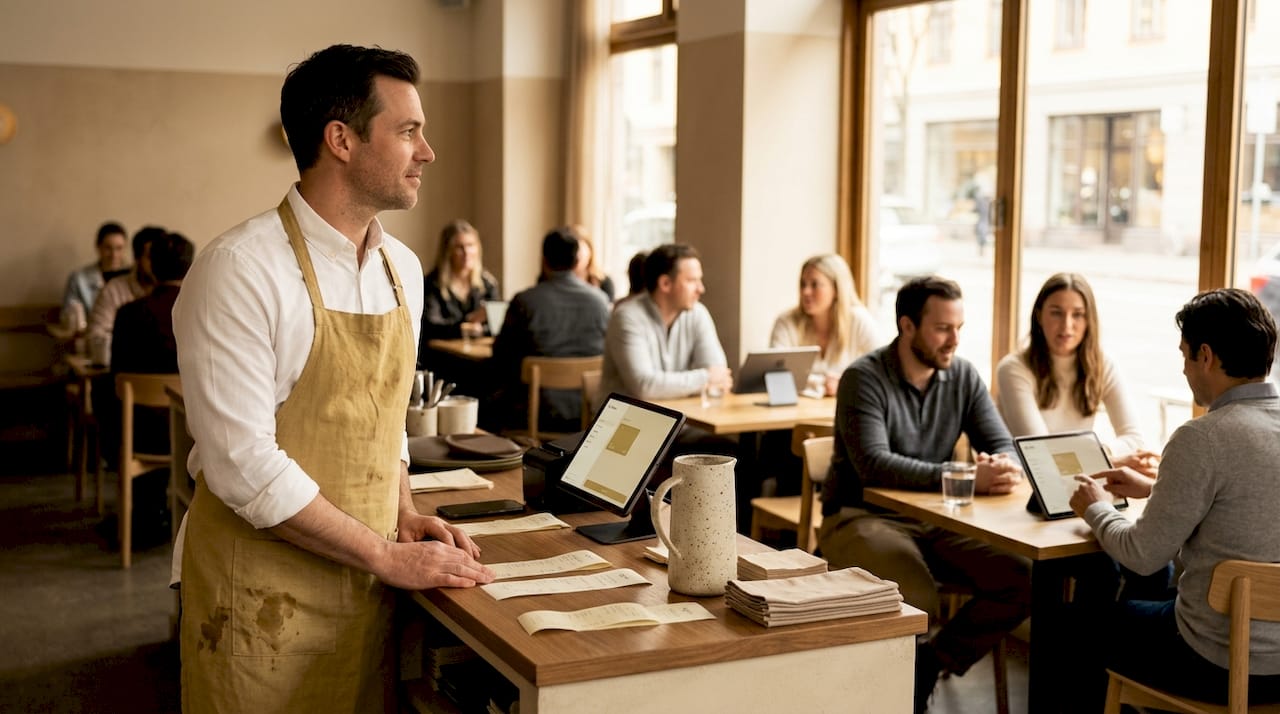
Self-service ordering fundamentally changes how guests interact with hospitality venues, offering benefits like reduced errors and faster service. When thoughtfully designed, it empowers guests with control, enhances operational efficiency, and increases revenue through personalized and automated suggestions. Successful implementation requires focusing on user experience, ongoing testing, and viewing the system as a guest engagement strategy rather than just technology.
Most managers assume self-service ordering is simply about installing a shiny kiosk or slapping a QR code on a table. That assumption costs them the real prize. Self-service ordering is a fundamental shift in how guests and operations interact, and when it is done with intention, it can reduce order errors, free your team for high-value tasks, and create guest experiences that feel genuinely effortless. This guide breaks down exactly what self-service ordering is, why it matters more than most hospitality professionals realize, and how to roll it out in a way that actually delivers results.
Table of Contents
Key Takeaways
Point | Details |
Guest-driven process | Self-service ordering lets guests place and pay for their orders directly, streamlining hospitality operations. |
Boosts efficiency | Order speed, accuracy, and staff workload all improve when systems are well-designed and intuitive. |
Interface design matters | Confusing or clunky interfaces cause frustration and order drop-off, while good design increases satisfaction. |
Best practices essential | Iterative testing, clear navigation, and visible customization are the pillars of effective self-service rollout. |
Empowers guest engagement | The true benefit is putting the guest in control, enhancing their experience and growing loyalty. |
Defining self-service ordering: More than just kiosks
Now that you have a sense of its growing importance, let’s unpack the true definition of self-service ordering.
Self-service ordering is the practice of allowing guests to browse a menu, place their order, and complete payment entirely on their own, without needing a staff member to relay those steps. The technology involved can vary widely. Modern implementations include QR code menus that guests scan with their phones, tablet menus mounted at tables, dedicated kiosk terminals at a counter, and mobile web apps that work without any download.
What these solutions share is a critical shift in responsibility. The guest takes ownership of the ordering process, which changes the entire dynamic of service delivery. Here is how these solutions typically compare:
QR code menus: Accessible instantly via any smartphone camera; no app needed
Tablet menus: Rich visual displays that are ideal for table-side ordering in cafés and restaurants
Self-service kiosks: High-throughput terminals perfect for counter-service and fast-casual environments
Mobile web ordering: Browser-based menus that guests access anywhere, including hotel rooms
The most important thing to understand is that self-service ordering is not a gadget upgrade. As one overview of the concept puts it:
“Self-service ordering should be viewed as automation of a staff-driven process, letting guests place and pay for orders directly.”
This framing matters enormously. When you see self-service as process automation rather than just a piece of hardware, your entire implementation strategy improves. You start asking better questions: How should the menu flow? Where do guests get stuck? What customization options matter most? Those questions lead to systems that actually streamline restaurant ordering and feel natural to guests from the very first visit.
Benefits for restaurants, cafés, and hotels
With a clear understanding, let’s explore exactly how self-service ordering transforms hospitality workflows and guest experience.
The benefits span three areas: speed and accuracy for the guest, operational efficiency for your team, and revenue impact for your business. Each reinforces the others, making self-service one of the highest-leverage investments a hospitality manager can make.
Here is a direct comparison of what changes when you move from traditional ordering to a well-designed self-service system:
Metric | Traditional ordering | Self-service ordering |
Guest wait time | 3 to 8 minutes to flag staff | Under 2 minutes from scan to order |
Order errors | 4 to 8% of orders include a mistake | Under 1% with digital confirmation |
Staff time per order | 3 to 5 minutes including relaying to kitchen | Near zero for order entry |
Upsell frequency | Depends on staff training and memory | Consistent, automated suggestions on every order |
Customization ease | Requires back-and-forth conversation | Guests select options independently at their pace |
The accuracy improvements alone are significant. When guests enter their own preferences, there is no miscommunication between them, the server, and the kitchen. Research confirms that intuitive self-service experiences improve order completion rates and reduce staff workload, enhancing both guest engagement and operational efficiency.
Your team also benefits in ways that are easy to overlook. Freed from the repetitive task of order-taking, staff can focus on genuine hospitality moments: checking in on guests, explaining specials, resolving issues, and creating the personal touches that build loyalty. That is a much more energizing role than transcribing orders under time pressure.
From a revenue perspective, well-designed menu layouts drive higher average check values. Automated upsell prompts appear consistently on every order, something no human server achieves 100% of the time. And customizable menus let guests build their perfect order without compromise, which naturally encourages them to spend more.
The top five operational wins, ranked by impact:
Reduced order entry time per table
Fewer errors reaching the kitchen
Consistent upsell and cross-sell prompts
Staff redeployment toward guest satisfaction roles
Faster table turnover without rushed service
Pro Tip: When you design your self-service flow, structure quick combo options prominently at the top of the menu. Guests who can order a popular combo in two taps are far less likely to abandon the process, and your kitchen handles predictable orders more efficiently.
How self-service ordering works: Core components
Once you see the benefits, it is vital to grasp the nuts and bolts of how self-service is actually implemented.
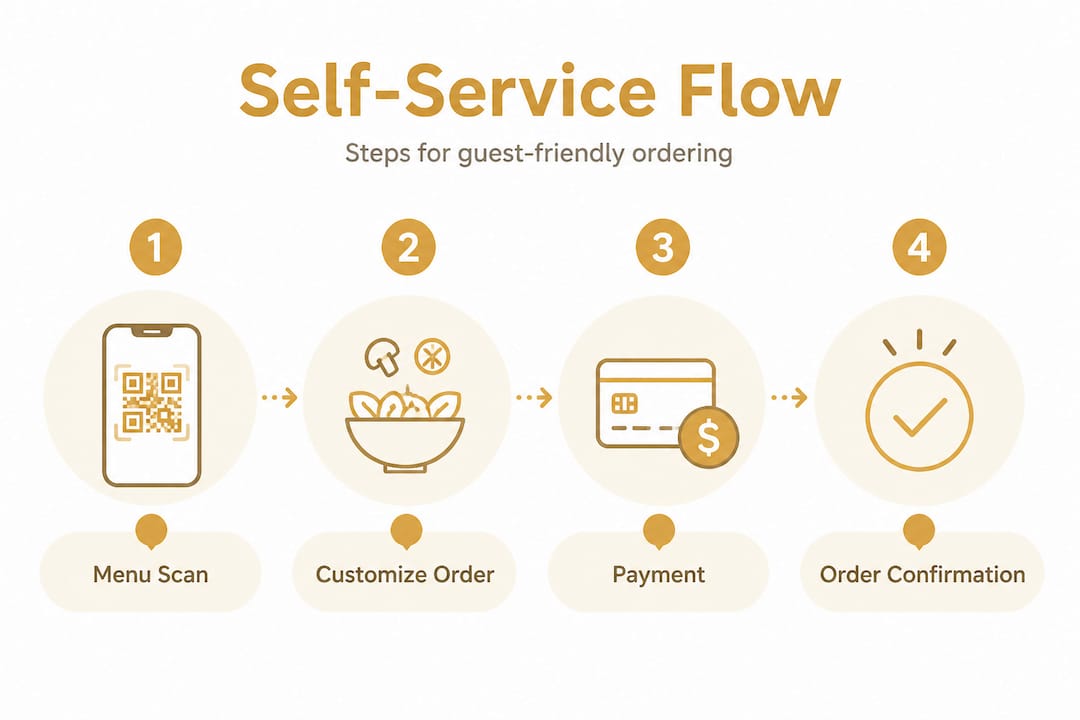
Every effective self-service ordering system, regardless of the technology platform you choose, follows a core guest journey. Understanding each step helps you design a flow that feels intuitive rather than clunky.
The guest journey, step by step:
Access: The guest scans a QR code, taps a tablet, or approaches a kiosk terminal
Browse: They explore the menu, viewing photos, descriptions, and nutritional details
Customize: They select portion sizes, add-ons, dietary modifications, or meal combos
Confirm: They review their order summary before submitting
Pay: They complete payment via card, mobile wallet, or other available method
Receive confirmation: A digital receipt or table number is displayed, and the order routes to the kitchen
Each step is an opportunity to either delight the guest or lose them. Research is clear that poorly designed menu structures and confusing interfaces can cause frustration and abandoned orders. That is why the technology choice matters less than the design and flow built on top of it.
Here is how the three most common technologies compare across key operational factors:
Technology | Best fit | Pros | Cons |
QR code menu | All hospitality types | No hardware cost, works on guest’s phone, always current | Requires guest smartphone and camera |
Tablet menu | Restaurants, hotel bars | Rich visuals, no guest device needed, guided experience | Hardware and maintenance cost |
Kiosk terminal | Quick service, cafeterias | High throughput, integrated payment | Large upfront investment, fixed location |
A detailed customization guide for your specific venue type can help you decide which approach fits your operation. For properties exploring tablet menu systems, purpose-built platforms offer guided interfaces that reduce the learning curve for guests who may be less comfortable with self-service technology.
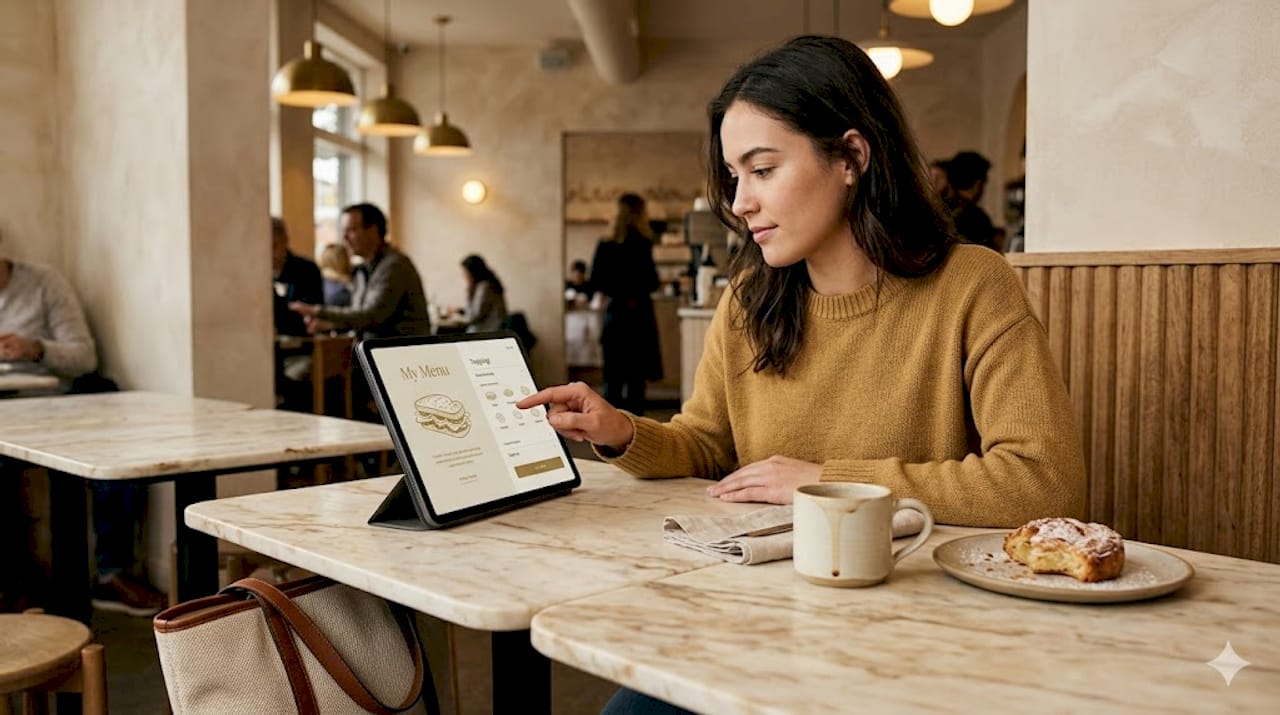
The customization step deserves particular attention. Guests who feel limited in their choices often feel less satisfied with their meal, even if the food is excellent. Building clear, logical modification paths into your menu turns the ordering process into a moment of personal expression. That subtle shift transforms a transactional interaction into something that actually feels enjoyable.
Getting it right: Best practices for successful implementation
Knowing what works is only half the battle; let’s break down proven methods to ensure your rollout succeeds.
The difference between a self-service system that guests love and one that gathers dust usually comes down to execution, not the underlying technology. Here are the practices that separate successful deployments from frustrating ones.
Design and navigation:
Organize menu items by category with clear visual hierarchy so guests find what they want in seconds
Use high-quality food photography for every item; guests are 30% more likely to order when they can see the dish
Limit each screen to a manageable number of choices; cognitive overload is a leading cause of abandoned orders
Make the “confirm and pay” step clearly visible and easy to reach from any point in the flow
User testing and iteration:
Run a soft launch with a small group of guests or staff and observe where they hesitate or backtrack
Collect feedback weekly during the first month and make small adjustments to navigation labels or image placement
Track abandonment points in your ordering data; a spike at any single step signals a friction point that needs fixing
Research consistently shows that UX improvements like user testing and clear menu flows directly boost order completion and guest satisfaction. Treating your digital menu as a living product rather than a set-it-and-forget-it installation is what separates high-performing venues from average ones.
Onboarding guests:
Place a brief, friendly instruction card or table tent that reads something like “Scan. Order. Enjoy.” with an arrow pointing to the QR code
Train your team to offer a quick, warm introduction to the system for first-time guests, especially older demographics
Celebrate the simplicity rather than over-explaining it; a confident “It is super quick, just scan and go” removes anxiety far better than a lengthy tutorial
Strong menu design strategies work hand in hand with these practices. The menu itself should guide the guest’s eye naturally toward popular items, special offers, and high-margin dishes.
Pro Tip: Build a simple weekly rhythm where your floor manager collects two or three pieces of feedback from guests and one or two observations from staff. Those ground-level insights surface workflow friction faster than any analytics dashboard alone.
Common pitfalls to avoid:
Launching with an incomplete menu; missing items or broken photos erode trust immediately
Neglecting payment diversity; guests who cannot pay with their preferred method simply leave
Ignoring accessibility; large text options and simple navigation pathways matter for all guests
Exploring digital menus engagement tips, customization best practices, and tablet system guides will give you platform-specific guidance as you refine your rollout.
The overlooked truth: Self-service is a guest engagement strategy, not just tech
Having covered key best practices, it is time to reframe how we think about self-service ordering’s real value.
Most hospitality businesses that struggle with self-service adoption share one thing in common. They treat the initiative as an IT project rather than a guest experience project. They budget for hardware, choose a software vendor, and consider the job done. Then they wonder why adoption is slow and staff are still taking orders over the shoulder of a tablet that nobody is using.
The uncomfortable truth is that technology is the easy part. The hard part is designing a guest interaction that feels genuinely empowering rather than like the venue has offloaded its responsibilities onto the customer.
When self-service is designed with the guest at the center, something interesting happens. Guests feel in control. They can browse at their own pace, revisit the dessert section without embarrassment, read every ingredient on a dish, and make modifications without worrying about inconveniencing a busy server. That feeling of autonomy and transparency is deeply connected to satisfaction and repeat visits. It is the difference between a transaction and a memory.
The businesses that get this right understand that engaging menu layouts are not just aesthetic choices. They are a direct communication to the guest that their experience matters. A mouthwatering photo of the house special, a clearly marked allergen section, a smart upsell suggestion that feels helpful rather than pushy: each of these is a small act of hospitality delivered through a screen.
The operational mindset matters just as much as the interface design. Teams that check in on guests using self-service, that celebrate the system’s speed rather than quietly resenting it, and that continuously improve the flow based on real feedback will always outperform teams that deploy and disengage. A dash of digital can turn everyday service into extraordinary memories, but only when the people behind the technology stay engaged with why it exists: to serve the guest better.
Ready to implement self-service ordering? Start with MyDigiMenu
If this article has clarified the real potential of self-service ordering for your venue, the next step is finding a platform that matches that ambition.

MyDigiMenu makes it straightforward for restaurants, cafés, bars, and hotels to launch contactless self-service ordering without technical complexity. Whether you want to explore digital tablet and iPad menus for a guided table-side experience, build a no-download QR menu that guests love from the first scan, or scale a full multi-property operation, the platform is built for exactly that. Explore your options and view pricing to find the plan that fits your operation. The efficiency gains and guest engagement improvements are waiting on the other side.
Frequently asked questions
What is self-service ordering in restaurants?
Self-service ordering means guests place and pay for their orders directly through a kiosk, QR code, or mobile menu, without staff involvement. As the Wikipedia definition puts it, it is the automation of the staff-driven ordering process.
How does self-service ordering improve efficiency?
It reduces staff workload, shortens wait times, and increases order accuracy, especially when the user experience is thoughtfully designed. Research shows that clear, user-tested interfaces improve order completion and minimize confusion across all venue types.
What are the main challenges with self-service ordering?
Complex or poorly structured interfaces frustrate guests and lead to abandoned orders before payment is completed. Because confusing navigation and menu flows lead to poor outcomes, design and testing are non-negotiable priorities.
Are guests comfortable using self-service technology?
When menus are intuitive and the ordering flow is logical, most guests adopt self-service quickly and report high satisfaction. Studies confirm that iterative design and user feedback consistently raise both satisfaction scores and order completion rates.
Recommended
Comments