
Launch Restaurant Social Login and CRM Sync in Two to Three Weeks

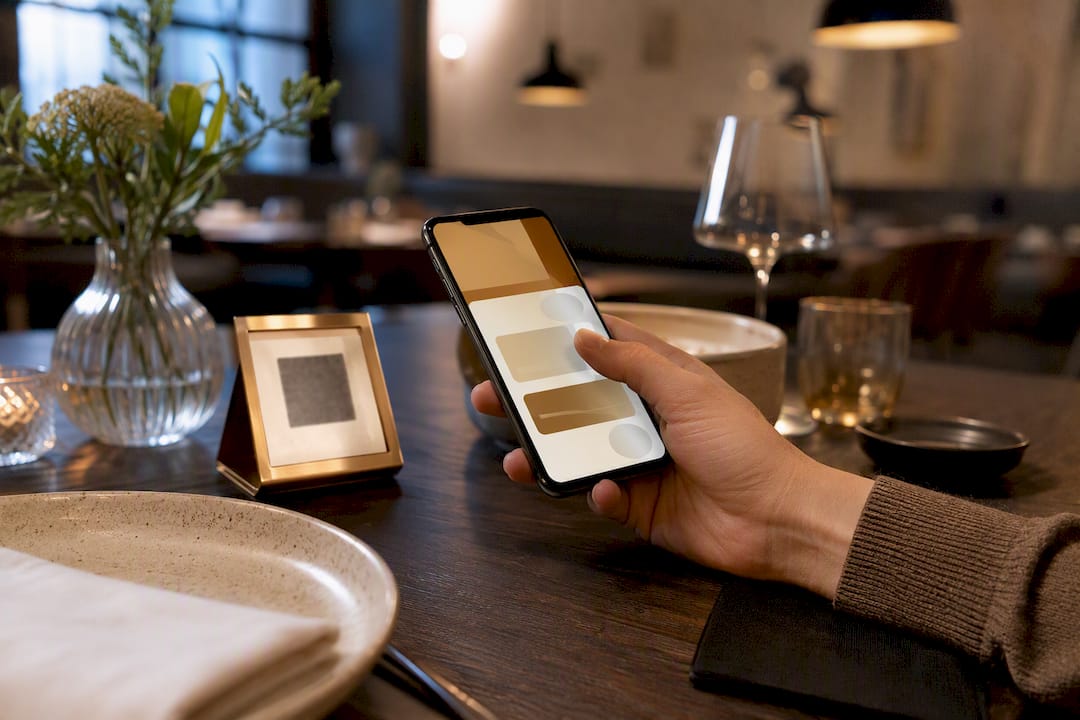
Yes, restaurant social login is worth building: it lets diners sign in with a Google, Facebook, or Apple account instead of filling out a form, and it feeds your CRM with cleaner, more reliable contact data than manual entry ever produces. The tradeoff is real but manageable. You get faster checkouts and richer guest profiles; you take on new responsibilities around consent, token security, and data mapping. The rest of this guide walks through how it works, what to build, and how to handle the privacy questions your guests will eventually ask.
TL;DR:
Implementing social login can significantly reduce order abandonment by enabling quick and frictionless guest sign-in via Google, Facebook, or Apple accounts.
It requires careful handling of OAuth protocols, secure token storage, and mapping provider IDs to maintain accurate and duplicate-free CRM profiles.
Clear disclosure and limited data collection are essential to comply with privacy laws and ensure guest trust during the sign-in process.
For PCI DSS compliance, restaurants must separate social login data from payment data and avoid storing raw card information on their servers.
Running a pilot at a single location or menu category allows for measurable improvements in login completion rates and verified email capture before scaled deployment.
Table of Contents
What Restaurant Social Login Actually Means
Social login is a single sign-on method that lets a guest authenticate with credentials they already have on Google, Facebook, or Apple, rather than creating a brand-new account for your restaurant. It’s a standard identity-verification shortcut that cuts registration friction by skipping the password step entirely. For a restaurant, that friction reduction matters more than it sounds: a guest scanning a QR code at a table has maybe ten seconds of patience before they give up and just ask the server for a paper menu.
Behind the button, social login runs on OAuth 2.0 and OpenID Connect (OIDC), two protocols that have become the backbone of modern web authentication. When a guest taps “Continue with Google,” your app redirects them to Google’s servers, which handle the password entirely outside your system. Google returns an authorization code, your backend exchanges it for an access token, and a token request to the provider’s user info endpoint hands back basic profile data, typically name and email. Your restaurant’s servers never see or store the guest’s actual password, which is one of the biggest security upsides of the whole model.
In practice, this shows up in three common restaurant flows:
QR menu sign-in: a guest scans a table code, taps a social login button, and their name and email populate an order form automatically.
Reservation recall: a returning guest logs in and the system pulls their past table size, seating preference, or allergy notes.
Account linking: a guest who ordered as a “guest” previously can link that order history to a new social account after the fact.
A working example worth studying is Flavor Haven, a sample restaurant project on GitHub that wires up Google and Facebook login for QR-triggered menu and ordering flows. Although it’s not a commercial product, it’s a clean reference for how the pieces fit together technically.
Your Social Login Implementation Checklist
Building this out isn’t a weekend project, but it also isn’t the multi-month ordeal some vendors imply. Most restaurants can go from decision to live pilot within a few weeks if they line up the right people early.
Register your app with each provider. Create developer accounts with Google Cloud Console, Facebook for Developers, and Apple’s Sign in with Apple portal. Each one issues a client ID and secret you’ll need for the OAuth handshake.
Add front-end login buttons. Place provider buttons on your QR menu landing page and reservation form. Keep them mobile-first since the overwhelming majority of restaurant traffic arrives on a phone screen, often over a spotty in-venue Wi-Fi connection.
Handle the saved-cart problem. If a guest starts building an order as a guest and then logs in mid-session, your system needs to merge that cart rather than wipe it. Losing a half-built order over a login prompt is one of the fastest ways to torch a sale.
Build the backend OAuth callback. Your server needs an endpoint that receives the authorization code, exchanges it for tokens, and pulls the user info payload. This is where you’ll want a developer who has done OAuth integrations before, not someone learning the protocol live in production.
Store tokens securely. Access tokens and refresh tokens belong in encrypted storage, never in a client-side cookie or local storage that a browser extension could read.
Map provider IDs to your CRM. Decide upfront how a Google user ID or Facebook user ID becomes a row in your guest database, and what happens if the same person logs in with a different provider next visit.
Test with staging credentials first. Every provider offers sandbox or test app modes. Use them. Pushing live OAuth keys into a staging environment is a common and entirely avoidable mistake.
Walk through the consent screen as a guest would. Log in on your own test account and read every permission screen the provider shows. If it looks alarming to you, it will look alarming to a diner too.
Test token expiry and refresh behavior. Tokens expire, usually within an hour for access tokens. Confirm your system silently refreshes them instead of forcing a guest to log in again mid-order.
Run the flow across at least three device types. iPhone Safari, Android Chrome, and a tablet browser all handle OAuth redirects slightly differently. A flow that works flawlessly on one can break silently on another.
The timeline typically involves three people: a front-end or full-stack developer to wire up the buttons and callback logic, a POS or CRM integrator who understands where guest records need to land, and, if you’re on a hosted platform, that vendor’s support team to confirm API limits and data-retention settings.
Pro Tip: Run your pilot on a single location or a single menu category before rolling social login out restaurant-wide. A short test at one location tells you more about real-world drop-off rates than any amount of planning ever will.
Why Social Login Pays Off for Restaurants
The clearest benefit is fewer abandoned orders. Every extra form field between a hungry guest and a submit button is a chance for them to close the tab, and social login removes several of those fields in one tap. Login-based authentication has become a standard way to reduce that exact kind of registration friction across e-commerce broadly, and restaurant ordering behaves the same way.
The second benefit matters more long-term: cleaner CRM data. A manually typed email address gets misspelled constantly, “gmial.com” instead of “gmail.com” is a classic. A social login pulls the verified email straight from the provider, which means your marketing emails actually land and your repeat-visit tracking actually works.
Concrete use cases where this pays off include:
A guest who ordered once six months ago gets recognized instantly on their next visit, with saved dietary preferences intact.
A loyalty program enrolls guests automatically at checkout instead of asking them to fill out a separate signup form.
A delivery-heavy restaurant links repeat orders to one profile instead of treating every order as a stranger.
A reservation system recalls a guest’s usual party size and seating preference the moment they log in.
Login friction is one of the most common reasons digital carts get abandoned before checkout, which is why platforms built around social sign-in frame it as a conversion tool first and an identity tool second. For a restaurant running thin margins on delivery and takeout, even a modest lift in completed orders per week adds up over a quarter.
Privacy, Consent, and Security Basics You Need to Handle
Social login doesn’t remove your privacy obligations. It shifts some of the burden to the identity provider while leaving plenty on your plate.
Start with disclosure. The moment a guest sees the login button, they should also see plain language explaining what you’ll do with their name and email, whether that’s order confirmations, loyalty tracking, or occasional marketing messages. Bury that disclosure in a footer link and you invite complaints; put it near the button itself and most guests barely think twice.
Practice data minimization on top of that. Just because a provider’s user info endpoint can return a profile photo, birthday, or friend list doesn’t mean you should request it. Ask for the name and email you actually need to run the order and loyalty program, and nothing more.
Security practices worth locking in from day one:
Serve every login page over HTTPS with no exceptions, including staging environments.
Store client secrets server-side only, never embedded in front-end JavaScript where anyone can view-source them.
Rotate API keys immediately if a developer with access leaves the team.
Set short token lifespans and require re-authentication for sensitive actions like changing payment details.
Log failed login attempts so you can spot account takeover attempts before they become a pattern.
Account takeover is the security risk that gets the least attention in restaurant contexts, but it’s real: if a guest’s Google account is compromised, an attacker could use it to log into your loyalty program and drain stored credit or gift balances. Two-factor authentication makes sense for staff and admin accounts especially, since OpenTable’s own guidance for restaurant admins recommends role-based access and two-factor authentication precisely because staff logins carry more risk than a single guest’s dinner order. Guest-facing social login and staff portal login are different problems with different stakes, and treating them identically is a common mistake.
One more thing: state privacy laws in the US vary on what counts as personal information and what disclosure is required, so it’s worth a short conversation with counsel before you launch, especially if you operate across state lines.
Mapping Social Login Data Into Your CRM
The login button is the easy part. What happens to that guest’s data afterward is where restaurants either build something genuinely useful or end up with a CRM full of duplicate, half-populated records.
Four fields matter most when a guest authenticates:
Provider ID: the unique identifier the provider assigns, which becomes your primary key for matching future logins to the same guest.
Email address: the field most marketing and loyalty tools depend on, though it’s not always present (more on that below).
Display name: useful for personalizing order confirmations and greeting returning guests by name.
Opt-in flag: a explicit record of whether the guest agreed to marketing communications, which you’ll need if you ever face a compliance question.
On the sync side, you have two realistic patterns. Real-time webhooks push new guest data into your CRM the instant someone logs in, which is ideal if you’re running same-day promotional campaigns or want your loyalty balance to update instantly. Nightly batch syncs are simpler to build and sufficient if your CRM use is mostly about email campaigns and quarterly reporting rather than instant personalization. Most small and mid-sized restaurants start with batch syncing and move to webhooks only once volume justifies the added complexity.
Two edge cases trip up almost every restaurant on their first attempt. Apple’s Sign in with Apple offers guests a private relay email that forwards to their real inbox but never reveals it, which means your CRM may store an address like abc123@privaterelay.appleid.com, perfectly functional for email, useless for phone-based marketing or manual lookups. And duplicate accounts happen constantly when the same guest logs in with Google on one visit and Facebook on the next; without a matching strategy based on name plus order history, you’ll end up with two profiles for one person.
Staff accounts need separate handling entirely. A merchant login system like DoorDash’s treats account access as an operational gatekeeping function, distinct from customer-facing authentication, and your CRM setup should mirror that separation rather than mixing guest and staff records in the same table.
Pro Tip: Set up a weekly duplicate-check report in your CRM during the first two months after launch. Catching a matching problem early is a ten-minute fix; catching it after six months of data is a multi-day cleanup project.
How MyDigiMenu Handles Social Login and CRM Sync
MyDigiMenu builds social login capture directly into its QR menu and eMenu products, so restaurants don’t have to stitch together OAuth callbacks and CRM mapping from scratch. Some platforms offer a feature set that covers the flow described throughout this guide: QR-triggered menus, guest profile capture through social sign-in, and CRM integration that feeds directly into targeted marketing campaigns and loyalty tracking.
A typical guest flow might look like this: a diner scans the table QR code, taps a social login button, and their profile, order, and any loyalty stamp earned that visit sync automatically to the restaurant’s CRM. No app download, no manual form. Returning guests may be recognized instantly, and their saved preferences carried forward.
Broader feature sets that support this may include:
QR code and tablet menu ordering with no app download required
Guest profile capture via social login feeding directly into CRM records
Digital loyalty stamp cards tied to authenticated guest profiles
Targeted marketing campaigns built on verified contact data rather than guesswork
Multi-language and multi-currency support for restaurants serving varied guest bases
For restaurants weighing whether to build this in-house or adopt it through a platform, the calculation usually comes down to developer time. A custom OAuth integration with proper CRM mapping is a legitimate multi-week project; a platform that already handles the provider registration, token exchange, and data sync compresses that into a configuration task.
PCI DSS and Payment Compliance When Social Login Meets Checkout
Social login itself doesn’t touch payment data, but the moment a guest logs in and then pays through the same flow, you’re operating in PCI DSS territory whether you meant to or not.
The Payment Card Industry Data Security Standard governs how any business handles, stores, or transmits cardholder data, and it applies regardless of whether a customer authenticated with a password or a social login button. The good news: keeping social login and payment processing as separate, well-defined steps actually makes compliance easier, not harder. If your login flow only ever touches name, email, and a provider token, and your payment step hands card data straight to a PCI-compliant processor without your servers ever storing raw card numbers, you’ve kept your compliance scope small.
The mistake to avoid is letting authentication and payment logic blur together in your own code. Never store card numbers alongside social login profile data in the same database table, and never build a custom payment form when a PCI-compliant processor’s hosted checkout or tokenization API can do the job. Most restaurant ordering platforms handle this by tokenizing card data through the payment gateway immediately, so your own servers never see a full card number at all.
If you’re integrating a third-party payment gateway alongside social login, ask directly whether it’s PCI DSS compliant and at what level, and get that confirmation in writing before launch. This is one area where a five-minute email to your payment provider saves months of potential liability.
A Pilot-First Approach to Social Login
Run this on one location or one menu category before rolling it out everywhere. A two-to-three-week pilot tells you more than any spec document will: watch your login completion rate, how many abandoned carts get recovered after a guest signs in, and whether repeat-visit rates tick up.
Track email capture uplift specifically. That single metric, clean verified emails versus hand-typed ones, often justifies the whole project on its own. Default to collecting the minimum data you need, and expand only when a clear business reason demands it. Scaling a privacy-first pilot is far easier than walking back an overreaching one.
— Abhi
Get Social Login Running Without the Developer Backlog
Building the checklist above in-house means weeks of developer time, OAuth debugging, and CRM mapping before a single guest ever taps a login button. Mydigimenu skips that build cycle entirely: social login capture, CRM sync, and loyalty tracking come configured into the platform’s QR menu and tablet ordering tools from day one.

That means faster table-side checkouts, guest profiles built from verified emails instead of handwritten sign-up sheets, and marketing campaigns that actually reach the right inbox. Restaurants running loyalty programs on top of this get automatic stamp tracking tied to the same authenticated profile, no separate signup form required. If you’re ready to see the flow in action, check out the digital tablet and iPad menu platform and request a walkthrough of how guest sign-in, CRM sync, and ordering come together on one screen.
Sources
For hands-on implementation detail, review the Flavor Haven sample project for a working OAuth setup, the social login glossary for provider concepts, and DoorDash’s merchant login guide for access-control patterns. The role of online ordering in restaurant conversion is also worth a read.
Recommended
Neglecting a task can slow down overall operations, whereas a timely decision can streamline the process. These scenarios transform monkey mart from a mere series of repetitive actions into an opportunity to experiment with different strategies.