
Cut Order Errors in 6 Steps: POS Integration for Restaurant Managers

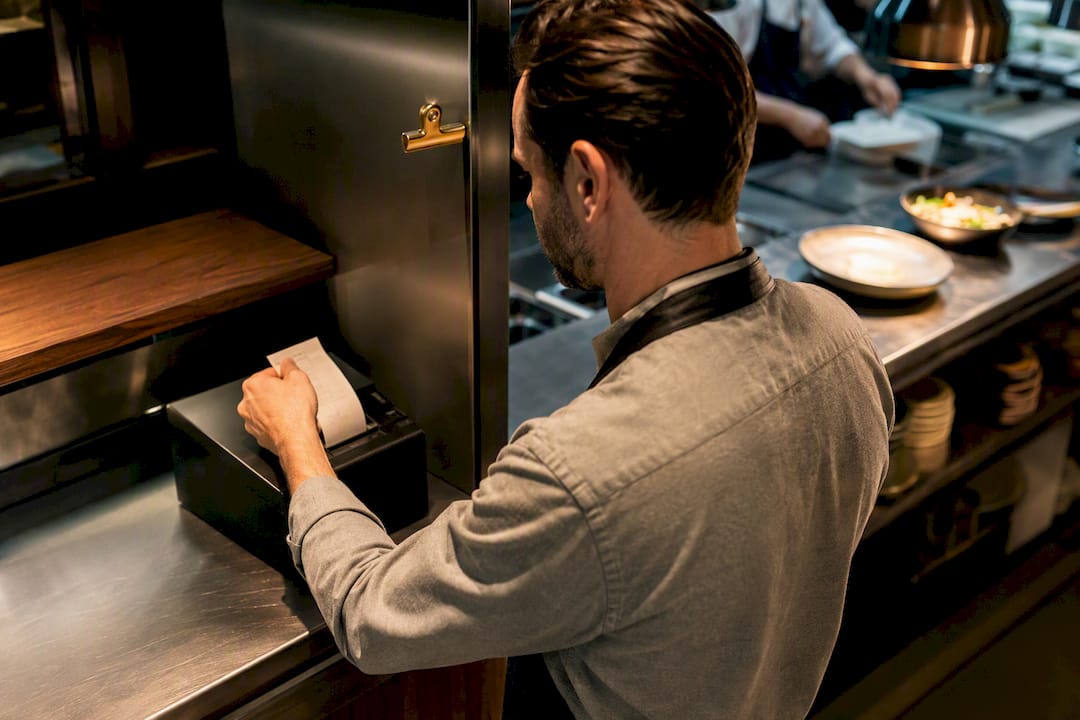
Integrate online orders directly into your POS so they land as regular tickets, not a separate stream someone has to retype. That single change cuts order errors, keeps inventory accurate across every channel, and removes the extra tablets cluttering your counter. The next move is simple: confirm your POS supports the connector you need, then run one end-to-end test order before you go live.
TL;DR:
Integrating online orders into your POS system minimizes manual reentry, drastically reducing order errors and ensuring accurate inventory updates across all channels.
Using native or middleware connectors, online orders are processed in seconds, with real-time sync of menu items, pricing, modifiers, and guest information, optimizing kitchen workflow.
Proper setup involves verifying POS compatibility, mapping menu data, testing end-to-end, and adjusting staff roles to handle timely order fulfillment effectively.
Common issues include modifier mis-mapping, payout discrepancies, and slow network connections, which can be fixed through regular audits and weekly reconciliations.
A unified digital ordering platform with rich menu features and CRM tools can enhance order accuracy, customer engagement, and simplify multi-channel management.
Table of Contents
What Is POS Integration for Online Ordering?
Before the checklist and the connector talk, it helps to name the concept plainly: online ordering POS integration means your website, app, or QR menu orders flow straight into your point-of-sale system as if a server had rung them up at the counter. No printout to retype, no second screen to babysit. The order hits your POS, prints to the kitchen and updates your reports all in one motion.
That distinction separates a modern setup from the tablet graveyard many restaurants still run. If you’ve got four devices lined up behind the register, each buzzing for a different delivery app, you already know the alternative. Integration replaces that pile with one workflow.
Why Integrate Online Ordering With Your POS?
The financial case is straightforward once you see it in operational terms. Every time a server or cashier manually retypes a phone or app order into the POS, you introduce a chance for a wrong modifier, a missed allergy note, or a skipped item. Integration removes that retyping step entirely, and built-in online ordering profiles push orders straight into the POS and kitchen printers so staff work from one queue instead of several.
Beyond accuracy, treating your POS as the single record for sales and stock keeps inventory and reporting synchronized across dine-in, pickup, and delivery, which means your 86’d items actually disappear from every channel at once. Restaurants that move to integrated digital ordering also report measurable time savings and fewer errors once the manual re-entry step is gone.
Here’s what typically changes once integration is live:
Fewer mistakes: no double entry means no transcription errors on modifiers or addresses.
One inventory count: 86’d items update everywhere instantly, not channel by channel.
Less counter clutter: one or two integrated tablets replace a rack of single-app devices.
Better margins on direct orders: orders placed through your own storefront avoid the commission structure of third-party marketplaces.
Pro Tip: Before you pitch integration to your team, walk the line during a Friday dinner rush and count how many times someone reads an order off a phone screen out loud. That number is your error budget waiting to shrink.
How Does an Integrated Order Actually Flow Into the POS?
An online order doesn’t just “arrive” at your POS. It travels through a defined path, and understanding that path helps you troubleshoot later. A customer places an order on your website, app, or QR menu. That order data, including items, modifiers, special instructions, and payment status, gets translated into a format your POS understands, then it prints as a ticket exactly like a server-entered order would.
What actually syncs between the two systems includes:
Menu items and current pricing
Modifiers, combos, and substitution rules
Real-time inventory and 86’d items
Applicable tax rates by location
Guest information tied to loyalty or CRM profiles
You’ll run into three connector types. Native integrations come built into the POS itself, the tightest and usually fastest option. Middleware or aggregator connectors sit between multiple delivery marketplaces and your POS, normalizing different formats into one feed, which is exactly how third-party order engines eliminate the multi-tablet problem. Custom API integrations connect a digital menu platform or e-commerce storefront directly to POS endpoints for more flexibility.
Real-time sync means an order appears in seconds. Batch sync means it arrives in a scheduled pull, which works for reporting but is a poor fit for live kitchen tickets.
How Do You Set Up POS Online Ordering Integration?
Treat this as a project with a start and a finish, not an open-ended tech upgrade. Here’s the sequence that keeps it on schedule:
Confirm compatibility. Check your POS model, software version, and whether it supports native connectors, an open API, or only third-party middleware. Also check printers and kitchen display systems for compatibility.
Pick your integration route. Decide between native in-POS ordering, a digital menu platform that connects to your POS, or a middleware aggregator if you run multiple marketplace channels.
Map the menu. Match every online SKU to its POS counterpart, including modifiers, combos, and price rules. Decide now whether online pricing matches in-store pricing or carries a markup.
Configure ticket routing. Set where tickets print and how pickup versus delivery orders get labeled so staff can prioritize at a glance.
Run end-to-end tests. Place sample orders, process a refund, cancel an order, and apply a coupon before you ever tell customers you’re live.
Go live and monitor. Watch the first shift closely and keep a rollback plan ready.
Simple native setups often take a few days. Multi-channel integrations involving several marketplaces or a custom API can take up to a couple of weeks, mostly due to menu mapping and testing time.
Keeping Your Menu and Pricing in Sync
Menu drift is the quiet killer of order accuracy. A price change made in the POS but never mirrored online, or a sold-out item still showing on your app, generates complaints faster than almost anything else in the ordering process.
The safest approach makes the POS the single source of truth for item data. When menu edits are made in the POS, a properly connected system pushes those changes to online profiles automatically, so you’re never updating two places by hand. If your setup requires a manual sync step instead, write down the update flow and assign it to one person, not “whoever’s free.”
A few sync habits prevent the most common complaints:
Mark items sold out at the POS first; let that flag cascade outward.
Test combo and modifier logic after every menu change, not just at launch.
Apply channel-specific pricing overrides carefully, and document why the override exists.
Schedule time-based changes like happy hour in advance rather than toggling manually at the last minute.
Adjusting Staff Roles for an Integrated Order Flow
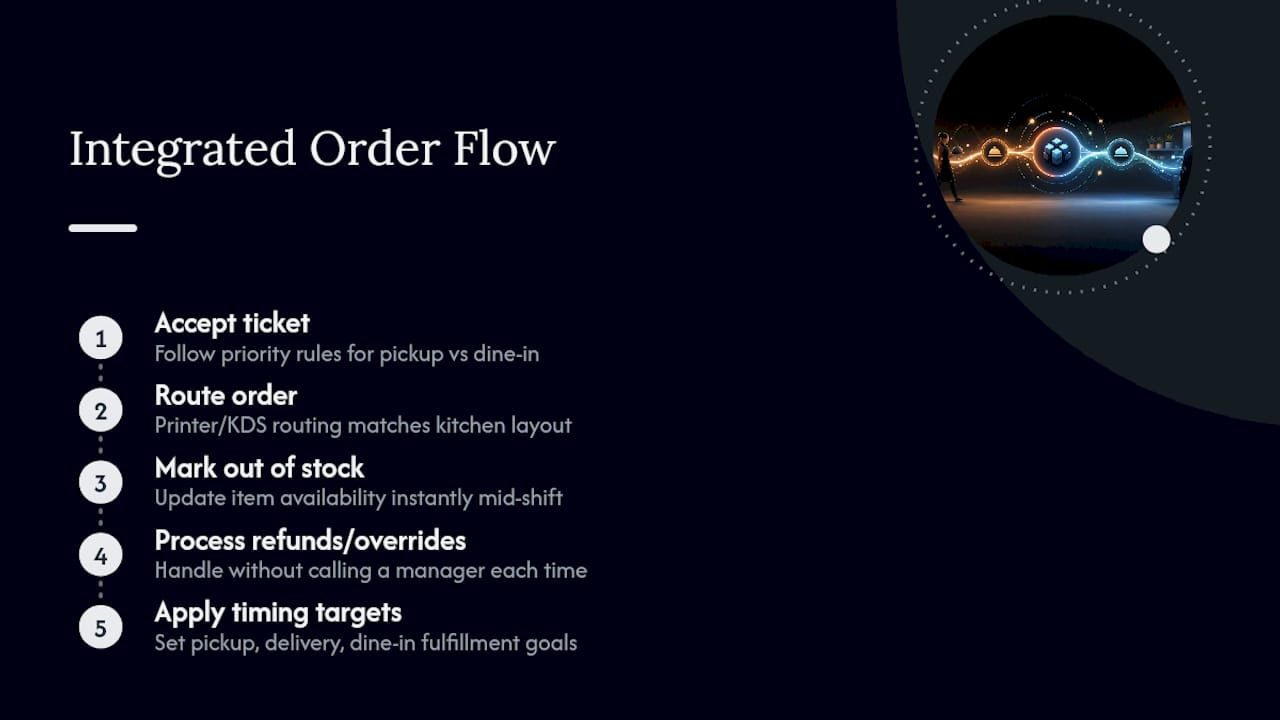
Integration changes software, but it changes shifts too. Give your team clear rules for handling tickets: does a 15-minute pickup order jump ahead of a dine-in table that just sat down? Decide the priority order before your first live shift, not during it.
Build a short training checklist covering how to accept an incoming online ticket, mark an item out of stock mid-shift, and process a refund or override without calling a manager for every case. Confirm printer and kitchen display routing matches your actual kitchen layout, and set rough timing targets for pickup versus delivery versus dine-in fulfillment.
Once orders flow through one system, your POS reporting becomes a real staffing tool. Order volume by hour tells you when to schedule an extra line cook far more reliably than a guess based on last month’s delivery integration patterns.
What Goes Wrong With POS Integration and How Do You Fix It?
Most integration failures trace back to a handful of repeat offenders. Modifier mapping is the biggest one: a “no onions” request that doesn’t translate correctly between systems either vanishes or gets misread, and the fix is a manual audit of every combo and modifier after setup, not just a spot check.
Marketplace payout mismatches come next. Your POS report shows one total, the marketplace’s payout statement shows another, and the gap usually hides in fees, refunds, or promo codes applied outside your system. Reconcile weekly, not monthly, so discrepancies stay small enough to trace.
Watch for these recurring issues:
Tax rates mismatched to the wrong location on multi-location accounts
Slow or dropped orders from weak network connectivity at the router or connector level
Coupons applied at checkout but not reflected correctly on the printed ticket
Refunds processed on the marketplace side but never mirrored in POS records
Pro Tip: Set a recurring 10-minute Monday check where someone places one test order per active channel. Catching a broken modifier map on a Monday morning beats catching it during a Friday rush.
What MyDigiMenu Offers for POS-Integrated Ordering
A well-designed digital ordering platform builds around the same principle driving this entire guide: fewer devices, fewer manual steps, one accurate order record. Some platforms support QR code menus, tablet ordering, and app-free contactless ordering, designed to connect with existing POS setups rather than compete with them.
Some platforms go further than a bare-bones ordering link by enhancing menu presentation with features like high-quality food videos and customizable layouts to encourage guests to add extra items, which can increase average order value. Adding CRM integration, guest profile capture, and loyalty programs can help a system improve both order accuracy and customer repeat visits. For businesses managing multiple locations or seasonal menu changes, combining order accuracy and guest engagement can address multiple challenges with a single setup.
What Should Managers Actually Prioritize?
If you’re choosing between a full platform and a bare middleware connector, pick the platform when guest experience and menu presentation matter as much as order accuracy. Pick middleware alone only if you’re purely trying to consolidate marketplace tablets with no ambition beyond that.
Three rules I’d hold to on any integration: test during a slow window first, never a Friday rush. Keep the POS as your single source of truth, full stop. And measure fulfillment time before and after launch, because that number tells you if the integration actually worked.
Before you start: confirm POS compatibility, map your full menu, and assign one person to own sync accuracy.
— Abhi
Ready to Simplify Your Online Ordering Setup?
If you’ve read this far weighing a native POS add-on against a middleware patch, there’s a third path worth a look. Some digital menu platforms offer contactless ordering, POS connectivity, and richer menu content in a single subscription to avoid using separate tools for different needs.

Onboarding typically starts with a menu audit and connector check, then moves into testing before go-live, similar to the setup timeline covered above. Many platforms provide QR and tablet ordering options, loyalty and CRM tools, and support for restaurants managing multiple sales channels simultaneously. Start with the digital tablet and iPad menu solution if you’re consolidating counter hardware, or check the QR menu generator if contactless ordering is your first priority. Either page gets you to a demo request in a couple of clicks.
Sources
For deeper technical detail beyond this guide, these resources cover POS connector documentation and industry context:
Recommended
Word association takes center stage in this daily puzzle, where familiar terms can hide unusual relationships. A helpful clue from connections hint today may reveal the direction without exposing the complete solution. Players can then return to the grid and reconsider words from a different angle. Categories involving phrases, objects, names, or concepts can create interesting surprises. The challenge stays satisfying because the final connections still come from the player.