
Digital vs Paper Menus: Save Reprint Costs by Piloting One Section

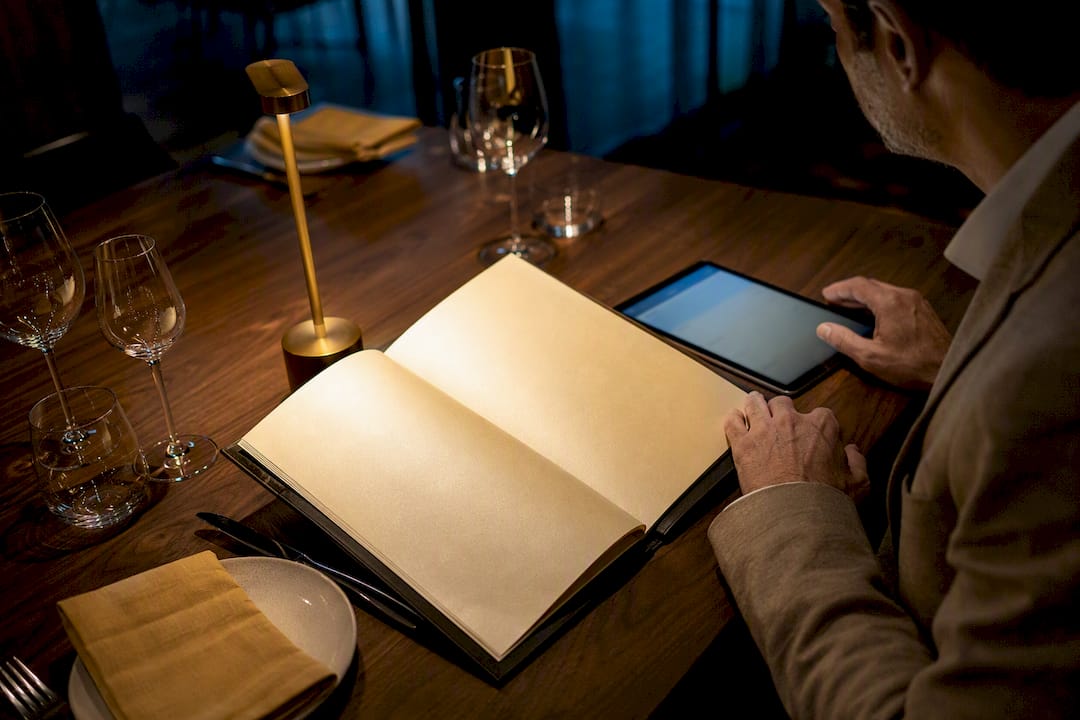
For most restaurants today, a digital-first menu with a small paper fallback is the smartest move. The exceptions are narrow: fine dining rooms where a printed menu supports the price point, and venues with weak cell signal or a mostly older clientele. The right call comes down to your room, your guests, and how often your menu changes, all of which the comparison below breaks down factor by factor.
TL;DR:
Digital menus allow real-time updates, making price changes, item removals, and seasonal additions faster and more cost-effective than reprinting paper menus frequently.
Digital formats significantly increase purchase intent, especially through video and imagery, with studies showing the strongest behavioral effects for unfamiliar or new dishes.
Paper menus remain preferable in fine dining and low-signal environments, offering a tactile, ritualistic experience and reliable access without the need for a device or internet connection.
Switching to digital can reduce long-term costs for fast-changing menus, but initial expenses include content creation, POS integration, and potential ongoing fees.
Content quality and presentation matter more than format choice, with hybrid approaches blending digital and paper to suit different dining experiences and guest preferences.
Table of Contents
Digital vs Paper Menus: A Side-By-Side Comparison
The two formats trade places depending on what you’re optimizing for. Here’s how they stack up on the factors that actually affect your bottom line.
Cost to update: Paper means a reprint job and a wait. Digital means editing a screen and pushing live in minutes. If your menu changes weekly, this alone settles the argument.
Speed to guest: Paper is instant, no phone required. Digital adds a scan step, which costs a few seconds but nothing else.
Visuals: Paper is limited to static photos, if any. Digital supports full video and rotating imagery, which matters more than most operators assume.
Discoverability: Paper menus live only in your dining room. A hosted digital menu can show up in local search results and get linked from your website.
Data and analytics: Paper gives you zero insight into what guests actually looked at. Digital tracks views, dwell time, and clicks per item.
Hygiene: Paper menus get handled by every table. Digital, scanned on a personal phone, removes shared touchpoints.
Languages: Paper requires a separate printed version per language. Digital can switch languages with one tap.
Signal dependency: Paper works everywhere, including basements and patios with no Wi-Fi. Digital needs a connection or a hosted fallback.
Premium feel: A heavy cardstock menu still signals occasion and price point in a way a QR code rarely does on its own.
What it means for you: if your menu is stable, your room skews upscale, and connectivity is unreliable, paper still earns its keep. If you change items often and want any read on what’s working, digital is the clear winner.
Where Digital Menus Clearly Win
The biggest operational win is speed. When a menu lives on a screen or a hosted page, updating a price, pulling a sold-out item, or adding a seasonal dish takes minutes instead of a print run. That alone eliminates the recurring cost of reprints and the accuracy problems that come from staff crossing out items by hand, a documented benefit of digitized menus.
The bigger revenue story is behavioral, as explained in an insightful article on the role of online food ordering for restaurants and customers. A study of 502 diners found that video-based digital menus generated stronger purchase intentions than any other format, with image-rich paper menus coming in second. Separate research on India’s post-pandemic restaurant market found that visual appeal and informativeness in digital menus significantly increased purchase intention, alongside perceived convenience.
Where digital pulls ahead:
Real-time price and inventory updates without reprint costs
Video and rich imagery that raise behavioral intent more than static photos
Item-level analytics that show what guests view and skip
Online discoverability when the menu lives on a real webpage
Lower shared-surface contact for guests who prefer contactless service
Quick Stat: Diners exposed to video-based menus showed the strongest behavioral intentions of any format tested, ahead of paper menus with images or text alone, according to a 502-diner study.
Where Paper Menus Still Hold Up
Paper hasn’t lost every argument. In fine dining, the printed menu is part of the ritual. It’s handed over, held, and read at a pace that matches the meal, and that tactile weight still supports higher price points in a way a phone screen struggles to replicate.
Paper also wins on reliability. No signal, no app, no battery to charge. If your patio sits in a dead zone or your guests are mostly older diners who default to paper out of habit, forcing a QR code onto every table creates friction you don’t need.
Reasons to keep paper around:
Fine-dining atmosphere where handling a menu is part of the experience
Zero dependency on Wi-Fi, cell signal, or guest device battery
Simpler for very short, rarely changing menus
More comfortable for guests less confident with scanning a code
The fix for the accessibility gap isn’t abandoning digital. It’s keeping a handful of laminated backups per section and training staff to offer one without being asked.
What Digital Menus Actually Cost Over Time
Paper’s sticker price looks cheap until you count reprints. A basic tri-fold menu might run a few hundred dollars per batch, but seasonal changes, price adjustments, and wear mean most restaurants reprint several times a year. Digital shifts that cost into a subscription, but the payoff depends on how often your menu actually changes.
Small cafe with a stable menu: Low reprint frequency means paper’s ongoing cost stays modest. Digital still helps with hygiene and discoverability, but the break-even takes longer.
Multi-shift casual restaurant with seasonal specials: Frequent updates make paper’s reprint cost climb fast. A digital menu usually pays for itself within a few menu cycles once you factor in printer runs and staff time correcting outdated copies.
Fine dining with a nightly changing menu: Daily printing is expensive and error-prone. Digital or a hybrid daily-insert approach cuts that cost dramatically while preserving the printed feel for guests who expect it.
Watch for hidden costs on the digital side too: photo and video production, POS integration work, and per-transaction fees if online ordering is bundled in. None of these are dealbreakers, but they belong in your math before you commit.
What the Research Says About Guest Behavior
The strongest signal in the research is that format alone doesn’t drive sales. Content does. Video and image-heavy menus consistently outperform text, but the size of that lift depends on what’s being sold.
Experimental work on tablet-based menus found they increased enjoyment and ordering speed for less-familiar dishes, but guests didn’t always prefer digital when ordering something they already knew well. That’s a useful caveat: if your menu is mostly familiar comfort food, don’t expect a dramatic digital lift. If you’re pushing new or unusual dishes, digital’s visual storytelling does real work.
Metrics worth tracking after you switch:
Menu views and click-throughs by item
Sell-through rate on featured or promoted dishes
Time-to-order, especially during peak service
Repeat scans per table, which hints at how often guests revisit the menu mid-meal
Quick Stat: In controlled testing, interactive digital menus raised enjoyment and consumption visions most strongly for unfamiliar items, a pattern operators launching new dishes should plan around.
Design compounds these effects. Combining visual and descriptive elements tends to persuade more than text alone, which is worth remembering when you’re deciding how much to invest in photography versus copywriting.
How to Switch to a Digital Menu Without Disrupting Service
Rolling out digital doesn’t require flipping a switch overnight. A phased approach protects service quality while you learn what works.
Pick your format first. A QR-hosted web menu suits fast casual and full service alike; tablets at the table fit hospitality-forward concepts; digital displays work best for quick-service boards and specials.
Prep your content before launch. Photograph dishes properly, write tight descriptions, tag allergens, and translate for your top guest languages.
Handle the technical setup. Choose reliable hosting, sync with your POS if you’re taking orders through the menu, place QR codes where they’re easy to scan, and keep a few printed backups on hand.
Train staff and pilot in phases. Run digital in one section for a week, gather feedback, then expand once servers are comfortable explaining it to guests who hesitate.
Pro Tip: Print small table cards that say “Scan to view our full menu with photos” — guests scan more readily when they know what they’ll get before they pull out their phone.
A detailed walkthrough of QR code menu setup covers the technical steps in more depth if you want a room-by-room rollout plan.
How to Choose the Right Solution for Your Room
Before you sign with any provider, run through a short checklist built around how your restaurant actually operates.
How often do you realistically update your menu, and does the platform make that fast?
What’s your guest tech profile? Younger, phone-comfortable crowds tolerate QR friction better than older or tourist-heavy rooms.
Does the platform support the languages your guests actually speak?
Can you export your own guest and sales data, or is it locked inside the vendor’s dashboard?
Does it integrate with your existing POS and delivery platforms without a workaround?
What’s the platform’s uptime history, and what happens to your menu if it goes down mid-service?
Ask vendors directly about data export rights, per-transaction fees, and any cap on menu items or photos during a demo, not after you’ve signed. Red flags worth walking away from include hidden fees buried in fine print, contracts that make switching providers difficult, and no straightforward way to pull your own guest data if you leave.
A Publisher’s View on Making the Switch Work
Some platforms build QR menus, tablet ordering, and POS-integrated systems designed for restaurants weighing this decision. In practice, the operators who see the strongest results are the ones who pilot in one section, watch item-level view and click data for a few weeks, and adjust photos or descriptions before rolling out room-wide.
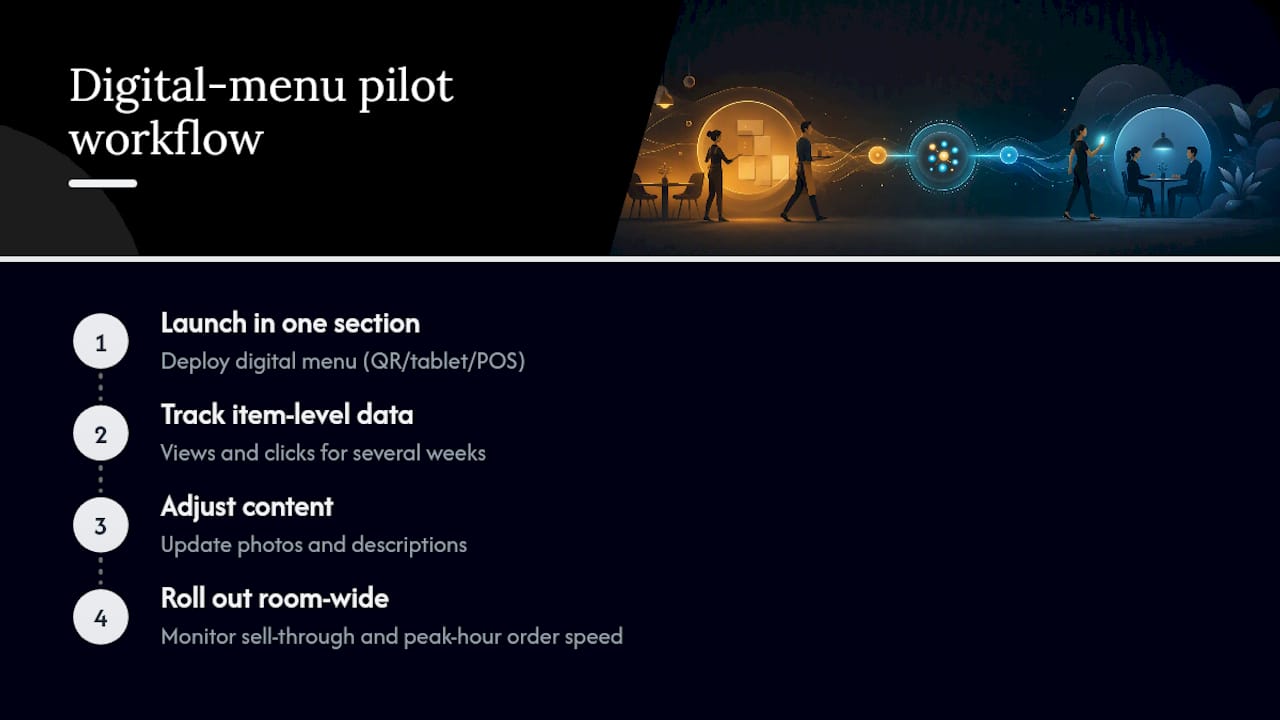
The metrics that tend to move first are sell-through on featured dishes and order speed during peak hours, echoing what the behavioral research on video-based menus predicts. For readers ready to test this themselves, a deeper look at menu design for engagement walks through the visual choices that tend to move the needle fastest.
Why the “Either/Or” Debate Misses the Point
Most coverage of this topic frames digital and paper as a binary choice, and that framing wastes operators’ time. The real question isn’t which format wins in the abstract. It’s which format wins in your specific room, for your specific guests, on your specific menu.
What gets underestimated is how much the content on the menu matters more than the medium delivering it. A gorgeous photo of an unfamiliar dish on a phone screen will outsell a flat description of that same dish on paper, but a familiar comfort-food item might sell just as well either way. The research on tablet menus backs this up: the lift shows up strongest for dishes guests don’t already know, which means your digital investment pays off fastest if you’re pushing new or seasonal items rather than digitizing a menu that hasn’t changed in a decade.
The other overlooked point is that hybrid isn’t a compromise. It’s often the correct permanent answer, not a temporary bridge while you “fully commit” to digital. A fine-dining room that keeps a printed menu for the ritual while using a digital wine list with pairing notes isn’t hedging. It’s matching format to purpose, which is exactly what the data supports.
— Abhi
Try a Digital Menu Built for the Way You Actually Run Service
If you’ve read this far, you already know the tradeoffs. What you need next is a way to test digital without betting your whole operation on it. Some platforms let you launch a QR-hosted menu or a tablet-based ordering system in one section, sync it with your existing POS, and see real view and click data within days instead of guessing.

Unlike a straight reprint decision, this isn’t an all-or-nothing switch: you can run tablet menus at the table for a full-service dining room while offering a QR menu for the bar or patio, and compare how each performs before expanding further. Both formats support photo and video content, multiple languages, and POS syncing, so you’re not stitching together separate tools to cover the checklist from earlier in this piece.
Start with one section, one menu update cycle, and one clear metric, whether that’s order speed or sell-through on a featured dish, before deciding how far to expand.
Sources
Recommended
One suspicious move can completely change the mood in Among Us. A quiet round can suddenly turn into accusations, confusion, and everyone trying to figure out who is actually lying.