
Are QR Menus Safe for Restaurants? What Owners Must Know

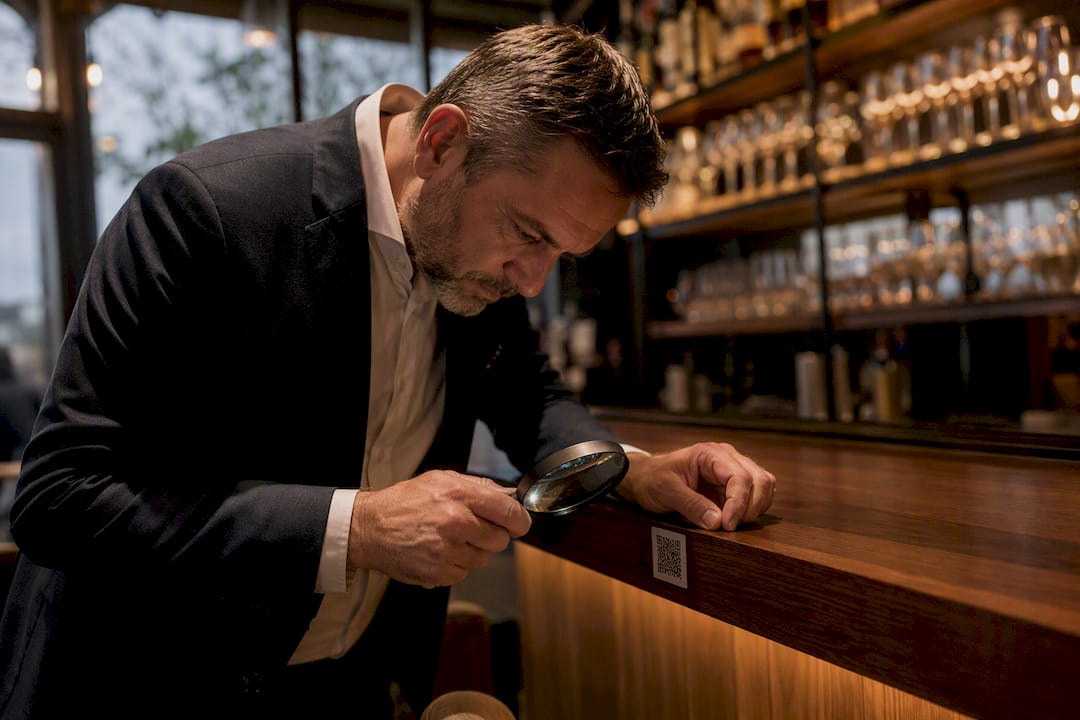
Yes, QR menu codes are safe when the destination page runs on HTTPS, sits with a vetted hosting provider, and gets patched on a documented schedule. The single most important step is controlling or thoroughly vetting that destination URL, since everything else, phishing, skimming, data leakage, traces back to who owns and maintains that link. A documented vendor flaw, CVE-2025-7013, shows why patching cadence matters as much as the code itself. Agencies including IC3 and platforms like MyDigiMenu shape much of the guidance below.
Verify the destination URL is owned or fully vetted by you or your vendor.
Confirm HTTPS and an active patching commitment from your provider.
Watch for physical tampering on printed codes at every table check.
The safest QR menu program treats the printed code as the last line of defense, not the first. Vendor infrastructure and patching habits matter more than the sticker on the table.
Key Takeaways
QR menu security depends less on the code itself and more on vendor infrastructure, patching discipline, and staff vigilance against physical tampering.
Point | Details |
Control the destination URL | Vet or own the link your QR code resolves to; this is the single highest-leverage security step. |
Watch for quishing | Sticker overlays are the most common attack; a tactile check catches most of them. |
Demand vendor patch SLAs | Require documented patching commitments, referencing evidence like CVE-2025-7013. |
Minimize data collection | Make social login and email capture opt-in, and get a signed Data Processing Addendum. |
Choose a vetted platform | Mydigimenu builds HTTPS, PCI-compliant payments, and admin access controls into its QR menu system by default. |
Table of Contents
How QR Menu Systems Actually Work
A static QR code embeds a fixed URL directly into the pattern. A dynamic QR code points to a short redirector controlled by your vendor, letting you swap menus without reprinting. That flexibility is convenient, but it also means you’re trusting someone else’s redirect infrastructure every time a guest scans.
Here’s the flow once a diner points a phone camera at your table tent:
The camera reads the code and shows a URL preview before opening anything.
Tapping it opens the browser to that address, static or redirected.
The page loads your menu, and depending on setup, may offer ordering, payment, or a social login for loyalty perks.
Behind the scenes, analytics scripts, order data, and sometimes card details flow to your vendor’s servers.
Each of those last steps depends entirely on how your vendor handles data. A menu-only page carries little risk. A page requesting login or card info before showing food, that’s where secure QR menu options separate themselves from careless ones.
Main Security and Privacy Risks Behind QR Menus
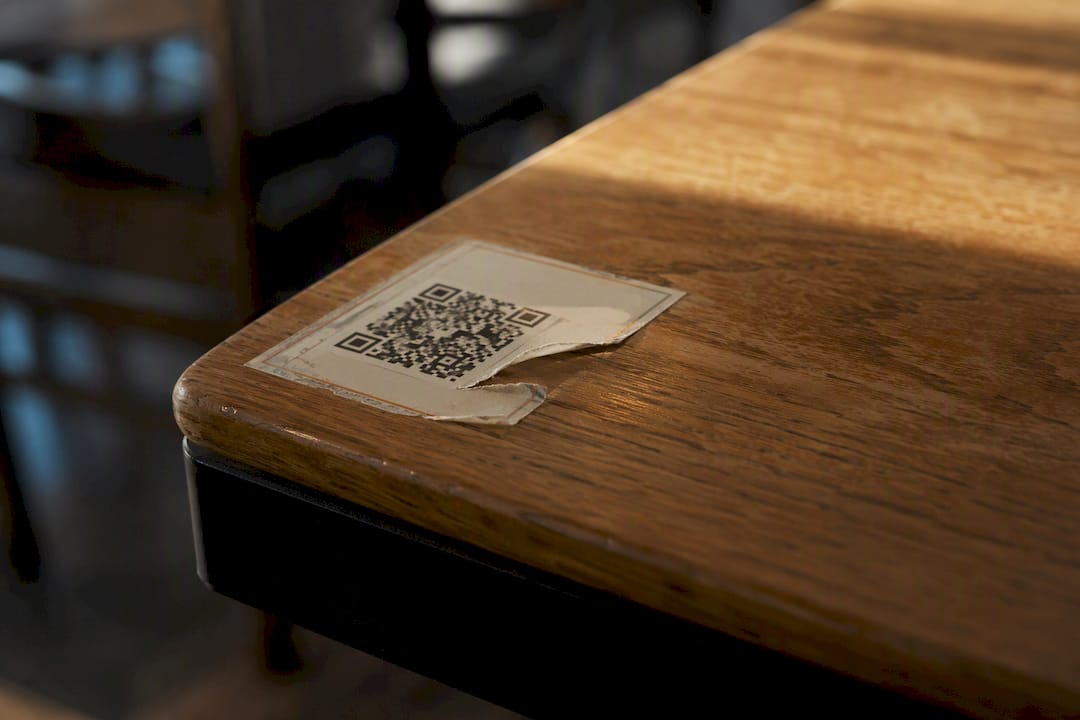
Quishing, phishing delivered through QR codes, is the risk restaurant staff encounter most often in the field. An attacker prints a sticker matching your branding and pastes it over the legitimate code, silently redirecting guests to a fake ordering page. Security researchers note this sticker-overlay attack is currently the dominant real-world threat, far more common than any server-side exploit.
Beyond quishing, four other risks deserve a line in your risk assessment:
Malicious landing pages that mimic your ordering flow and harvest payment card data before a guest realizes anything is wrong.
Drive-by downloads triggered by unpatched browser components on outdated menu-page software.
Data and privacy leakage through analytics trackers or social logins that quietly build behavioral profiles of your diners.
POS integration exposure, where a QR ordering flow connects to payment systems without proper segregation, widening the blast radius of any single breach.
The Identity Theft Resource Center has documented rising QR-based scam activity as barcode use has grown across retail and hospitality. Privacy advocates raise a separate but related concern.
QR menus can become quiet surveillance tools when vendors aggregate scan data, location, and social login details across visits without clear consent. The ACLU has flagged this kind of tracking as a genuine diner privacy risk, not a hypothetical one.
Your QR Menu Security Checklist, Step by Step
Work through these in order. Each layer catches what the one before it might miss.
Lock down the technical basics. Require HTTPS on every menu page, avoid free anonymous URL shorteners, and get a documented patching SLA in writing from your vendor. Route any in-menu payments through a PCI-compliant gateway only, never a generic form embedded in the menu page itself.
Harden the physical code. Use durable, laminated printing that would visibly tear if someone tried to paste a sticker overlay. Fix codes to the table itself rather than loose stands that are easy to swap.
Train staff on daily checks. A five-second glance and a fingertip run across the code catches most sticker tampering before a guest ever scans it. Build this into opening-shift duties, not an occasional audit.
Minimize data collection. Only ask for what you’ll actually use, make social login and email capture opt-in, and document how long you retain guest data. Get a signed Data Processing Addendum from your vendor.
Monitor and test regularly. Scan your own codes weekly, review vendor access logs, and keep a written incident playbook ready before you ever need it.
Pro Tip: Assign one manager per location to own the QR security checklist. Diffuse responsibility is how “someone should check that” turns into nobody checking it for six months.
Restaurants using reliable QR code menu setup practices from day one avoid retrofitting security after a problem surfaces. Pairing that with anti-tamper printing techniques closes the physical gap most operators overlook entirely.
How to Tell If a QR Menu Is Actually Safe
Vetting a vendor before signing takes fifteen minutes and saves you from months of cleanup later. Ask directly: Do they host on their own domain or route through a shared redirector? What’s their patching cadence? Can they show a SOC 2 report or comparable third-party audit? Is payment handling PCI-compliant, and what’s their breach notification timeframe?
For staff and diners in the moment, the checks are simpler:
Run a finger across the printed code; a raised edge usually means a sticker was added later.
Preview the URL your camera shows before tapping through to the page.
Confirm the domain matches your restaurant’s actual branding, not a shortened or random-looking string.
Treat any page asking for login or card details before showing the menu as an immediate red flag.
Frequent, unexplained changes to your own menu link, or a vendor admin panel anyone on staff can access, are signs your controls have gaps worth closing now.
What to Do If You Suspect a QR Menu Compromise
Move fast on containment first, cleanup second.
Cover or remove the suspected code immediately.
Disable the dynamic redirect URL if your platform supports it.
Ask your vendor to block the malicious domain at the network level.
Notify your payment processor if any card data may have been exposed.
From there, tell affected guests to watch their statements and consider a card freeze if the exposure looks serious. Report the incident to the FBI’s Internet Crime Complaint Center, which tracks phishing and fraud patterns nationally, and loop in your vendor, IT contact, and legal counsel. Save screenshots, server logs, and the physical sticker or code artifact itself. Evidence preserved early is evidence a forensic reviewer can actually use later.
What a Reliable QR Menu Vendor Should Guarantee
A trustworthy vendor treats security as infrastructure, not an afterthought. Expect a documented patching cadence, HTTPS enforced by default, web application firewall protection, role-based admin access, and separate staging and production environments so untested changes never reach live menus.
Patch SLA with a defined response window after any disclosed vulnerability.
Breach notification commitment stated in the contract, not just promised verbally.
PCI-certified payment integrations for any in-menu ordering.
Third-party audit evidence, SOC 2 or ISO certification, available on request.
CVE-2025-7013, an authorization bypass affecting a menu platform’s admin panel, is a documented example of what happens when trusted identifiers go unchecked. It’s a reminder that even established platforms carry vendor-side risk, which is exactly why patch SLAs belong in your contract language, not just your assumptions.
Why I Think Security-First QR Menus Are Worth Keeping
Contactless ordering caught on for good reason during the pandemic years, when reducing shared-surface contact was a real public health concern, and the convenience stuck around long after. I don’t think the answer to QR menu risk is walking it back. Vendor vetting and a five-second sticker check are small habits that neutralize most of what actually goes wrong in the field. Treat QR menus the way you treat a walk-in cooler: routine checks, not fear.
A Secure QR Menu Platform Built for Operators, Not Just Diners
Everything covered above, HTTPS by default, documented patching, PCI-compliant payment flows, and role-based admin access, is exactly what Mydigimenu builds into its QR menu platform from the ground up. You get secure, brandable QR code generation alongside POS integrations, guest data controls, and configurable admin permissions, so your team never has to choose between convenience and caution.

Pair that with proper table setup and code placement guidance, and you’ve closed both the physical and digital gaps most operators leave open. Industry voices agree contactless ordering is here to stay, as Wild Foodz has noted in its coverage of digital ordering trends, which makes getting the security fundamentals right now worth the effort. If you’re evaluating vendors, request a security data sheet and compare it against the checklist above, or explore Mydigimenu’s plans to see which tier fits your location.
Sources
Recommended
Comments