
WhatsApp for Restaurants: A Practical Ordering Guide

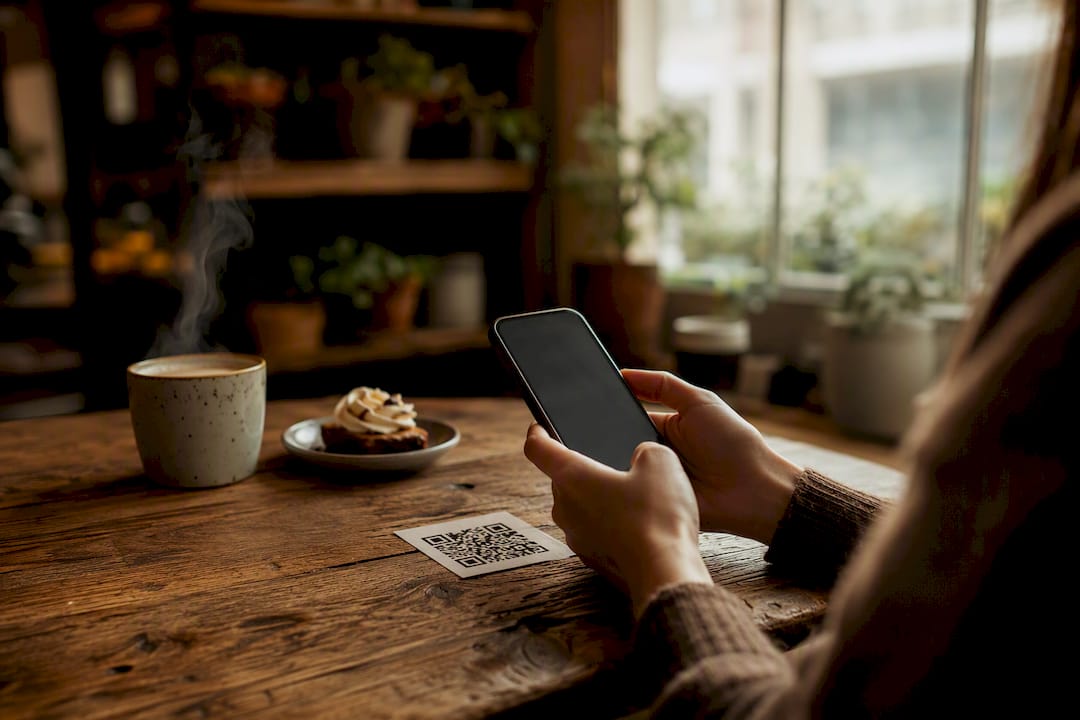
For this article, “WhatsApp for restaurants” refers to a QR-based contactless digital menu and ordering platform, not a chat app. The winning move is a system that skips guest app downloads and plugs straight into your POS. Before you sign anything, confirm that integration and the mobile checkout flow yourself in a live demo.
TL;DR:
A true contactless ordering system allows guests to browse, customize, pay, and send orders directly from their phones without app downloads, improving efficiency during busy times.
Ensure POS integration is two-way, real-time menu updates are possible, and table mapping functions are included to avoid order routing errors.
Prepare menus and modifiers carefully, test the entire flow with real orders, and place QR codes strategically to maximize guest adoption and minimize chaos.
Expect a 15 percent increase in table turnover and a 15 to 30 percent rise in average order value within the first month of implementation.
Maintain strict data privacy, ensure PCI compliance, and use guest data to support loyalty and marketing efforts without infringing on privacy expectations.
Table of Contents
What Full Contactless Ordering Looks Like on the Floor
A view-only QR menu is just a PDF with a fancier doorway. A guest scans, sees your dishes, and still has to flag down a server to actually order anything. A full contactless ordering system does something different: it lets guests browse, customize, pay, and get their order fired to the kitchen, all from their own phone, all without downloading anything.
That distinction shows up the moment you watch a dinner rush. With a static menu, your servers are still the bottleneck for every order, every modification, every check split. With a connected system, the guest’s order routes directly into your point-of-sale and kitchen display, often in seconds. A functional QR ordering system that talks to your POS supports real-time menu updates, payment processing, and guest data capture, which a printed QR code simply cannot do.
The kitchen side matters just as much as the guest-facing side. When you 86 an item because you ran out of halibut, that update needs to hit every table’s menu instantly, not five minutes later after a server notices the pattern of confused customers. Real-time sync between your ordering platform and your KDS prevents the kitchen from getting slammed with orders for dishes that no longer exist. Order routing and timing logic also matter: appetizers should hit the kitchen ahead of entrees even if a guest submits them in the same cart.
On the guest’s phone, design decisions carry real weight. Menu photos need to load fast on a spotty restaurant Wi-Fi signal. Modifiers, like “no onions” or “add avocado,” should be one tap, not a maze of submenus. And upsell prompts, a suggested appetizer or dessert pairing, work best when they appear naturally in the ordering flow rather than as an aggressive pop-up.
What to Require Before You Sign With Any Vendor
Picking a digital ordering platform without a checklist is how restaurants end up locked into a system that fights their kitchen instead of supporting it. Here’s what should be non-negotiable, and what’s worth paying extra for.
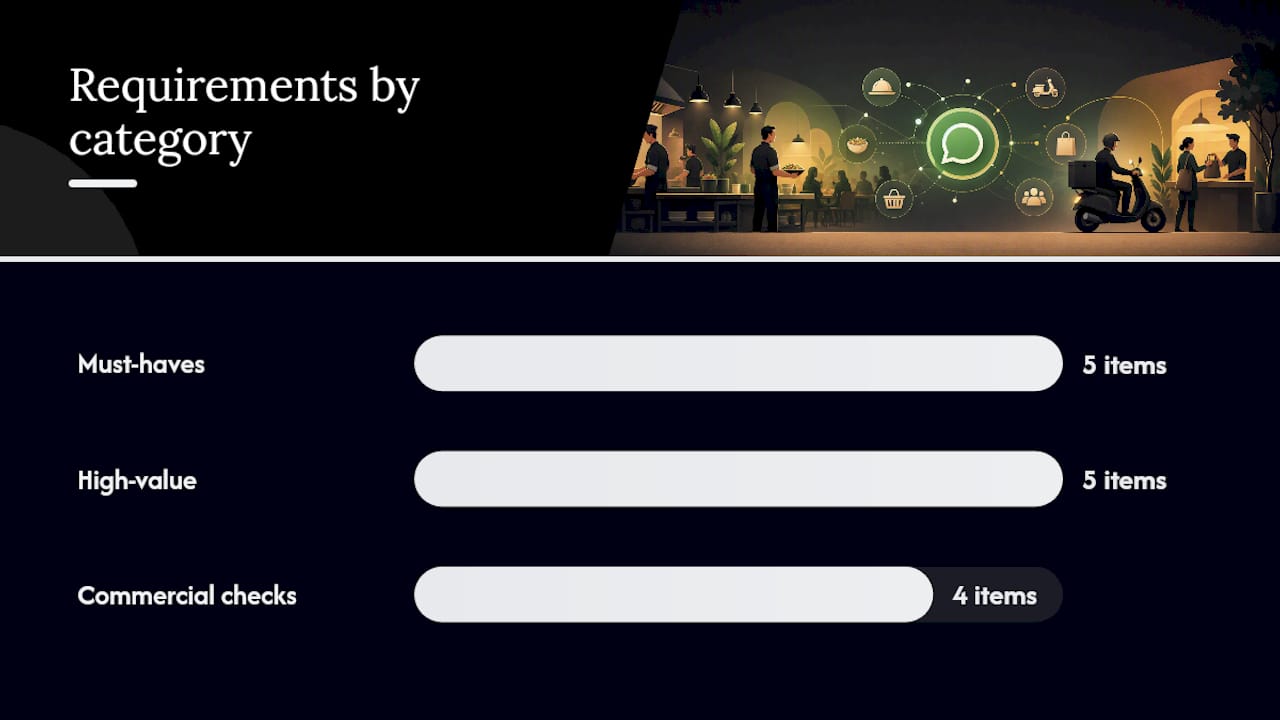
Must-haves:
Two-way POS integration, not a one-way order dump that requires manual re-entry
App-less ordering that works from a browser, since downloads before dinner scare guests off
Secure, PCI-compliant payment processing built into the checkout
Real-time menu management so 86’d items disappear instantly across every table
Table mapping so an order lands at the right seat, not a random server’s queue
High-value, worth prioritizing:
Built-in upsell prompts at the right moment in checkout
Loyalty and CRM tools that turn one-time diners into regulars
Reservation sync so booking and ordering data live in one place
Multi-language menu support if your location draws tourists or a diverse local crowd
Analytics that show which dishes convert and which photos get ignored
Pro Tip: Ask every vendor one blunt question during the demo: “What happens to an order if my internet drops for 30 seconds mid checkout?” Their answer tells you more about system reliability than any feature list.
Commercial terms deserve equal scrutiny. Some platforms charge a flat subscription; others take a per-order transaction fee that quietly erodes margin as volume grows. Ask who owns the guest data your system collects, because that data is what fuels your marketing later. Also confirm onboarding support and the service-level agreement for menu updates. A platform that takes three days to push a price change during a supply shortage is a platform that costs you money.
How to Roll Out Contactless Ordering Without Chaos
Launching a new ordering system on a random Tuesday with zero prep is how you end up with a line of confused guests and a kitchen printer jamming every ten minutes. Break the rollout into three phases instead.
Audit your menu and modifiers first. List every dish, every customization option, and every combination your kitchen actually supports. Vague modifiers create order errors.
Map your POS integration before you build anything. Confirm with your vendor exactly how orders will flow from guest phone to kitchen printer or KDS screen.
Decide your payment and tipping model. Will guests pay upfront, pay at table, or split checks digitally? Lock this down before content goes live.
Build mobile-first content. Photograph dishes at the angle a phone screen favors, and write descriptions short enough to read in three seconds.
Run integration tests with real orders, not dummy data, to catch routing errors before guests see them.
Do a staff dry run. Servers need to understand how orders now appear and who handles exceptions.
Place QR codes and signage where guests will actually see them, not buried on a table tent nobody reads.
Most modern QR ordering setups can be configured within a day once your menu content and POS integration are ready. The menu build itself, especially with photography and modifier logic, usually takes longer than the technical setup.
Pro Tip: Keep a few paper menus behind the host stand. Not every guest carries a smartphone, and forcing the issue creates friction you don’t need on a busy night.
After launch, watch adoption rates for the first two weeks and offer a small incentive, like a free appetizer, for guests who order directly through your system instead of a third-party app.
What Kind of Return Should You Expect?
Restaurants that move from static menus to full contactless ordering typically see gains in three places: faster table turns, fewer order errors, and higher average order value. None of these show up on day one, but most operators notice a shift within the first month.
Restaurants adopting QR code-based payments see a 15% increase in table turnover, largely because guests can pay the instant they’re ready instead of waiting for a server to notice. Digital ordering with well-placed upsell prompts and strong photography can also lift average spend per table by 15 to 30 percent, since a guest scrolling a menu with mouthwatering images tends to add a side or dessert they wouldn’t have ordered verbally.
Track these five numbers monthly:
Percent of orders placed directly through your own platform versus phone-in or third-party apps
Change in average order value before and after launch
Covers handled per server, since routing efficiency should free staff for more tables
Order error rate, which should drop once manual order entry disappears
Loyalty program signups, a signal that guests trust the new channel enough to hand over their info
By the 90-day mark, most operators have enough data to see whether the platform is paying for itself. If direct order share is climbing and error rates are falling, the investment is working. If neither metric moves, the problem usually traces back to weak menu content or a clunky checkout flow, not the underlying technology.
Handling Guest Privacy and Data Responsibly
Any digital ordering system that captures guest names, phone numbers, or payment details takes on a real responsibility, not just a checkbox for a privacy policy. Guests hand over this information expecting it stays with your restaurant, not scattered across third-party ad networks.
Start by asking your vendor exactly where guest data lives and who can access it. A platform that stores payment information should be PCI-compliant by default, and any guest profile data, like birthdays or order history for loyalty programs, should be encrypted both in transit and at rest. If a vendor can’t explain their data handling in plain language, that’s a red flag worth taking seriously.
Ownership matters as much as security. Some ordering platforms treat guest data as their own asset, using it to build products or sell insights beyond your restaurant. Others treat it as yours, meaning you can export it, use it for your own marketing, and delete it if a guest requests removal. Push for the second arrangement in your contract.
Transparency with guests helps too. A short line near your checkout, something like “we use your info to speed up future orders,” builds trust faster than a wall of legal text nobody reads. Guests are increasingly aware of how their data gets used, and a restaurant that handles it plainly tends to earn more repeat visits than one that stays vague. None of this requires a legal department, just a vendor who takes the responsibility as seriously as you do.
Getting Guest Messaging Right Without Being Annoying
Once a guest orders through your digital platform, you often gain a direct line to reach them again, whether that’s an order confirmation, a receipt, or a promotional offer down the road. How you use that line determines whether guests welcome your messages or block them.
Timing is everything. A confirmation the moment an order goes in feels helpful. A promotional blast at 7 AM on a Saturday feels intrusive. Match message frequency to the relationship: a guest who orders weekly can handle more contact than someone who visited once for a birthday dinner.
Keep the tone conversational but professional, closer to a message from a favorite local spot than a corporate broadcast. Skip the exclamation-point-heavy marketing voice and write like a person who actually works in the restaurant. Guests respond better to “Your table’s ready when you are” than to “ATTENTION: YOUR ORDER STATUS UPDATE.”
Always give guests an easy way to opt out of promotional messages while keeping transactional ones, like order updates, separate. Mixing the two erodes trust fast, since a guest who blocks marketing texts shouldn’t also lose their delivery notifications.
Finally, keep messages short. Guests are scanning a phone screen between bites or on their way out the door, not reading a newsletter. One clear sentence with a specific offer or update beats three paragraphs of restaurant history nobody asked for.
Staying on the Right Side of Digital Ordering Rules
Digital ordering platforms touch several regulatory areas at once: payment processing, consumer messaging, and data privacy. None of this needs to intimidate you, but ignoring it can turn into an expensive mistake.
Payment processing through your platform should meet PCI DSS standards, the security framework that governs how card data gets handled and stored. Any vendor worth working with will already be compliant, but confirm it during your evaluation rather than assuming.
Consumer protection rules around unsolicited marketing messages vary depending on how you collect consent. If your platform sends promotional texts or emails after an order, make sure guests explicitly opted in rather than getting auto-enrolled at checkout. A pre-checked box buried in fine print invites complaints and, in some jurisdictions, real penalties.
Data privacy obligations depend on where your guests are located and what information you collect. If your platform stores names, phone numbers, or order history, you’re responsible for how that data gets used, shared, or deleted upon request. Ask your vendor whether their system supports data deletion requests, since guests increasingly expect that option.
None of these requirements should scare you away from digital ordering. They just mean choosing a vendor who treats compliance as part of the product, not an afterthought you have to chase down later. A quick conversation with your accountant or a hospitality attorney before launch settles most gray areas fast.
Turning Ordering Data Into Repeat Visits
A digital ordering platform that just processes transactions is leaving money on the table. The real value shows up when order data feeds directly into marketing and loyalty tools, turning first-time guests into regulars without extra manual work from your staff.
When a guest orders through your platform, you capture more than their meal. You capture what they liked, how often they visit, and what nudges get them to add a dessert. That data becomes the backbone of a loyalty program: digital stamp cards, points toward a free appetizer, or a birthday discount that sends itself. Guests respond well to rewards that feel earned rather than generic, and a system that tracks order history automatically makes personalization possible without a marketing team.
CRM integration takes this further by segmenting guests based on behavior. A guest who orders the same dish every visit might respond to a “try something new” prompt, while a lapsed regular might need a “we miss you” offer to bring them back. None of this requires guessing. It requires a platform that connects ordering data to your outreach tools automatically.
The economics of direct ordering reinforce why this matters: guests who order through your own channel, rather than a third-party marketplace, hand you the data needed to bring them back without paying a commission for the privilege.
Turning Complaints Into a Chance to Fix Things
Every restaurant gets complaints. The difference between a guest who returns and one who never comes back often comes down to how fast and how well you respond, not whether the mistake happened in the first place.
Digital ordering platforms that route complaints through the same channel as ordering make this easier. If a guest can flag “my order was wrong” from the same interface they used to order, you skip the friction of them hunting down a phone number or emailing a generic inbox. Speed matters here more than almost anything else: a response within minutes feels like genuine care, while a reply the next day feels like an afterthought.
Train staff to acknowledge the issue before jumping to a solution. A guest who feels heard is more forgiving than one who gets an immediate refund with no acknowledgment of what went wrong. Something as simple as “that’s on us, let me fix it” goes further than silently crediting an account.
Keep a record of recurring complaints, since a pattern, like the same dish consistently arriving cold, points to a kitchen workflow problem your ordering data can help diagnose. A platform that logs order issues alongside order details gives you the visibility to catch these patterns before they cost you regulars. Complaint resolution isn’t just damage control. Handled well, it’s one of the fastest ways to turn a frustrated guest into a loyal one.
Publisher Perspective: What MyDigiMenu Sees Working
Mydigimenu was built around a simple observation: restaurants don’t need another gadget, they need their menu, their kitchen, and their guest data working as one system. That’s why the platform supports QR menus, tablet ordering, and mobile web menus side by side, with video-rich content and CRM tools built in rather than bolted on.
Operators who onboard typically get their POS integration mapped and menu content live within the same week, with support available throughout to troubleshoot routing or payment flow issues before launch day. The pattern that shows up again and again: restaurants that lean on onboarding support instead of rushing launch see fewer order errors in their first month.
The KPIs worth watching stay consistent across venue types, direct order share, average order value, and error rate, regardless of whether you’re running a quick-service counter or a full-service dining room.
— Abhi
How MyDigiMenu Fits the Checklist You Just Read
Everything on that vendor checklist, POS integration, app-less ordering, media-rich menus, loyalty tools, is what Mydigimenu was built around from day one. Instead of stitching together a QR generator, a separate payment processor, and a bolt-on loyalty app, you get one platform where the menu, the order, and the guest profile stay connected.

When you sit down for a demo with any vendor, including this one, ask the questions that actually matter: how does POS integration work in practice, how fast does an 86’d item disappear from guest phones, what’s the payment flow at checkout, and what does onboarding look like week to week? Mydigimenu’s platform is built to answer all four clearly, with tablet and mobile menu options, guest profile capture, and CRM tools that turn a one-time order into a loyalty signup without extra staff effort.
If you’re weighing a QR-first rollout, the QR menu generator gets you a scan-to-order flow live fast. If you’re picturing tablets at the table alongside your existing service model, the digital tablet and iPad menu page walks through what that setup looks like in a real dining room. Either way, the next step is the same: book a demo, bring your current menu, and see how the integration handles your actual dishes and modifiers, not a generic sample menu.
Where to Read More Before You Decide
A few outside resources round out what’s covered here, particularly if you want more detail on setup timelines or the broader economics of direct ordering. Hospoware’s setup guide breaks down realistic configuration timelines in more depth, while Crewli’s ordering system guide digs into integration depth and what separates a shallow POS connection from a real one.
For a broader look at why direct ordering matters economically, Wild Foodz’s piece on online ordering’s role offers a useful outside perspective on guest expectations and what restaurants gain by owning the channel themselves.
Sources
Recommended
@FNF How does the suggested 30-second internet-drop test actually reveal whether a restaurant ordering system can recover an interrupted checkout without creating duplicate or lost orders?