
The ultimate checklist for restaurant digitization success


TL;DR:
Fragmented digital systems cause high error rates and operational inefficiencies in restaurants.
Successful digitization requires clear goals, thorough audit, staff training, and prioritized system integration.
Combining flexible platforms with strong training and phased implementation ensures sustainable restaurant digital transformation.
Picture this: a Saturday dinner rush, three delivery platforms pinging simultaneously, kitchen staff scrambling to reconcile mismatched orders, and a frustrated manager manually updating menu prices across four separate systems. Sound familiar? This is the painful reality of fragmented digital adoption, and it costs restaurants far more than most owners realize. Multi-platform setups cause 12-18% order errors compared to just 3-5% with unified systems, according to Toast’s 2025 report. This article gives you a structured, step-by-step digitization checklist designed to eliminate those headaches and help your restaurant operate at its very best.
Table of Contents
Key Takeaways
Point | Details |
Integration is crucial | Unified digital systems dramatically reduce restaurant errors and manual work. |
Audit before upgrading | Map your existing technology and fix menu/data inconsistencies early. |
Choose flexible platforms | Select solutions that grow with your business and fit your operational needs. |
Staff training matters | Educating teams is key to successfully adopting new digital tools. |
Start with high-impact wins | Focus first on online menus, order unification, and cloud POS for fast benefits. |
Set foundational goals for digitization
With the high cost of fragmented systems established, let’s clarify the goals and scope of your digitization journey. Before you invest a single dollar in new technology, you need a clear picture of what you want to achieve. Vague ambitions like “going digital” rarely produce meaningful results. Specific, measurable goals do.
Start by defining outcomes across these four critical dimensions:
Error reduction: Target a specific drop in order mistakes, such as moving from a 15% error rate to under 5%.
Order speed: Set a benchmark for table-to-kitchen time or delivery confirmation speed.
Customer engagement: Plan for measurable improvements in repeat visits, loyalty enrollment, or online reviews.
Data unification: Commit to eliminating manual data transfers between systems.
Next, map every area of your operation that digitization will touch. Ordering, inventory management, delivery coordination, customer relationship management, and staff scheduling all interact in complex ways. Missing even one creates a gap that undermines your entire investment. Improving digital restaurant efficiency starts with treating your operation as an interconnected system, not a collection of isolated tasks.
Scalability deserves serious attention here. Choosing a platform that works beautifully for your current single location but buckles under the weight of a second or third is a costly mistake. Use a digital transformation checklist framework to evaluate whether each tool you consider can grow with your business. Ask vendors directly: “What does this look like at three times my current volume?”
Critically, poor integration causes 30-50% higher error rates when revealed during operational audits, which means prioritizing POS-inventory-CRM-delivery integrations from the very start isn’t optional; it’s foundational.
Pro Tip: Before evaluating any software, spend one week interviewing your front-line staff, from servers to kitchen runners. They experience the daily friction points firsthand and will identify issues that no spreadsheet or vendor demo ever surfaces. Their input shapes a more honest requirements list than any top-down approach.
Audit your current technology and data flows
Once goals are clear, the next step is to assess your baseline: how well your current systems work together (or don’t). Think of this as drawing a map before a road trip. You can’t plan an efficient route without knowing your starting point.
Work through this structured audit process:
Catalog every active tool. List your POS system, inventory management software, delivery platform accounts (DoorDash, Uber Eats, Grubhub, etc.), loyalty program, online ordering system, and any menu management platforms.
Document each integration. For every pair of systems, note whether they connect automatically via API or require manual data entry. Be honest: “we export a CSV every morning” counts as a manual process, not an integration.
Check API compatibility. Legacy POS systems are a common culprit here. Many older units lack modern API support, which means connecting them to newer platforms requires custom middleware or export bridges.
Test menu consistency. Pull your menu from every platform where it lives, your website, third-party apps, in-house tablets, and printed materials. Compare them side by side for price accuracy, item availability, and description consistency.
Identify data silos. Ask: where does customer data go after a transaction? If loyalty points live in one system and purchase history lives in another, you’re sitting on untapped insight.
“Auditing menu consistency across all platforms is the single fastest way to prevent costly order errors before they reach the customer.”
Legacy POS systems without API support require export bridges as a bridge solution. The key is to audit menu consistency across platforms first, before any other integration work begins, to avoid compounding discrepancies.
Understanding your digital ordering workflow in full detail reveals which links in the chain are weakest. Pay special attention to handoffs between systems. Those transition points, where one platform ends and another begins, are where data gets corrupted, duplicated, or simply lost. Equally, revisiting your menu digitization strategies during the audit phase helps you evaluate whether your current digital menu presentation is actually driving purchase decisions or just replicating a printed card on a screen.
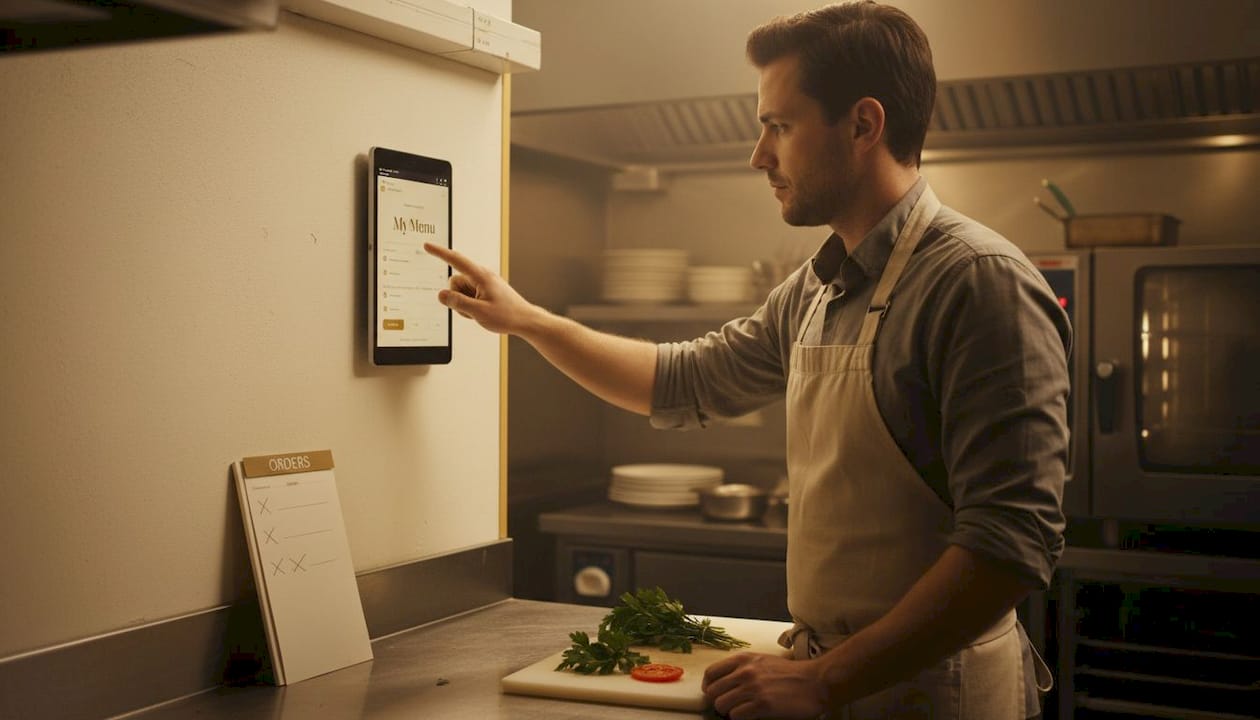
The digital menu advantages of a well-structured digital menu extend far beyond convenience. They include real-time price updates, item-level analytics, and upsell prompt capabilities that static menus simply cannot match.
Digitization checklist: What every restaurant must implement
With your current state mapped, you’re ready to take stock of the tools and features that underpin a successful digital restaurant. Consider this your master checklist, organized by category.
Digital ordering essentials:
A visually rich online menu with high-quality food photography or video
QR code integration for contactless, app-free table ordering
Tablet-based experiences for in-venue browsing with upsell prompts
Mobile-friendly ordering pages optimized for speed and clarity
Accurate real-time item availability tied directly to inventory
Delivery management:
Consolidate multi-platform delivery channels like DoorDash and Uber Eats into a single unified order management dashboard. This step alone can bring your error rate down from 12-18% to just 3-5%, a transformational shift in operational accuracy.
Automated order routing to the kitchen display system (KDS)
Real-time delivery tracking visible to both staff and customers
Cloud POS and back-of-house tools:
Cloud POS with inventory sync, loyalty and CRM integration, and analytics covering sales per item, average order value (AOV), and waste tracking
Automated low-stock alerts connected to supplier ordering systems
Staff scheduling tools integrated with predicted covers and revenue data
Customer engagement layer:
Digital loyalty programs with stamp cards or points that encourage return visits
Guest profile capture through social login for personalized marketing
Post-visit feedback prompts delivered via SMS or email
Here’s a snapshot of the measurable impact these upgrades deliver:
Feature | Error rate before | Error rate after | Customer impact |
Unified delivery dashboard | 12-18% | 3-5% | Faster, more accurate orders |
Cloud POS with inventory sync | High variance | Minimal | Reduced stockouts and waste |
Digital loyalty program | Low repeat rate | 20-30% lift | Stronger guest relationships |
QR code ordering | Manual entry errors | Near zero | Faster table turns |
Explore restaurant marketing tips to amplify the customer-facing side of your digital upgrades, since technology without promotion rarely reaches its full potential.
Pro Tip: Roll out new digital tools in stages rather than all at once. Start with your busiest service period to stress-test the system, then refine before expanding. Staged rollouts dramatically reduce staff overwhelm and surface technical issues before they affect your entire operation. Tools to reduce ordering errors and improve digital efficiency work best when staff are confident and systems are stable.
Choosing the right platforms and integrations
Your checklist is in hand. Now you face a crucial decision: which solutions are right for you, and how do you connect them for smooth operations?
The market broadly divides into two camps: all-in-one vendor suites and modular, API-driven platforms. Each has genuine strengths and real limitations.
All-in-one suites (Toast, Lightspeed) | Modular API platforms | |
Setup complexity | Low | Medium to high |
Cost | Higher monthly fees | Variable, often lower entry cost |
Flexibility | Limited | High |
Vendor lock-in | Significant | Low to moderate |
Best for | Multi-location chains | Independent operators |
Support quality | Dedicated, in-ecosystem | Varies by vendor |
Vendor tools like Toast and Lightspeed excel within their own ecosystems, offering tight integration between POS, ordering, and reporting. The trade-off is significant vendor lock-in. Switching later is expensive and disruptive. Flexible API platforms, on the other hand, let you mix and match best-in-class tools but demand more setup expertise and ongoing maintenance.
For independent restaurants, prioritize:
Low-cost entry with a clear upgrade path
Simple QR ordering and digital menu tools
Basic CRM and loyalty that don’t require a dedicated IT team
Platforms that offer free trials or modular pricing
For larger chains and multi-location groups, prioritize:
Centralized menu management across all locations
Enterprise-grade reporting and inventory analytics
Staff management and labor cost tracking
Robust API ecosystem for custom integrations
Legacy POS systems create a specific challenge worth addressing head-on. If your current system doesn’t support direct API connections, you have two realistic paths: implement an export bridge (a middleware layer that translates data between old and new systems) or budget for a full platform replacement. The right choice depends on your upgrade timeline and how much operational friction the legacy system is creating today.
Look for platforms that can create seamless guest experiences by unifying POS, inventory, loyalty, and online ordering into a coherent data environment. When your systems speak the same language, your team spends less time firefighting and more time delivering exceptional hospitality.
What most digitization checklists miss (and how to future-proof your restaurant)
Here’s the uncomfortable truth: most digitization guides hand you a tool list and call it a day. They skip the human side entirely, and that’s precisely where many well-funded restaurant tech rollouts fall apart.
Staff training and change management are not optional extras. They are the single biggest predictor of whether your new digital tools actually get used. A $50,000 investment in a cutting-edge POS suite will underperform a $10,000 system adopted enthusiastically by a well-trained team. Every implementation plan must budget equal time for onboarding, role-specific training, and ongoing refresher sessions. Resistance to change is natural. Addressing it proactively through clear communication, pilot programs, and visible management support turns skeptics into champions.
Vendor lock-in deserves far more scrutiny than it typically receives. All-in-one suites are seductive because they promise simplicity. But when the vendor raises prices, discontinues a feature you rely on, or simply fails to innovate at the pace the market demands, you’re trapped. Before signing any long-term contract, ask: what does data portability look like if we leave? Can we export our customer records, transaction history, and menu data in a standard format? If the answer is vague, treat that as a warning signal.
Feature bloat is a real and underappreciated risk. Platforms loaded with capabilities you don’t need create training burdens, confusion, and often higher costs. Choose tools that match your actual operational complexity today, with a clear roadmap for adding capabilities as your business scales. The menu digitization insights that matter most are the ones that align directly with your guest experience goals, not the ones that look impressive in a vendor demo.
Future-proofing is an ongoing practice, not a one-time event. Set a calendar reminder every six months to audit your technology stack. Ask whether each tool still integrates cleanly with the others, whether new options have emerged that offer better value, and whether your team is actually using every feature you’re paying for. The hospitality technology landscape evolves rapidly. Staying curious and adaptable is a genuine competitive advantage.
Pro Tip: Before rolling out any new digital tool chain-wide, run a pilot at a single location or even a single shift. Capture every friction point, staff question, and customer reaction. Use that data to refine the rollout before it goes live everywhere. This approach saves significant time, money, and team morale.
Power your restaurant’s digitization with the right solutions
Ready to put the checklist into action? We make bridging digital gaps fast and seamless.

MyDigiMenu specializes in powering restaurant digital transformation from end to end. Whether you’re launching your first restaurant digital menu or upgrading to a fully unified tablet-based ordering experience, the platform delivers intuitive tools built specifically for hospitality operators. With flexible QR menu options that require zero app downloads, you can delight guests from day one without a lengthy technical setup. From contactless ordering and loyalty programs to CRM integration and multi-language support, MyDigiMenu brings all the essentials together in one place. Explore transparent pricing and plans designed to fit independent cafes and growing restaurant groups alike, so you can start smart and scale confidently.
Frequently asked questions
What is the biggest mistake restaurants make when digitizing?
The most common and costly mistake is overlooking system integration, leaving restaurants with disconnected tools that multiply rather than reduce errors. Poor integration causes 30-50% higher error rates when discovered during operational audits.
How do unified order management systems reduce errors?
Centralizing all incoming orders into one dashboard eliminates the manual reconciliation between platforms, bringing error rates down from 12-18% to as low as 3-5% in consolidated systems.
What if my POS system doesn’t support direct integrations?
Legacy POS systems without API support can use export bridges as an interim solution while you plan a full platform upgrade. Always audit menu consistency first to prevent data discrepancies from compounding.
Which digital upgrades matter most for independent restaurants?
An intuitive online menu, unified delivery management, and a cloud POS with inventory sync and CRM integration deliver the fastest, most measurable returns for smaller independent operations with limited IT resources.
Recommended
Comments