
Maximize guest engagement with customizable menu layouts

TL;DR:
Customizable digital menus significantly boost sales and average order value through personalized engagement.
Effective layout types, like grid or interactive, tailor guest experiences for different service models.
Ongoing optimization and testing are essential for maximizing revenue and enhancing guest satisfaction.
Custom menu designs can boost sales 15–40% and increase average order value by up to 30%, yet most restaurant and hotel managers still treat digital menus as little more than paperless replacements for printed cards. That mindset leaves serious revenue on the table. A truly customizable digital menu is a dynamic guest engagement engine, one that shapes browsing behavior, reinforces brand identity, and adapts in real time to operational needs. This guide breaks down why layout flexibility matters, which formats work best for different service models, and how to implement and optimize your digital menu for measurable results.
Table of Contents
Key Takeaways
Point | Details |
Customization drives sales | Tailoring digital menu layouts increases engagement and can deliver up to a 40% rise in sales. |
Choose the right layout type | Grid, list, hybrid, and interactive layouts each suit different operations and guest needs. |
Data and feedback guide success | Use analytics, A/B tests, and customer feedback to continuously optimize menu performance. |
Balance cost and impact | Templates provide speed and savings, but custom designs boost brand loyalty and profits. |
Why customizable menu layouts matter
Not all digital menus are created equal. A one-size-fits-all template might get your dishes online, but it rarely reflects your brand’s personality or your guests’ expectations. Customizable menu layouts, by contrast, give hospitality teams the freedom to shape every visual and structural element, from color palettes and typography to category order and promotional banners.
So what makes a layout truly customizable? Think of it as the difference between wearing an off-the-rack suit and one tailored to your exact measurements. A customizable platform lets you:
Match visuals precisely to your brand identity, including logos, fonts, and color schemes
Reorganize categories and featured items based on season, inventory, or daypart
Push real-time updates without reprinting or redesigning from scratch
Embed promotions, upsells, and limited-time offers directly into the browsing flow
Sync with your POS system so pricing and availability stay accurate automatically
As menu templates research confirms, customizable layouts can be tailored to brand identity, operational needs, and customer preferences with real-time updates and POS integration, making them far more powerful than static alternatives.
“A digital menu that reflects your brand and responds to guest behavior isn’t a luxury anymore. It’s the baseline for competitive hospitality.”
The operational gains are just as compelling as the guest-facing benefits. When your team can update a price or swap a photo in seconds, you eliminate the lag that static menus create. Managers who explore digital menu layout examples quickly realize that layout choices directly influence how long guests browse and how much they order. Pairing smart layouts with strategies to improve guest engagement with digital menus creates a compounding effect on both satisfaction and revenue.
Types of digital menu layouts and their effects
Understanding the value of customization, it’s essential to know which types of digital menu layouts are available and how they influence guest experience. Each format serves a distinct purpose, and choosing the wrong one for your service model can quietly suppress sales.
Grid layouts are highly visual, displaying items in a photo-forward tile format. They work beautifully in casual dining, cafes, and dessert bars where mouthwatering imagery drives impulse decisions. List layouts prioritize speed and clarity, allowing guests to scan quickly, which makes them ideal for fast-casual counters or delivery-focused operations. Hybrid layouts blend both approaches, pairing hero images for featured items with compact text lists for the rest of the menu. Interactive layouts go further still, offering personalized recommendations, upsell prompts, and filter options by dietary preference or allergen.
Layout type | Best for | Key strength |
Grid | Cafes, casual dining | Visual appeal, impulse orders |
List | Fast-casual, delivery | Speed, easy scanning |
Hybrid | Full-service restaurants | Balance of visual and efficiency |
Interactive | Hotels, fine dining | Personalization, upsells |
As layout research shows, grid layouts are highly visual, list layouts allow fast navigation, and hybrid and interactive layouts combine the strengths of both. Real-world application matters here. A fine dining hotel restaurant benefits from an interactive layout that surfaces wine pairings and chef recommendations. A beachside cafe thrives with a grid packed with vivid food photography. A ghost kitchen running multiple delivery brands needs a clean list layout that loads fast on mobile.
Pro Tip: Test different layouts for different dayparts. A grid-heavy brunch menu can shift to a streamlined list format during the dinner rush, reducing decision fatigue and speeding up table turns.
For deeper inspiration, reviewing layout examples across venue types can spark ideas that translate directly into higher average checks.
Personalization, branding, and guest engagement
After identifying layout types, let’s explore how personalization and branding turn standard menus into powerful engagement tools. The numbers here are striking. Personalization can increase sales and profits by 15–40%, lift average order value by 15–30%, and drive meaningful delivery growth, with Chick-fil-A reporting a 23% increase in delivery orders after personalizing its digital experience.
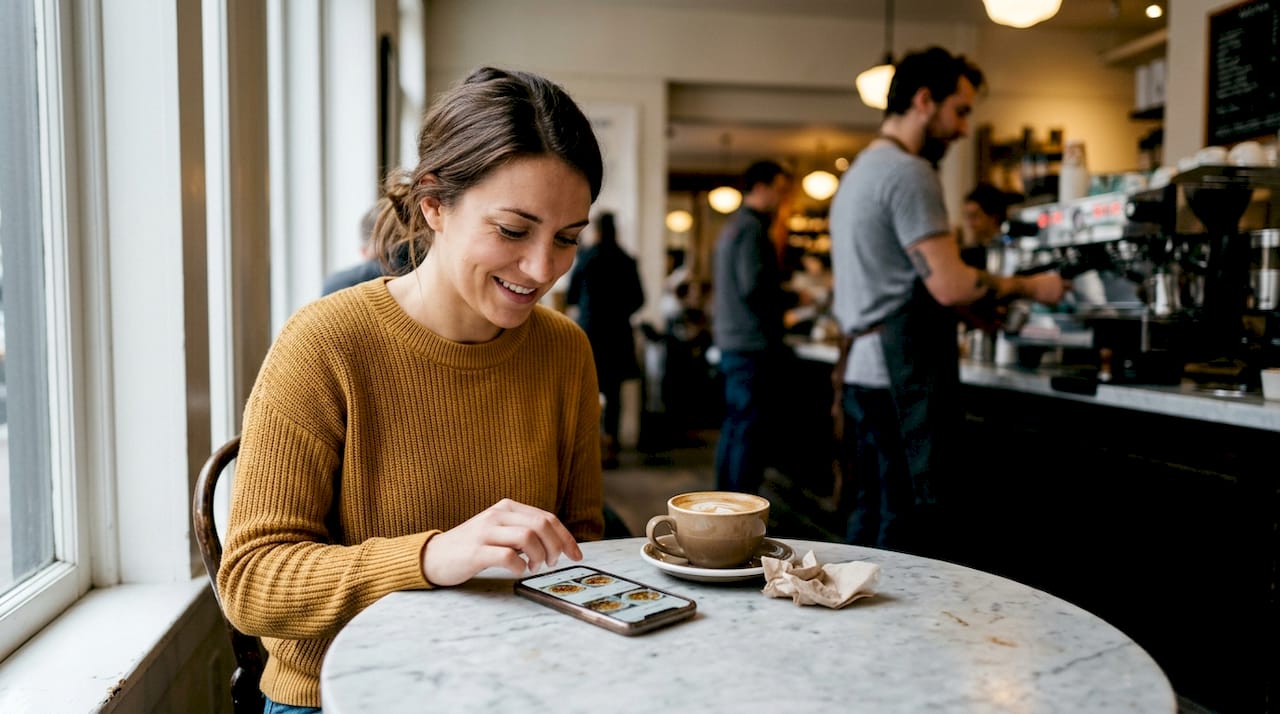
Branding goes beyond slapping a logo on the header. Every font choice, color decision, and image style communicates something to your guest. Consistent brand expression across your digital menu builds trust and makes the browsing experience feel intentional rather than generic.
How to implement and A/B test layout updates for maximum engagement:
Audit your current menu for brand consistency, checking fonts, colors, and imagery against your brand guide
Identify your top three highest-margin items and ensure they appear prominently in the layout
Add personalized category labels that reflect your venue’s voice, such as “Chef’s Picks” or “Guest Favorites”
Launch an A/B test by showing two layout variants to different guest segments over a two-week period
Analyze average order value, item click rates, and order completion rates for each variant
Roll out the winning layout and schedule a follow-up review in 30 days
Metric | Static PDF menu | Personalized digital menu |
Sales uplift | Baseline | Up to 40% increase |
Average order value | Baseline | Up to 30% increase |
Delivery order growth | Baseline | Up to 23% increase |
For teams building from the ground up, the menu design guide offers a structured framework. Those refining an existing setup will find the menu layout optimization resource especially actionable.
Template vs. custom: Costs, ROI, and choosing the right fit
The decision between using a template or a fully custom menu layout isn’t trivial. Let’s break down what each means for your bottom line.
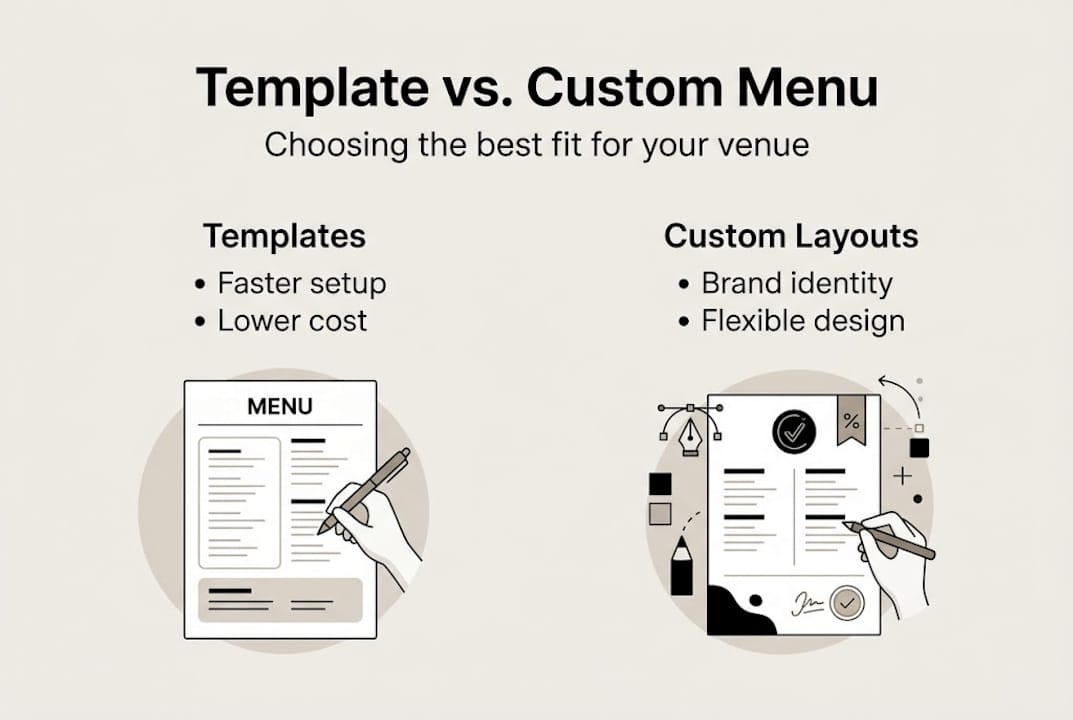
Templates are the fast lane. They’re pre-built, affordable, and deployable in hours. For a new venue or a manager testing digital menus for the first time, a template removes friction and gets you live quickly. The tradeoff is distinctiveness. A template shared across hundreds of venues won’t make your brand memorable.
Custom layouts require more investment upfront, in both time and budget, but they deliver a differentiated guest experience that templates simply can’t replicate. Templates are cost-effective and fast but less distinct, while custom designs carry a higher brand and UX impact at greater cost.
Factor | Template | Custom layout |
Setup time | Hours | Days to weeks |
Upfront cost | Low | Medium to high |
Brand distinctiveness | Moderate | High |
Scalability | Easy | Requires planning |
ROI timeline | Immediate | Medium-term |
The smartest path for most managers is a staged approach. Start with a well-designed template to validate your digital menu strategy, then invest in customization once you have data proving which layouts and features drive the most revenue. This approach minimizes risk while building toward a truly branded experience.
Pro Tip: Use A/B testing and analytics to build the business case for a custom upgrade. When you can show leadership a 20% lift in average order value from a layout change, budget conversations become much easier.
Exploring QR code menu tools is a practical first step, since QR-based menus are often the most cost-effective entry point into customizable digital experiences.
Implementing and optimizing customizable menus
Once you’ve decided on strategy and style, it’s time to build, launch, and optimize your digital menu. A structured rollout prevents the common pitfalls of rushed implementation and ensures your team and guests adopt the new experience smoothly.
Step-by-step launch framework:
Select your layout type based on service model and guest profile
Apply brand customizations: upload your logo, set color palettes, choose fonts, and organize categories
Integrate with your QR code system and POS platform to ensure real-time accuracy
Preview the menu across multiple devices, including smartphones, tablets, and desktop browsers
Run a soft launch with staff to collect internal feedback before going live
Go live and promote QR code access at tables, reception desks, and on social media
Review analytics at the 7-day and 30-day marks to identify early optimization opportunities
Analytics are where the real gains live. Heatmaps reveal which items guests click most, while funnel tracking shows where they drop off before completing an order. A/B testing layouts and using analytics like heatmaps can improve profitability and satisfaction, and digital menus with improved UX have shown an 18% rise in conversions.
Pro Tip: Iterate based on guest feedback, not just internal assumptions. A short post-order survey asking guests to rate the menu experience takes seconds to complete and surfaces insights that no heatmap can capture alone.
For teams looking to go deeper, the optimize menu layout resource and the guide on digital table ordering offer advanced strategies for venues ready to push performance further.
What most menu designers miss about digital customization
Here’s the uncomfortable truth: most hospitality managers treat menu customization as a one-time visual project rather than an ongoing performance strategy. They pick a color scheme, upload some photos, and consider the job done. That approach captures maybe 20% of the available value.
The real gains come from behavioral data. Layout changes that reduce scroll depth, surface high-margin items earlier, or simplify the path to checkout can move the needle far more than a beautiful new font. A UX redesign can lift conversions by 18%, and that kind of improvement compounds over thousands of orders.
Another overlooked dimension is accessibility. Menus optimized for younger, tech-savvy guests often create friction for older diners who need larger text, simpler navigation, and clearer category labels. Venues that design for the full spectrum of guests, not just the assumed majority, consistently outperform those that don’t.
The highest-performing teams treat their digital menu like a living product. They schedule quarterly layout reviews, run ongoing A/B tests, and tie layout decisions directly to revenue outcomes. For those ready to move from aesthetic tweaks to genuine performance optimization, deeper menu optimization frameworks offer a clear path forward.
Bring your customizable digital menu to life
Customizable menu layouts aren’t just a design preference. They’re a proven driver of guest satisfaction, operational efficiency, and measurable revenue growth. The gap between a generic digital menu and a thoughtfully customized one is exactly where your competitive advantage lives.

MyDigiMenu.com empowers restaurants, cafes, bars, and hotels to build intuitive, brand-aligned digital menus that guests actually enjoy using. From restaurant digital menu solutions featuring tablet and QR-based formats to a powerful QR menu generator that requires zero app downloads, the platform makes customization accessible at every scale. Review digital menu pricing to find the plan that fits your venue and start turning everyday dining into an extraordinary experience.
Frequently asked questions
How do customizable menu layouts improve guest engagement and sales?
Customizable layouts align with your brand and guest preferences, making browsing intuitive and enjoyable, which directly drives higher engagement and up to 40% more revenue compared to static alternatives.
Should I use a template or a fully custom menu design for my restaurant?
Templates offer speed and affordability, making them ideal for getting started, while custom menus deliver stronger brand impact and UX differentiation. Most managers benefit from launching with a template and upgrading once data supports the investment.
What features should I prioritize in a digital menu platform?
Prioritize QR code support, real-time layout editing, A/B testing capability, POS integration, and analytics tools like heatmaps and funnel tracking, since these features drive the most measurable operational and revenue improvements.
How can I measure if a new menu layout is working?
Track average order value, sales uplift per session, and order abandonment rates, then layer in guest feedback surveys. Analytics and A/B testing together give you the clearest picture of whether a layout change is genuinely moving the needle.
Recommended
Comments