
Restaurant menu design guide: boost engagement by 15%

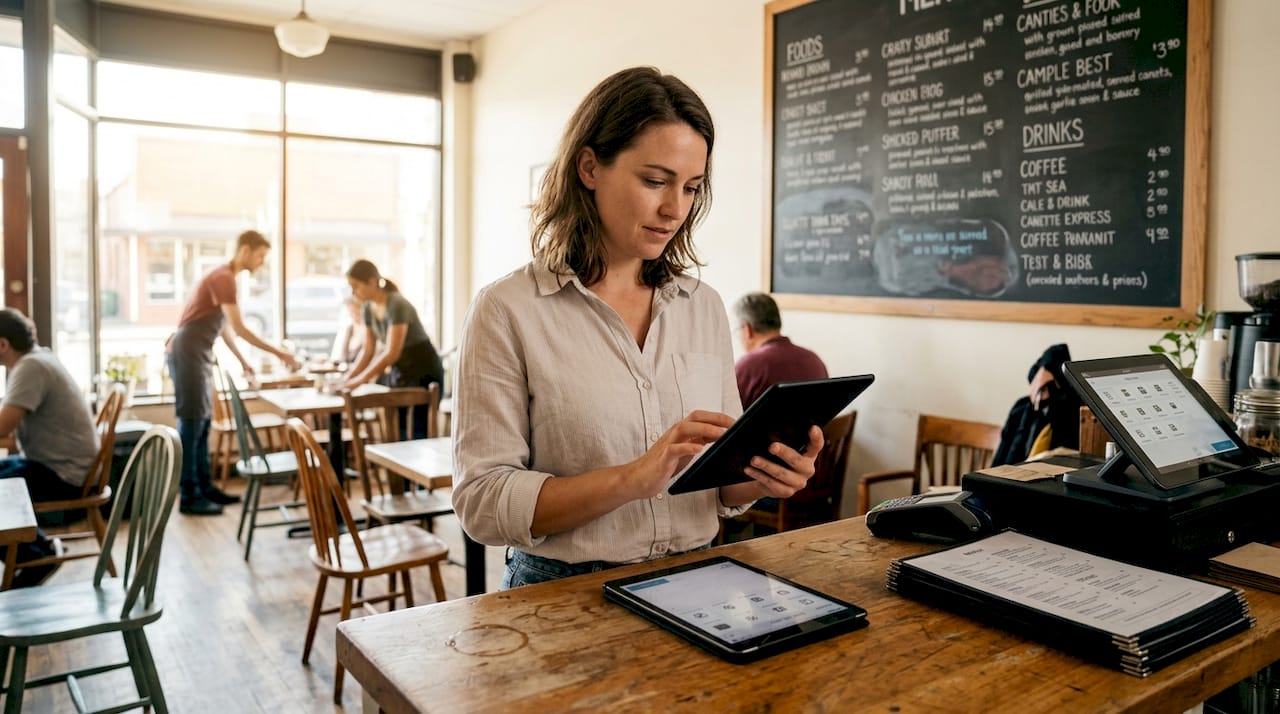
Most restaurant owners assume menu design is simply listing dishes with prices. This misconception costs them thousands in lost revenue every month. Digital menus leverage psychological techniques and user-friendly features that traditional print menus cannot match. Strategic design choices influence guest behavior, increase average order values, and streamline contactless ordering. This guide reveals proven tactics to transform your digital menu into a powerful sales and engagement tool that drives measurable results for your hospitality business.
Table of Contents
Key Takeaways
Point | Details |
Sales uplift tactics | Digital menu redesign using high margin item placements and persuasive descriptions can boost sales by 15.8 percent. |
AB testing impact | AB testing descriptions, images, and placements reveal which elements drive purchases, with dessert description changes boosting dessert sales by 18.5 percent. |
Mobile first design | With over 70 percent of guests browsing on mobile, thumb friendly navigation and bottom third placement improve usability and ordering accuracy. |
Avoid PDFs | PDF menus degrade user experience and search visibility, so use responsive digital menus. |
Understanding the impact of digital menu design on sales and engagement
Menu engineering principles that worked for print menus apply even more powerfully in digital formats. The difference lies in how quickly you can test, measure, and optimize. Research shows that digital menu redesign increased sales by 15.8% through strategic psychological techniques. These techniques include positioning high-margin items in visual hotspots, using persuasive descriptions, and creating strategic item groupings that guide guest choices.
Small tweaks deliver outsized results. When restaurants implement A/B testing on digital menus, they discover which descriptions, images, and placements drive conversions. One study found that simply changing dessert descriptions and adding strategic highlighting increased dessert sales by 18.5%. This data-driven approach lets you optimize continuously rather than committing to a single print design for months.
Digital platforms provide instant feedback loops that print menus never could. You can track which items guests view longest, where they abandon their browsing, and which descriptions lead to purchases. This intelligence transforms menu design from guesswork into science. Consider these proven psychological techniques:
Position your highest-margin items in the top-right corner where eyes naturally land first
Use descriptive language that engages multiple senses: texture, aroma, flavor
Create visual anchors with subtle highlighting or borders around featured dishes
Group complementary items together to encourage add-ons and upsells
Remove currency symbols to reduce price sensitivity and increase spending
Pro Tip: Start with your three most profitable dishes and test different description styles over two weeks. Track which version generates more orders, then apply the winning formula across your entire menu.
The shift to creating online digital menus opens possibilities that physical menus simply cannot match. You can update pricing instantly, showcase seasonal specials without reprinting costs, and personalize recommendations based on guest preferences. Digital tablet menus enable rich media presentation with videos and detailed ingredient information that builds trust and desire simultaneously.
Design best practices for mobile-first and visually appealing menus
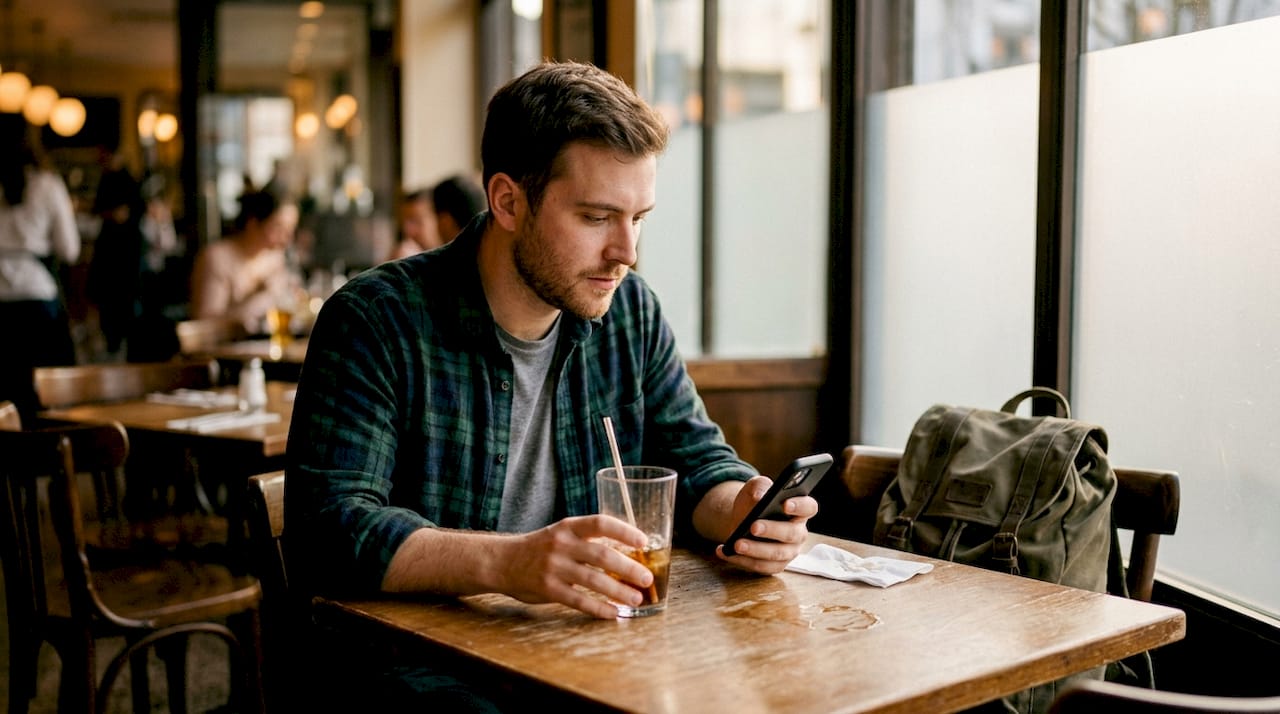
Your digital menu must work flawlessly on smartphones since over 70% of guests browse menus on mobile devices. This means designing for thumbs, not mice. Mobile-first design with thumb-friendly navigation ensures guests can easily scroll, tap, and order without frustration. Place your most important categories within easy thumb reach at the bottom third of the screen.
Sticky category menus solve a critical usability problem. When guests scroll through extensive menus, they need constant access to category navigation. A fixed header with category buttons lets them jump between appetizers, mains, and desserts without endless scrolling. This simple feature dramatically improves the browsing experience and reduces abandonment rates.
Avoid PDFs at all costs. While convenient for you, PDF menus create terrible user experiences and destroy your search engine optimization. They require pinching and zooming, load slowly, and provide no data on guest behavior. Native web-based menus using HTML and CSS deliver superior performance and valuable analytics. Search engines can index every dish and description, bringing organic traffic to your menu pages.
Visual appeal requires careful balance. Research on digital menu visual appeal confirms that attractive food photography significantly boosts desire and purchase intentions. However, overwhelming guests with too many images causes decision fatigue. Focus high-quality visuals on your signature dishes and high-margin items rather than photographing every single menu item.
Strategic color contrast guides attention without overwhelming. Use your brand colors consistently, but employ contrasting highlights for featured items. A subtle golden border around chef specials or a soft background color behind popular choices draws the eye naturally. Keep your overall palette clean and appetizing. Avoid harsh reds and dark browns that can reduce appetite appeal.
Consider these mobile-first design essentials:
Ensure tap targets are at least 44x44 pixels for easy selection
Use readable font sizes of at least 16px for body text
Provide ample white space between menu items to prevent mis-taps
Optimize images to load quickly even on slower connections
Test your menu on multiple device sizes and orientations
Pro Tip: Open your menu on your own smartphone and try ordering with one hand while holding a drink in the other. If you struggle, your guests will too. Fix friction points immediately.
Implementing QR scan menus requires thoughtful placement and clear instructions. Position QR codes prominently on tables with simple directions like “Scan to view menu and order.” Make the code large enough to scan easily from a comfortable distance. Test scanning from various angles and lighting conditions to ensure reliability.
The investment in proper digital menu design pays dividends through increased orders and reduced operational friction. Review QR menu pricing plans to find solutions that match your restaurant size and feature needs. Many platforms offer tiered options that scale with your business growth. For ongoing optimization strategies, explore resources in the digital menu design blog covering emerging trends and case studies.
Balancing visual elements and menu complexity to enhance guest satisfaction
Menu diversity drives satisfaction more than service quality in digital ordering contexts. This counterintuitive finding from research on digital menu effectiveness reveals that guests browsing independently value variety and clear information over personal service interactions. When designing digital menus, prioritize comprehensive options with detailed descriptions rather than minimalist layouts that require staff explanation.
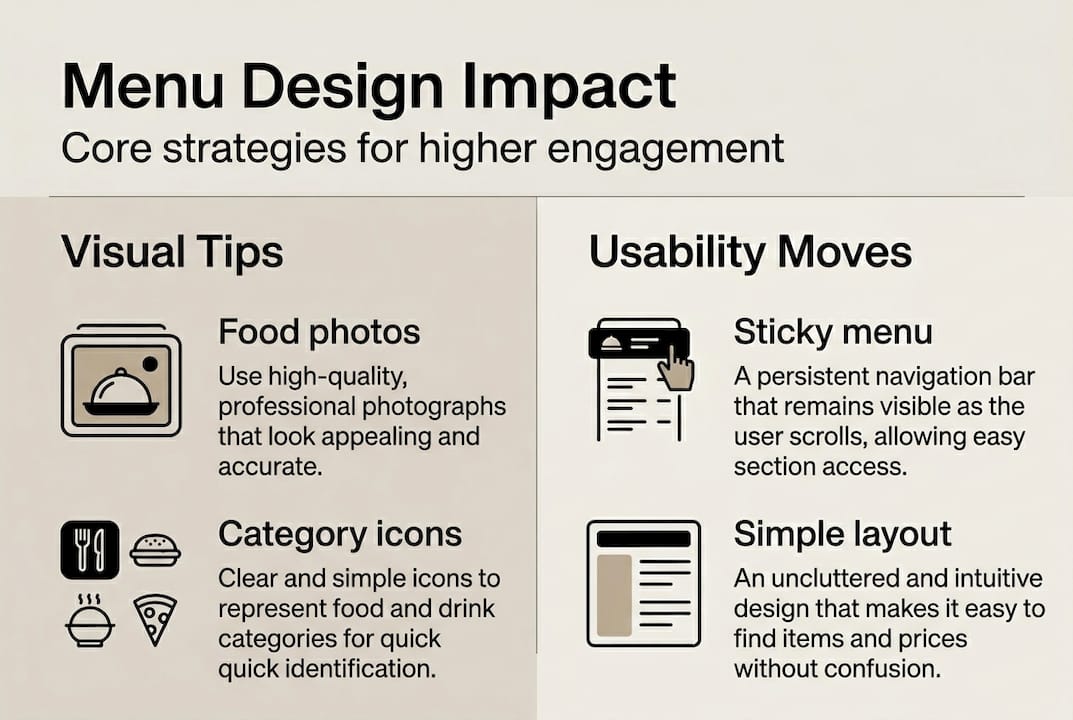
Too many visuals create cognitive overload. While appetizing photos increase desire, bombarding guests with dozens of images simultaneously causes decision fatigue. The same research confirms that excessive visual stimulation reduces satisfaction and purchase intention. Strike a balance by featuring images for signature items, daily specials, and complex dishes that benefit from visual explanation. Leave simpler, familiar items like side salads or standard beverages as text-only entries.
Simple emphasis on popular dishes generates sales lifts without complete redesigns. A case study on menu board changes showed that highlighting bestsellers with subtle visual cues increased their sales significantly. You do not need to overhaul your entire menu structure. Strategic tweaks like adding a “Guest Favorite” icon or placing popular items in premium positions deliver measurable results.
Compare these approaches to menu complexity:
Approach | Guest satisfaction | Operational complexity | Sales impact |
Minimal menu with few visuals | Lower for digital ordering | Low | Moderate |
Extensive variety with balanced visuals | Higher satisfaction | Moderate | High |
Visual overload with every item photographed | Decision fatigue reduces satisfaction | High | Lower than expected |
Strategic highlighting of popular items | Optimal balance | Low to moderate | Highest |
Physical ambiance impacts print menu perception, but digital menus rely on self-persuasion through design. In traditional dining, atmosphere, lighting, and server recommendations influence choices. Digital ordering removes these environmental factors, placing full persuasive burden on menu presentation. Your descriptions must paint sensory pictures, your layout must guide attention strategically, and your visuals must trigger appetite without overwhelming.
Pro Tip: Review your menu analytics monthly to identify items with high views but low conversions. These dishes need better descriptions, more appealing photos, or repositioning. Items with both high views and high conversions deserve prominent placement to maximize their impact.
The sweet spot combines sufficient variety to satisfy diverse tastes with clear presentation that prevents paralysis. Group items logically by category and cooking method. Within each category, limit featured visuals to three to five standout dishes. Provide detailed descriptions for everything, but reserve photography for items that truly benefit from visual representation.
Implementing eMenu digital solutions gives you flexibility to test different complexity levels and visual densities. Start with a moderate approach, then adjust based on guest feedback and conversion data. Understanding tablet menu system benefits helps you leverage these platforms for both guest satisfaction and operational efficiency.
Implementing digital menus to streamline contactless ordering and boost engagement
Successful digital menu implementation follows a systematic approach that minimizes disruption while maximizing benefits. Start with these foundational steps:
Audit your current menu for clarity, organization, and item performance
Photograph your signature dishes with professional lighting and composition
Write compelling descriptions that engage senses and highlight unique preparation methods
Choose a mobile-first platform that integrates with your existing systems
Test thoroughly with staff before rolling out to guests
Train your team to guide guests through the new ordering process
Collect feedback actively during the first two weeks and iterate quickly
QR codes and tablet menus eliminate physical contact while streamlining ordering. Guests scan codes with their own devices or use provided tablets to browse, customize, and submit orders directly to your kitchen. This reduces wait times, minimizes order errors from miscommunication, and frees staff to focus on hospitality rather than order taking. Mobile-first digital menus with intuitive navigation support effective contactless ordering that elevates rather than diminishes the guest experience.
Integration with online delivery and POS systems creates operational efficiency. When your digital menu connects to your point of sale, orders flow automatically to kitchen displays and printers. Inventory updates in real time, preventing overselling of 86’d items. Integration with online delivery portals ensures consistent pricing and availability across all ordering channels. This unified system reduces manual entry errors and provides comprehensive sales data.
A/B testing and analytics drive continuous optimization. Set up experiments comparing different elements:
Test two description styles for the same dish to see which generates more orders
Compare different hero images for signature items
Experiment with category ordering to find the most intuitive flow
Try various highlighting techniques for featured items
Measure impact of adding or removing prices from initial category views
Track these key metrics to measure your digital menu performance:
Metric | Target range | What it reveals |
Average time on menu | 2-4 minutes | Engagement level without decision fatigue |
Items viewed per session | 8-15 | Browsing depth and menu navigability |
Conversion rate | 65-80% | Percentage of viewers who place orders |
Average order value | 15-25% above previous | Upsell and add-on effectiveness |
Bounce rate | Under 20% | Menu load speed and initial appeal |
Sticky categories and intuitive navigation prevent frustration during ordering. Your category menu should remain visible as guests scroll through items, allowing instant jumps between sections. Implement a search function for large menus so guests can quickly find specific dishes or dietary preferences. Add filters for common needs like vegetarian, gluten-free, or spicy options.
Pro Tip: Place your most profitable category second in the navigation, not first. Guests often skip the first category assuming it contains basics or appetizers. The second position captures attention while guests are still exploring options.
Explore comprehensive QR menu solutions that support your implementation goals. Compare features and digital menu pricing to find platforms that match your restaurant size and technical requirements. Look for solutions offering customization flexibility, reliable uptime, and responsive customer support to ensure smooth operation.
Explore MyDigiMenu digital solutions for your restaurant
Transforming your menu strategy starts with the right digital platform. MyDigiMenu offers comprehensive solutions designed specifically for restaurants, cafes, bars, and hotels seeking to enhance contactless ordering and guest engagement. Whether you need digital tablet menu solutions for tableside browsing or a QR menu generator for smartphone ordering, the platform delivers customizable options that align with your brand and operational needs.

Flexible pricing plans accommodate restaurants of all sizes, from single-location cafes to multi-property hotel groups. The platform integrates seamlessly with existing POS systems and online delivery portals, creating a unified ordering ecosystem that reduces errors and streamlines kitchen operations. Rich media support lets you showcase dishes with high-quality photos and videos that influence purchase decisions. Built-in analytics provide actionable insights into guest behavior, helping you continuously optimize menu performance and maximize revenue per guest.
Frequently asked questions
What is the best way to start designing a digital restaurant menu?
Begin with mobile-first design principles and ensure navigation works smoothly with thumb-based interaction. Focus initially on highlighting your most popular and profitable dishes with compelling descriptions and quality images. Use guest feedback and analytics from your first month to identify friction points and optimize layout, then expand refinements across your full menu based on data rather than assumptions.
How can A/B testing improve my digital menu’s performance?
A/B testing identifies which specific elements drive more orders by comparing variations systematically. Research shows that testing descriptions and visual highlights increased sales by 18.5% for targeted items. Run experiments on high-margin dishes first to maximize revenue impact, then apply successful patterns to similar menu items. Continuous testing based on guest behavior data creates incremental improvements that compound into significant sales lifts over time. Explore strategies in the digital menu optimization blog for testing frameworks and case studies.
What common pitfalls should I avoid in digital menu design?
Avoid overwhelming guests with excessive images or too many simultaneous options, as visual overload causes fatigue that reduces satisfaction and purchase intent. Never use PDF formats that hinder mobile usability and search engine optimization. Do not rely solely on attractive visuals without clear, intuitive navigation and detailed descriptions. Balance is essential: provide enough variety and information to satisfy diverse preferences while maintaining clean layouts that guide rather than confuse. Review digital menu design tips regularly to stay current with evolving best practices.
How do digital menus enhance contactless ordering efficiency?
Digital menus reduce physical contact points while accelerating order processing from browsing to kitchen. Mobile-first platforms with intuitive navigation enable guests to explore options, customize orders, and submit requests directly without staff intermediaries. Integration with POS systems and delivery portals eliminates manual order entry, reducing errors and freeing staff for hospitality-focused interactions. Guests appreciate the autonomy and speed, while restaurants benefit from higher table turnover and more accurate order fulfillment. Implement QR menu scanning to provide instant access without app downloads or complex setup processes.
Recommended
Comments