
$0–$200/Month: What Restaurants Pay for QR Code Menus

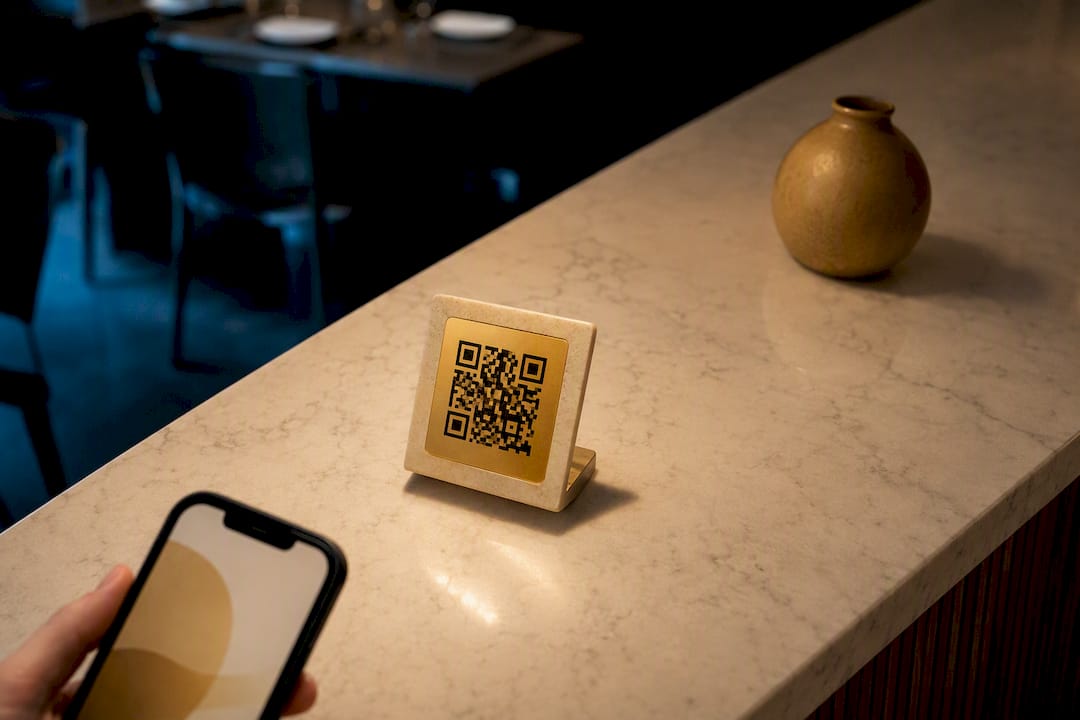
Most restaurants land somewhere between free and $200 a month for a QR code menu, and the biggest swing factor isn’t the code itself, it’s whether you want guests to just browse or actually order and pay from their phone. A basic view-only setup can cost nothing beyond a printed placard. Adding ordering, payments, or POS integration involves paying for a software platform rather than just a static image.
TL;DR:
Most restaurants spend between $10 and $50 per month for a hosted QR code menu, which includes dynamic updates and basic functionality.
Features like ordering, payment processing, and POS integration significantly increase costs, especially at the enterprise level or across multiple locations.
Upfront costs for menu design, hardware, and photography can range from under $200 for small setups to several thousand dollars for multi-site rollouts.
Implementing a pilot first on a small scale helps validate cost-effectiveness and avoid overspending on enterprise features prematurely.
Centralized platforms that combine menu delivery, POS, and loyalty tools reduce hidden costs and simplify management compared to piecemeal tool purchases.
Table of Contents
What Drives Monthly QR Code Menu Cost
The price you pay depends almost entirely on which tier you land in, and each tier maps to a distinct set of features rather than an arbitrary markup.
Free and DIY: A basic QR code that links to a PDF or a simple web page is genuinely free to generate. The tradeoff is real, though: no analytics, no live editing without regenerating files, and a menu that looks static next to competitors using rich photography or video. This works fine for a pop-up or a very small café testing the waters.
Entry-level hosted plans ($10 to $50 a month): This is where most single-location independents actually settle. You get a hosted menu page tied to a permanent QR code, so updating a price or pulling a sold-out item doesn’t mean reprinting anything. Vendor guides consistently place this $10 to $50 range as the standard entry band, and other industry cost breakdowns confirm view-to-order capability sits comfortably in that zone without enterprise add-ons.
Pro or mid-tier ($50 to $200 a month): Ordering workflows, guest analytics, loyalty stamp cards, multi-language menus, and deeper customization show up here. This tier suits restaurants that want the QR code to do actual sales work, not just replace paper.
Enterprise and multi-location (custom pricing): Chains and hotel groups with several sites need centralized menu management, single sign-on, dedicated account support, and POS syncing across locations. Pricing here isn’t published because it flexes with location count and integration depth.
A few structural notes worth budgeting around:
Per-location pricing multiplies fast: five sites on a $40 plan is $200 a month before you’ve added a single extra feature.
Per-seat or per-screen models, common among digital menu board providers, can start low per screen but climb quickly once you’re running several displays.
Transaction fees on ordering and payments sit outside the subscription line and deserve their own budget check.
What Actually Raises the Price
Six restaurants can pay six very different amounts for what looks like the same “QR code menu,” and the gap almost always traces back to specific features rather than brand markup.
Ordering and payment gateways. Once guests can pay from the table, you’re covering gateway setup and per-transaction fees on top of the subscription.
POS integration. Two-way sync between your digital menu and your point-of-sale system is more complex than a one-way menu display, and pricing reflects that engineering work.
Custom branding and photography. Professional food photography and custom templates cost more upfront but do measurable work on guest perception and order size.
Multi-location and language support. Multiple currencies, dietary labels, and translated menus add real operational value for hotels and multi-site brands, and platforms price that flexibility accordingly.
Support and onboarding. Self-serve setup keeps costs down. White-glove onboarding, dedicated account management, and priority support push you into pro or enterprise pricing.
Platform pricing pages, including MyDigiMenu’s own tiers, illustrate this pattern clearly: the jump from entry to enterprise tracks integration count and location complexity, not brand prestige.
Pro Tip: Before adding POS integration or multi-location tools, ask whether a single site can prove the concept first. Paying for enterprise features you haven’t validated is the single most common overspend new adopters make.
One-Time Setup and Hardware Costs to Budget For
Beyond the monthly line, a handful of upfront purchases shape your total rollout cost.
Menu entry and design labor: DIY setup costs nothing but your time; paid setup services typically run a flat one-time fee depending on menu complexity.
QR display hardware: Table tents, stickers, and acrylic stands for a single small restaurant commonly total $50 to $200 depending on quantity and finish.
Tablets or kiosks: Consumer tablets work for light use; commercial-grade hardware built for constant handling costs more but survives the wear.
Photography and styling: A modest photo shoot pays for itself when it lifts average check size, and MyDigiMenu’s own photography guidelines outline what’s worth shooting first.
A single-site rollout using printed QR stands and a DIY setup can often keep initial costs under a few hundred dollars. A multi-location rollout involving tablets, professional photography, and paid setup across multiple sites can cost several thousand dollars upfront before monthly subscription fees start.
Calculating Your Payback Period
Here’s the math that actually matters: compare what you’re spending against what you’re no longer spending, plus what you’re newly earning.
Add up avoided costs. Printing and reprint cycles for seasonal menu changes routinely run into real annual money for restaurants that update often, and eliminating that cycle is where most of the early savings hide.
Add upsell lift. Better photography and item placement tend to nudge average check size upward, particularly on high-margin add-ons.
Subtract subscription plus hardware. This is your entry or pro plan cost plus whatever one-time spend you committed to.
Sample scenario: For example, a mid-sized independent restaurant on a mid-tier monthly plan, combined with one-time hardware and photography costs, might spend close to a thousand dollars in the first year. If that restaurant previously reprinted menus quarterly and picks up even a modest per-cover upsell from better visuals, the eliminated printing cost alone can cover the subscription within a few months, with upsell revenue paying back the photography investment separately.
The math shifts by volume. A high-turnover diner recoups hardware and photography faster through sheer table count; a low-turnover fine-dining room recoups more slowly but sees a larger per-check upsell effect.
How to Roll Out a QR Menu Without Wasting Money
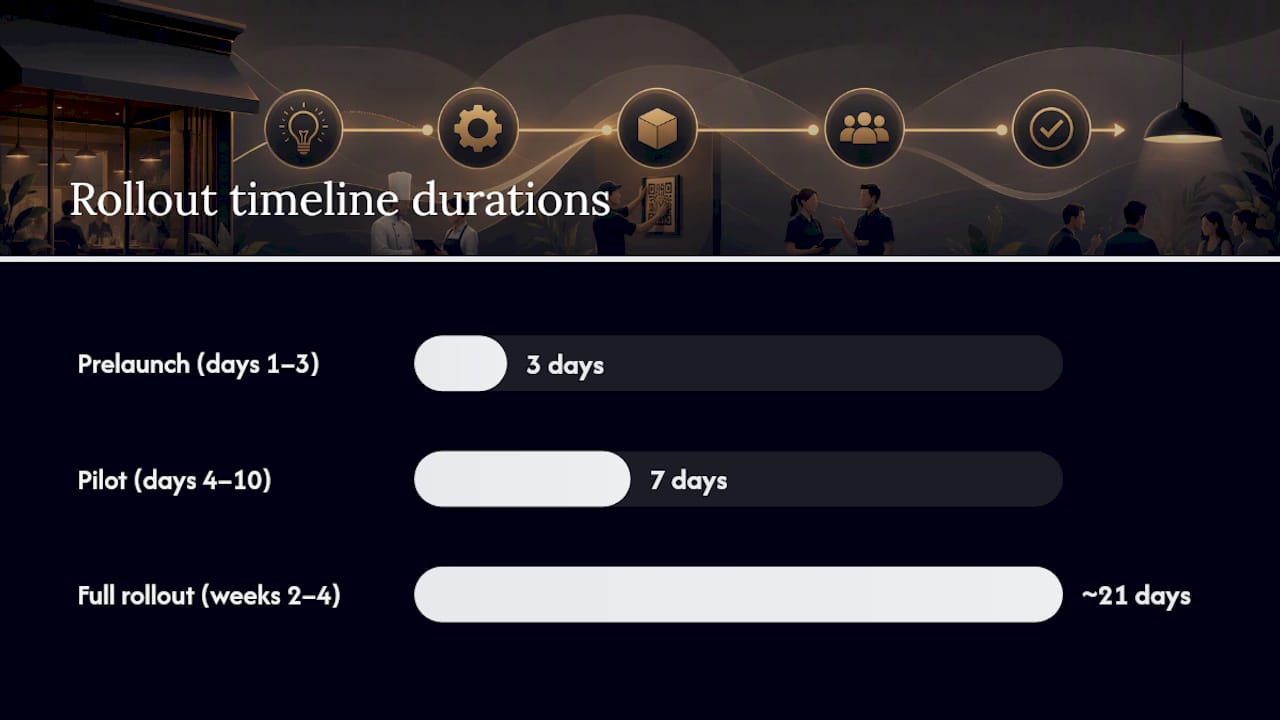
Prelaunch (days 1 to 3): Clean up your menu copy, prep or commission photos, and decide between DIY hosting or a paid platform.
Pilot (days 4 to 10): Test on a handful of tables or one dining room. Confirm the QR code scans reliably under real lighting and that staff can answer guest questions about it.
Full rollout (weeks 2 to 4): Order printed stands or tablets at scale, train staff on any ordering workflow changes, and start watching analytics from day one.
Post-launch optimization (ongoing): A/B test photos, reorder high-margin items to the top of categories, and layer in loyalty campaigns once the base menu is stable.
Timelines vary by ambition. A DIY view-only QR menu can go live in a single day, while A fully integrated multi-location rollout with POS syncing and professional photography generally takes several weeks. Detailed setup steps are worth reviewing in MyDigiMenu’s setup guide before you commit to a timeline.
Pro Tip: Run your pilot on your slowest shift, not your busiest. You’ll catch scanning issues and staff confusion before they cost you a Friday night.
Where MyDigiMenu Fits the Cost Picture
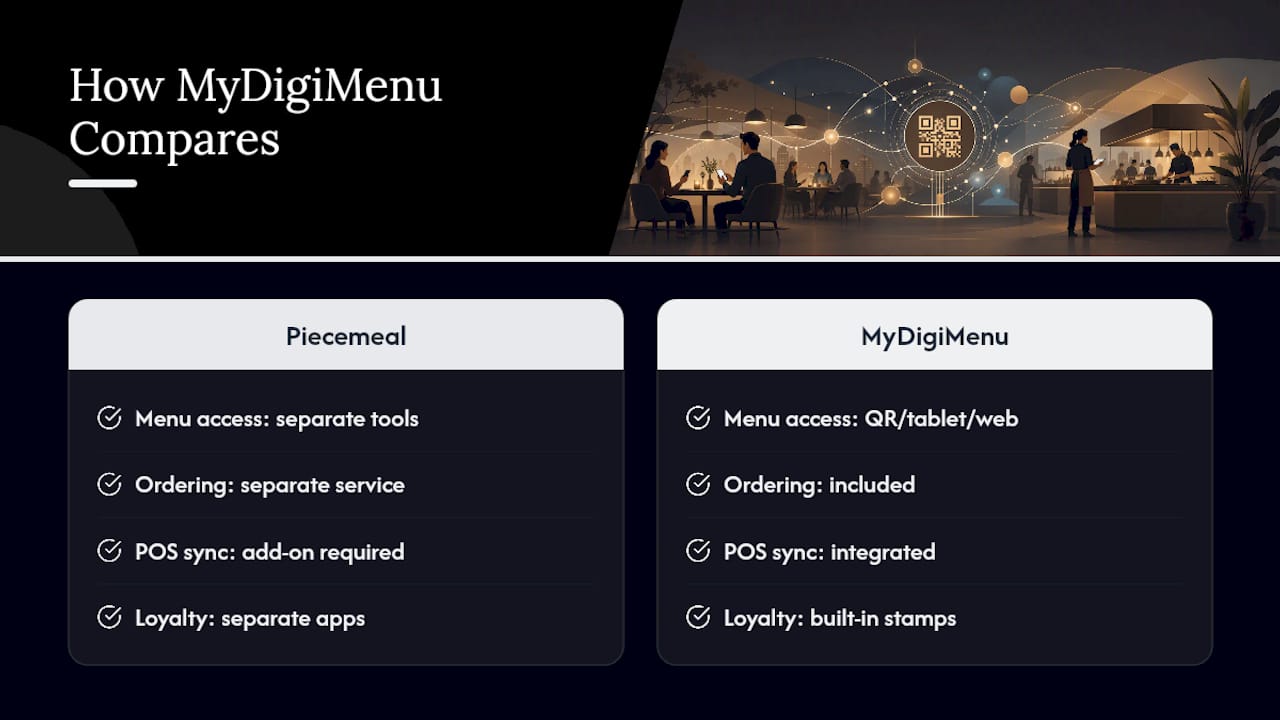
Every cost bucket above, ordering, POS sync, multi-language support, photography, loyalty, tends to live on separate tools if you buy piecemeal. MyDigiMenu centralizes menu delivery across QR, tablet, and web access points while integrating POS, loyalty stamp cards, and targeted marketing into one subscription. That consolidation is what actually reduces hidden cost: instead of paying separately for an ordering tool, a loyalty app, and a POS bridge, the pricing sits in one plan tied to the features you actually turn on. For readers weighing entry versus pro tiers, the published pricing structure shows exactly where each feature set lands.
What I’d Tell a Restaurant Owner Before They Sign Anything
The mistake I see most often is buying enterprise features before proving the basic case works. A restaurant doesn’t need multi-location sync or white-glove onboarding to find out whether guests will actually scan a code. Pilot on one section first. Spend on photography and analytics only when you can point to a specific number, like average check or reorder rate, that a better visual menu would plausibly move. Everything else can wait until the numbers justify it.
— Abhi
Try MyDigiMenu Before You Commit to a Plan
You’ve seen the tiers, the one-time costs, and the payback math. The fastest way to know which tier fits your restaurant is to compare your own numbers against a live plan rather than guessing from a pricing chart. MyDigiMenu’s QR menu generator lets you build a hosted menu tied to a permanent code, so nothing you print today becomes obsolete when your prices change next season. If you’re weighing tablet ordering for a full-service dining room, the tablet and iPad menu platform shows how ordering, POS integration, and loyalty stack into one subscription instead of three separate tools. Start by checking the published plans against the budget range you just calculated, and pick the tier that matches what your restaurant actually needs this quarter, not next year.
Sources
FAQ
Can I Make a QR Code for a Menu Myself?
Yes. Free QR generators exist and work fine for testing, but a hosted menu page keeps the same permanent code working even after you update your menu file, avoiding the reprint problem that breaks static QR codes.
What Is the FBI Warning About QR Codes?
The FBI has warned that scammers can place fraudulent QR code stickers over legitimate ones to redirect users to malicious sites. Restaurants should secure their table displays and periodically check that printed codes haven’t been tampered with or covered.
How Much Does a Digital Menu Cost?
Most independent restaurants pay between free and $200 a month depending on features, with $10 to $50 covering basic hosted view-to-order menus and $50 to $200 adding ordering, analytics, and loyalty tools. One-time hardware and printing typically add $50 to $200 for a single small site.
Can I Create a Digital Menu With a QR Code for Free?
Yes, a basic free tier can produce a view-only menu, but you lose live analytics and easy editing without a hosted platform. For most restaurants ready to take orders or track guest behavior, an entry-level plan like those on MyDigiMenu’s pricing page delivers more practical value than a purely free setup.
Recommended
Comments