
Best my.tableqrcode.com Alternatives for Restaurants 2026


TL;DR:
Mydigimenu offers full-service restaurant operators a unified platform with dynamic QR menus, pay-at-table options, and seamless POS integrations. Its features support media-rich menus, loyalty programs, and multi-language options, enhancing guest engagement. Choosing the right platform depends primarily on POS compatibility and dynamic menu update capabilities.
For most U.S. restaurants searching for my.tableqrcode.com alternatives, My Menu by Mydigimenu is the recommended pick — it combines dynamic QR menus, pay-at-table with PCI-compliant payment flows, and deep POS integrations in a single hospitality-first platform. Two facts worth knowing upfront: Mydigimenu supports real-time menu updates without reprinting a single code, and its contactless ordering works without guests downloading any app.
Quick shortlist by use case:
Best for single-site cafés on a budget: A a free-tier or low-cost platform with basic QR menu and online ordering
Best for multi-location and enterprise operators: A full-stack platform with POS/KDS integration, loyalty, and analytics
Best free or lowest-cost entry point: A free-tier ordering tool with no monthly subscription
Category | Recommended Pick | Why |
Full-service & multi-location | QR + tablet menus, pay-at-table, POS integrations, loyalty | |
POS-native full stack | Toast | Deep POS coupling with native QR ordering |
Simple payments + ordering | Square / Square Online | Fast setup, integrated Square payments |
Free entry-level ordering | GloriaFood | Free tier, quick menu setup |
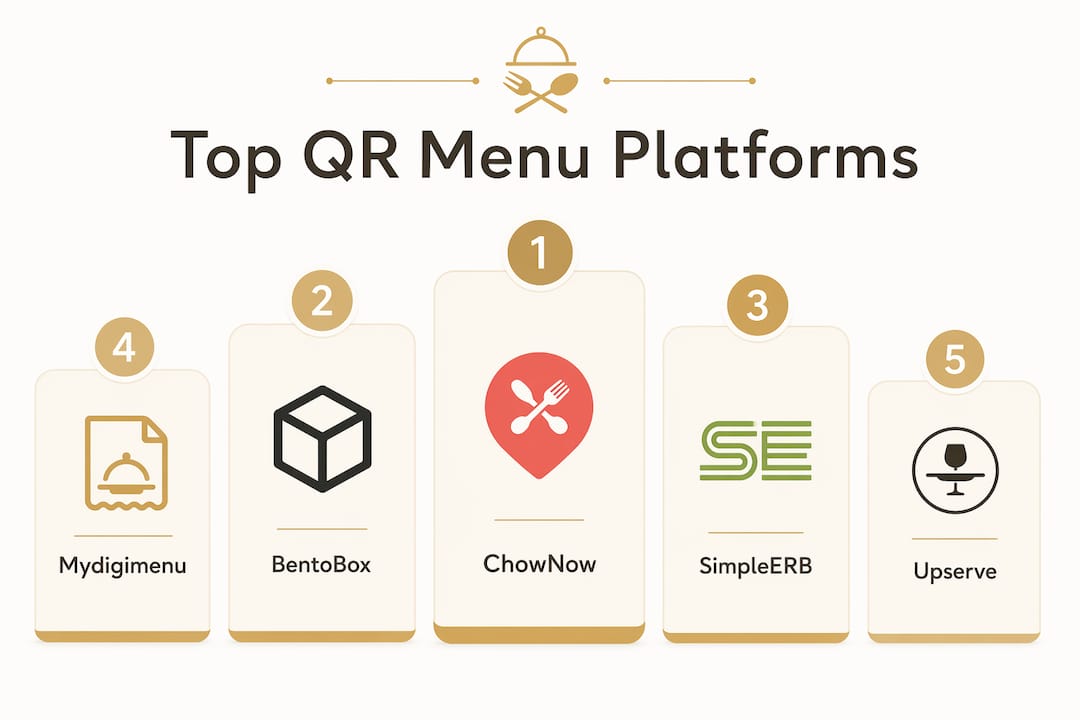
Commission-free direct orders | ChowNow | No marketplace fees, marketing support |
Branded website + ordering | BentoBox | Polished web presence with QR menus |
Table of Contents
How do the top alternatives compare at a glance?
The table below maps each platform against the dimensions that actually affect a purchase decision for a U.S. restaurant operator. Dynamic QR codes let you update menu destinations after printing and capture scan analytics — a non-negotiable for any operator who changes prices or specials regularly.
Platform | Best For | QR Menu & Ordering | Pay-at-Table | POS/KDS Integrations | Pricing Model | Setup Speed | Customization | Analytics & Marketing | Support |
My Menu (Mydigimenu) | Full-service, multi-location, hotels | Yes — dynamic QR + tablet menus | Yes — PCI-compliant | Named POS + delivery platforms | Subscription tiers + transaction fees | Guided onboarding | High — media-rich, multilingual | CRM, loyalty, campaigns | Dedicated account support |
Toast | Full-stack operators needing native POS | Yes — QR ordering built in | Yes — native | Toast POS ecosystem | Subscription + hardware | Moderate | Moderate | Built-in restaurant analytics | Dedicated |
Square / Square Online | Small-to-medium cafés, quick service | Yes — QR ordering | Yes — Square payments | Square POS, limited third-party | Free tier + transaction fees | Very fast | Moderate | Square Dashboard | Self-serve |
GloriaFood | Independent restaurants, budget-first | Yes — QR menu + ordering | Limited | Limited POS options | Free tier; paid add-ons | Very fast | Low–moderate | Basic | Self-serve |
ChowNow | Direct-ordering focused restaurants | Yes — online ordering | Limited | Select POS integrations | Monthly subscription | Moderate | Moderate | Marketing tools included | Dedicated |
BentoBox | Branded restaurant groups | Yes — QR menus + ordering | Yes | Select POS integrations | Subscription | Moderate | High — website-first | Marketing suite | Dedicated |
Free trial or free tier availability:
Mydigimenu: Tiered subscription with demo available; pricing plans published for U.S. operators
Square / Square Online: Free tier with transaction fees
GloriaFood: Free core plan; paid add-ons for advanced features
Toast, ChowNow, BentoBox: Paid subscriptions; demos available on request
What does each platform actually deliver?
Operators evaluating contactless QR-code digital menus consistently find that the strongest platforms bundle menu presentation with ordering and payment — not just a QR code pointing to a PDF. Here is what each option genuinely offers.
My Menu (Mydigimenu)
Mydigimenu is a hospitality-first SaaS platform built for restaurants, cafés, bars, and hotels that want more than a static menu link. Guests scan a QR code, browse a media-rich menu with food videos and high-resolution images, and order or pay without downloading an app. The platform supports tablet menus alongside QR menus, making it equally useful for tableside staff and self-service scenarios.
QR menu + tablet menus + online ordering in one subscription
Pay-at-table with PCI-compliant payment flows
POS and delivery platform integrations (named connectors documented on product pages)
Loyalty programs, digital stamp cards, and targeted marketing campaigns
Guest profile capture via social login and CRM integration
Multi-language and multi-currency support — practical for U.S. operators in diverse markets or with international guests
Nutritional information, reservation management, and guest feedback built in
Pros: Deep hospitality feature set; media-rich menus that genuinely influence order value; loyalty and marketing tools most QR-only tools lack. Cons: More setup investment than a bare-bones QR generator; best value realized when operators use the full feature set.
Pro Tip: Before your demo, prepare a list of your current POS system and any delivery platforms you use. Mydigimenu’s onboarding team can map integrations in advance, cutting your go-live timeline significantly.
Toast
Toast is a restaurant-native POS ecosystem where QR ordering is one component of a tightly integrated stack. If your operation already runs on Toast POS, adding QR ordering is a natural extension. The tradeoff is that Toast’s value is strongest when you are all-in on its ecosystem — mixing Toast ordering with a non-Toast POS creates friction.
Pros: Native POS coupling means orders route directly to the KDS with no middleware; strong restaurant analytics.
Cons: Hardware and software costs add up; less flexible outside the Toast ecosystem.
Square / Square Online
Square’s QR ordering is genuinely fast to set up and works well for smaller operations that already process payments through Square hardware. The free tier makes it an accessible starting point, though transaction fees apply and customization options are more limited than hospitality-specific platforms.
Pros: Free entry tier; very fast setup; familiar Square payment flow.
Cons: Limited menu customization; third-party POS integration is narrow.
GloriaFood
GloriaFood’s free core plan is its headline feature, and for an independent restaurant that needs basic online ordering and a QR menu without a monthly bill, it delivers. Advanced features like branded apps and real-time order management require paid add-ons. Think of it as a capable starting point, not a long-term enterprise solution.
Pros: Free tier with no monthly fee; quick menu setup.
Cons: Limited POS integrations; fewer customization and marketing tools.
ChowNow
ChowNow’s core promise is commission-free ordering — restaurants keep the full order value rather than paying a percentage to a marketplace. It includes marketing support to help drive direct orders, which is a meaningful differentiator for operators tired of third-party platform fees. POS integration options are selective, so confirm your system is supported before committing.
Pros: No per-order commission; marketing tools included.
Cons: Monthly subscription cost; POS integration coverage varies.
BentoBox
BentoBox leads with website design and brand presentation, then layers in ordering and QR menu capabilities. For restaurant groups that want a polished digital front door — a beautiful website, online ordering, and QR menus that feel on-brand — BentoBox is a strong fit. It is less suited to operators who need deep POS/KDS routing or advanced loyalty features.
Pros: Excellent website and brand presentation; integrated ordering.
Cons: Higher cost for the full suite; not the deepest on POS/KDS integration.
How do you pick the right replacement?
The single most important criterion is whether the platform routes orders to your existing POS and KDS without manual workarounds. Everything else — price, design, loyalty features — matters less if your kitchen never sees the ticket. Work through this checklist before scheduling any demo.
Prioritized selection checklist:
POS and KDS integration: Does the platform connect natively to your current system (e.g., Toast POS, Square POS, Lightspeed)? Ask for a named integration list, not a vague “we integrate with most systems.”
Dynamic QR capability: Can you update menu content and pricing after the QR codes are printed? Static QR codes bake the destination in permanently — a real operational liability for any menu that changes.
PCI-compliant payments: Is pay-at-table covered under the vendor’s PCI DSS scope, or does your team carry that liability separately?
Menu data portability: Can you export your menu as a CSV or structured file? Platforms that lock your data in a proprietary format extend migration time and increase switching costs.
Customization depth: Does the menu support food photography, videos, and branded layouts — or just text and prices?
Analytics and marketing: Does the platform capture guest data, support loyalty programs, and integrate with your CRM or email tools?
Support model: Is there a dedicated account manager, or is support entirely self-serve? For a multi-location rollout, self-serve-only support is a real risk.
Must-ask questions for vendor demos:
Which specific POS and KDS systems do you integrate with natively, and what is the setup process?
Who owns the guest and order data, and can we export it at any time?
What is your PCI DSS compliance scope for pay-at-table transactions?
What happens to our QR codes if we cancel — do they stop working immediately?
What does migration support look like, and how long does a typical menu import take?
Red flags to watch for:
No named POS integrations (only “API available”)
Pay-at-table payments outside the vendor’s PCI scope
No menu export or data portability option
Single-channel support (email only, no phone or live chat)
QR codes that become static or dead on plan downgrade
Typical migration timeline:
Week 1: Demo, confirm POS mapping, export current menu data
Weeks 2–3: Menu build, branding setup, POS/KDS integration testing
Week 4: Staff training and soft launch at one location
Weeks 5–6: Full rollout, monitor order routing and guest feedback
For a deeper look at what an online ordering system actually requires in a hospitality context, the integration and routing considerations are worth reviewing before your first vendor call.
Why Mydigimenu is a strong pick for U.S. restaurants
Mydigimenu fits U.S. restaurants that want a single platform covering the full guest journey — from the moment a guest scans a QR code to the moment they pay and leave feedback. That breadth is what separates it from tools that handle only one piece of the experience.
Core features that matter for U.S. operators:
QR menus with dynamic updates — change prices, 86 items, or add specials without touching a printer
Tablet and iPad menus for tableside ordering by staff or guests
Online ordering with no app download required for guests
Pay-at-table with PCI-compliant payment processing
POS and KDS integrations with named third-party connectors
Loyalty programs with digital stamp cards and targeted campaigns
Guest profile capture via social login, feeding into CRM and marketing workflows
Media-rich menu content — food videos, high-resolution images, and customizable layouts that make browsing feel like an adventure
Multi-language and multi-currency support — valuable for U.S. operators in tourist-heavy markets or diverse urban neighborhoods
Nutritional information, reservation management, and guest feedback in one platform
Implementation timeline for a typical U.S. restaurant:
Day 1–2: Account setup, branding configuration, and POS integration mapping
Day 3–5: Menu build and media upload (food photos, videos, descriptions)
Day 6–7: POS/KDS connection testing and payment flow verification
Day 8–10: Staff walkthrough and QR code placement at tables
Day 11–14: Soft launch with live guest feedback collection
Week 3+: Full rollout with loyalty program activation and marketing campaign setup
Subscription pricing is tiered, so operators can start with the features they need and add loyalty, marketing, and advanced analytics as their operation scales. The platform’s media-rich presentation and guest engagement tools are where operators typically see the clearest impact on average check size.
Pro Tip: During onboarding, upload at least three high-quality food images or short videos per menu category. Menus with visual content consistently drive higher add-on attachment — guests order more when they can see what they’re getting.

For operators curious about how digital table ordering affects guest engagement metrics, the operational case is well-documented across hospitality deployments.
Key Takeaways
For most U.S. restaurants replacing my.tableqrcode.com, Mydigimenu delivers the broadest hospitality feature set — dynamic QR menus, pay-at-table, POS integrations, and loyalty — in a single subscription platform.
Point | Details |
Dynamic QR is non-negotiable | Static QR codes can’t be updated after printing; always confirm dynamic capability before committing. |
POS/KDS integration is the top criterion | Order routing to your kitchen system matters more than design or price at the selection stage. |
Migration typically takes several weeks | Budget time for menu export, POS mapping, staff training, and a soft-launch pilot before full rollout. |
Free tiers have real limits | GloriaFood and Square offer free entry points, but advanced features — loyalty, analytics, pay-at-table — require paid plans. |
Mydigimenu for full-service operators | Mydigimenu’s QR menus, pay-at-table, loyalty, and media-rich content make it the strongest fit for full-service and multi-location U.S. restaurants. |
The real tradeoffs when you replace a platform
The recommendation here is clear: Mydigimenu covers the most ground for full-service and multi-location U.S. operators. But honest platform selection means naming what you trade when you move from a lightweight QR tool to a full hospitality platform.
Speed versus depth is the central tension. A free QR generator or a bare-bones ordering tool can be live in an afternoon. A platform with POS integration, loyalty, and media-rich menus takes two to four weeks to configure properly — and that investment pays off only if your team actually uses the features. Operators who migrate and then use five percent of the platform’s capability are paying for complexity they don’t need.
Cost versus control is the other axis. Commission-free models like ChowNow eliminate per-order fees but carry a monthly subscription. Marketplace-adjacent tools may look cheaper upfront but extract value through transaction fees at scale. The right question isn’t “what does it cost per month?” — it’s “what does it cost per order at my volume?”
For measuring pilot success, set three metrics before you go live: order turnaround time from scan to kitchen ticket, average check size compared to your pre-migration baseline, and guest return rate over a 60-day window. Those three numbers will tell you whether the platform is working faster than any survey will.
Mydigimenu’s loyalty and CRM features are particularly well-suited to operators who want to move guests from first visit to repeat customer — a goal that a QR-code-only tool simply cannot support. For hospitality businesses where the guest relationship is the product, that distinction shapes the entire platform choice.
Ready to see Mydigimenu in action?
Mydigimenu gives U.S. restaurants something the alternatives on this list can’t fully match: a single platform where QR menus, pay-at-table, loyalty, and media-rich content work together from day one — not as bolt-on features, but as a unified guest experience.

Request a live demo and bring your current POS system name, your menu item count, and one question about your biggest operational friction point. The Mydigimenu team will map your POS integration, walk through a sample menu build, and show you exactly what your guests will see when they scan. Migration support is included — menu import, POS mapping, and staff training guidance are part of the onboarding process, not an add-on.
Visit the Mydigimenu restaurant menu platform to book your demo, or check U.S. pricing and plan tiers to see which subscription fits your operation before the call.
Useful sources and vendor docs for your due diligence
The resources below cover QR code technology, platform comparisons, and Mydigimenu’s own product pages — organized by what each one helps you confirm.
Resource | What It Covers |
Adobe Express QR Code Generator | Static vs. dynamic QR codes explained; useful for understanding update and tracking capabilities |
Editable QR codes, scan analytics, and custom redirect domains for brand-consistent QR deployment | |
Privacy-first, no-signup QR creation for single-use signage; no dynamic features or POS integration | |
Free client-side generator covering many barcode types; dynamic features and analytics on paid tier | |
Square QR Code Ordering | Square’s QR ordering setup, payment flow, and hardware requirements for U.S. restaurants |
QR Tiger — Best Contactless Menus | Industry consensus on platforms that bundle QR menus with ordering and payments |
Pricing, customization, and dynamic feature comparison across QR code tools | |
QR menu features, contactless ordering, and pay-at-table details for Mydigimenu | |
U.S. subscription tiers, transaction fees, and plan comparison | |
Third-party perspective on alternative digital menu providers in hospitality | |
Wild Foodz — Food Delivery in Hospitality | How delivery and ordering integrations shape hospitality workflows |
Recommended
FNAF 2
FNaF 2 flips the formula by making visual surveillance almost completely obsolete outside of one critical maintenance task.
I've recently tried a QR menu solution at a local café, and it streamlined the ordering process significantly. It reminded me of how simple yet effective tools can elevate dining experiences, similar to the fun I have with Doodle Baseball when I need a quick break both enhance engagement in their own way!
Success doesn't always belong to the quickest fingers. Throughout speed stars, careful coordination becomes more valuable than rushing every input. Each stride contributes to steady acceleration across the track. Consistency keeps momentum alive even when the race becomes intense. Every sprint rewards patience and practice. How close are you to your fastest finish?