
E-Menus for U.S. Restaurants: Your Complete 2026 Guide

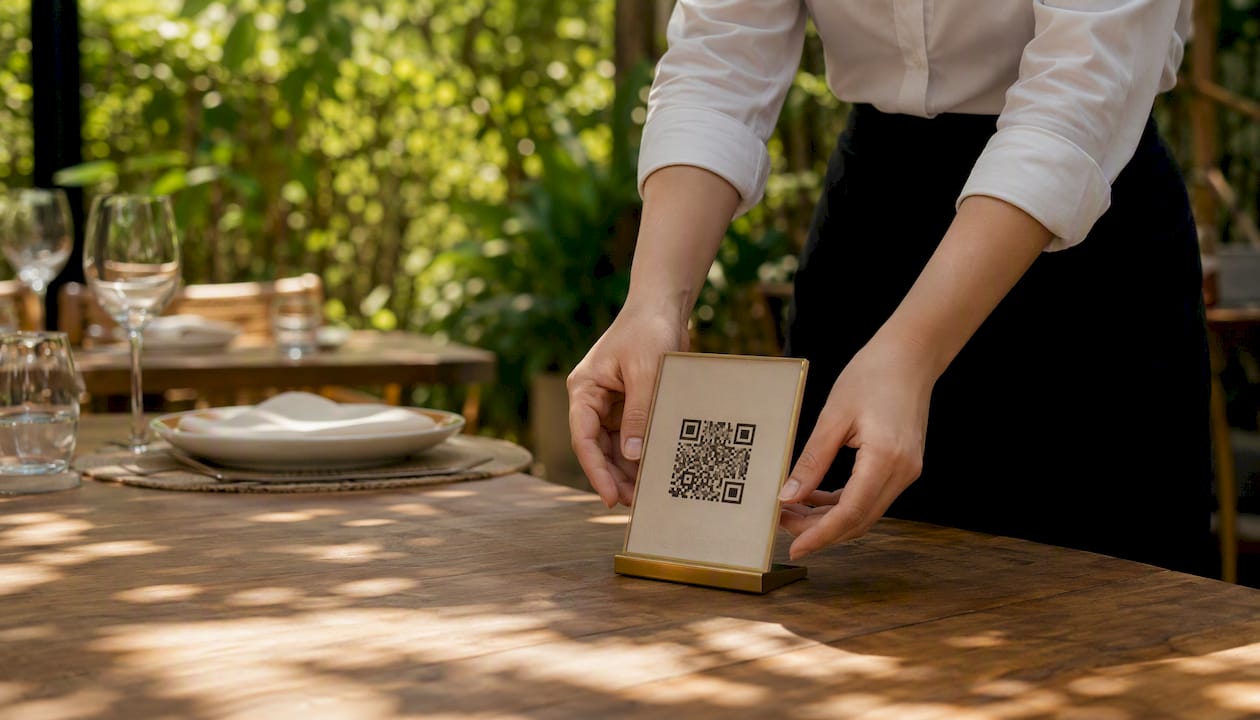
An e-menu is a digital interface that replaces or augments a printed menu, accessed by guests through a QR code scan, a tablet at the table, a self-service kiosk, or a digital board. For most U.S. restaurants, the recommended starting point is a QR/mobile-first deployment paired with POS integration. It requires the least hardware investment, goes live in days rather than weeks, and gives guests the frictionless, contactless experience they increasingly expect.
Your immediate next steps:
Assign one staff member or manager as the e-menu owner before anything else.
Pilot on a single service zone (the patio, the bar, or one dining section) for four weeks with QR codes linked to a mobile web menu and KDS integration.
Set a go/no-go decision date at the end of the pilot, with clear KPIs agreed on before day one.
Platforms like Mydigimenu’s QR menu let guests scan and order without downloading an app, which removes the single biggest friction point in digital ordering adoption.
Key Takeaways
E-menus deliver the fastest ROI when deployed QR-first, integrated with your POS from day one, and supported by a structured 6-week pilot with defined KPIs and a single accountable staff owner.
Point | Details |
Start QR-first | A QR/mobile web pilot requires no hardware investment and goes live in days, not weeks. |
POS integration is non-negotiable | API-level POS and KDS integration prevents manual reconciliation and order errors from day one. |
Compliance covers three areas | ADA accessibility, PCI-DSS for payments, and FDA nutrition labeling each require a named owner and documented process. |
Pilot with defined KPIs | Set order completion rate, average check, and guest satisfaction targets before launch, not after. |
Mydigimenu covers the full checklist | QR menus, tablet apps, POS/KDS integration, pay-at-table, loyalty, and multi-language support are all available in one platform. |
Table of Contents
What exactly is an e-menu, and how do guests access it?
An e-menu is any digitally hosted menu interface that guests interact with directly, whether on their own phone, a venue-provided device, or a screen on the wall. The term covers a wide range of delivery formats, but the guest experience is always the same: browse, select, and often order without touching a printed card.
Here is where guests typically access them:
QR-to-mobile web: A printed QR code at the table opens a hosted mobile web page in the guest’s browser. No app download required. This is the most common format in U.S. restaurants today.
Hosted mobile web app: A URL-based menu the venue promotes via its website, Google listing, or MenuPages profile. Guests can access it before they arrive to browse or pre-order.
Native tablet app at the table: A venue-provided iPad or Android tablet running a dedicated menu app. Common in fast-casual and upscale casual settings where the venue controls the device.
Self-service kiosks: Freestanding touchscreen units near the entrance or counter. Guests build and pay for their order independently, reducing front-of-house labor at peak hours.
Digital menu boards: Large screens above the counter or bar displaying current offerings, prices, and promotions. Typically used in quick-service and fast-casual formats.
A well-structured online menu, like the category-and-modifier layout used by Carrabba’s Italian Grill, shows exactly how item groupings, family bundles, and modifiers translate from print to digital. Reproducing that logical structure in your e-menu is the first content task operators face.
Which type of e-menu fits your restaurant’s service model?
Not every format suits every venue. The right choice depends on your service style, guest profile, and how much hardware complexity you want to manage.
Format | Best Fit | Key Advantage | Main Trade-off |
QR / mobile web | Any venue, especially dine-in and fast-casual | Zero hardware cost, instant updates | Guests need a smartphone and signal |
At-table tablet app | Upscale casual, hotel dining, bars | Rich media, guided upsell, pay-at-table | Hardware cost, breakage, charging logistics |
Fixed kiosk | Fast-casual, QSR, food halls | Reduces counter labor, speeds throughput | High upfront hardware cost |
Digital menu board | QSR, coffee shops, bars | Always-on visibility, dynamic pricing | One-way display only, no ordering |
Integrated web ordering | Any venue with takeout or delivery | Extends reach beyond the dining room | Requires delivery/POS integration |
Use-case mapping: If you run a high-volume fast-casual spot with tech-savvy guests, start with QR and add a kiosk at the counter within six months. A fine-dining room with older guests may benefit more from a tablet app where staff can guide the experience. Hotel dining, where guests span every demographic, often pairs a QR menu for in-room dining with a tablet app in the restaurant.
The practical advice from platform operators is consistent: start with a QR/mobile web pilot before investing in tablets or kiosks. It minimizes hardware costs, speeds time-to-value, and gives you real guest-behavior data before you commit to more expensive formats.
What business benefits do e-menus actually deliver?
The commercial case for digital menus is strong, and the benefits split neatly into those you get on day one and those that build over time.
Immediate benefits:
Contactless ordering reduces physical touchpoints and the labor cost of order-taking, which matters most during peak hours when every server minute counts. Contactless dining workflows are covered in depth in Mydigimenu’s guide to contactless dining.
Faster table turns because guests browse and order at their own pace without waiting for a server to appear.
Accurate allergen and nutrition display at the point of decision, reducing verbal back-and-forth and the risk of errors on special-diet orders.
Eliminated printing costs for seasonal updates, price changes, and daily specials.
Benefits that build with configuration:
Upsell via suggestive prompts — digital menus can surface “frequently ordered together” pairings or featured add-ons at the moment a guest selects an item. Operators who configure these prompts typically see a meaningful lift in average check size, though the exact range depends on menu structure and prompt placement.
Loyalty and repeat-visit data through CRM integration and guest profile capture via social login, enabling targeted promotions to guests who have already opted in.
Delivery and takeout channel expansion — a hosted web menu doubles as an online ordering page, connecting to delivery platforms and extending revenue beyond the dining room. The role of online food ordering in restaurant operations has grown significantly, and a well-integrated e-menu sits at the center of that workflow.
The benefits that require configuration (loyalty, targeted promos, upsell logic) are worth planning for from day one, even if you activate them in month two or three.
What features should you require from any e-menu platform?
Think of this as your vendor checklist. A production-ready platform needs to cover three layers: core menu delivery, operational management, and integration depth.
Core delivery features:
QR code generation with scan-to-open mobile web (no app download for guests)
High-quality image and video support per menu item
Multi-language display with automatic or manual language switching
Offline fallback so the menu remains accessible during brief network interruptions
Readable fonts, alt text for images, and keyboard-navigable layouts for accessibility
Operational management features:
Cloud-based menu management with real-time price and availability updates
Modifier and customization handling (size, add-ons, substitutions)
Inventory flags that hide sold-out items automatically
Menu freeze windows so updates don’t push mid-service
Nutrition and allergen fields per item, with a clear content-ownership workflow
Integration depth:
POS and KDS integration (API-level preferred over manual sync)
Secure pay-at-table with PCI-DSS-compliant payment gateway support
CRM and loyalty program connectivity
Reservation platform integration for hotel and full-service dining
Delivery platform sync for takeout channels
Analytics export for reporting and KPI tracking
Mydigimenu’s digital menu platform covers QR menus, tablet and iPad apps, multi-language support, and POS integrations, making it a practical reference point when you’re building your own feature checklist.
How to implement an e-menu: a 6-week pilot plan
A structured pilot prevents the two most common mistakes: launching too broadly before the system is stable, and launching so quietly that no one uses it. Here is a week-by-week plan a manager can hand directly to IT or a lead server.
Week 1: Vendor selection and account setup. Confirm POS compatibility, sign up for a trial, and assign one internal owner. Gather POS credentials and API documentation.
Week 2: Menu build and content upload. Upload all items with images, modifiers, allergen fields, and pricing. Mirror the category structure your guests already know from your printed menu. Use the online ordering system guide to map your ordering workflow before you build.
Week 3: POS/KDS integration and payment testing. Connect the e-menu to your POS and kitchen display. Run end-to-end test orders covering modifiers, voids, and payment flows. Confirm PCI-DSS compliance with your payment gateway.
Week 4: Staff training and soft launch. Train every front-of-house team member on the guest flow, how to help guests who struggle with QR codes, and how to handle fallback scenarios. Place QR signage on tables in your pilot zone only.
Week 5: Live pilot with active monitoring. Go live in the pilot zone. Monitor order completion rates, payment success rates, and any KDS routing errors daily. Collect guest feedback via a short in-app or table-card survey.
Week 6: Measure, iterate, and decide. Review KPIs against your pre-set success criteria. Fix any friction points. Make the go/no-go call on full rollout.
Staff training bullets: Cover the guest QR flow in under two minutes, practice the “let me show you” script for hesitant guests, and run one full shift simulation before the soft launch. Guest communication is equally important: clear table signage with a one-line instruction (“Scan to browse and order”) removes the most common point of confusion.
How to choose the right e-menu platform
Vendor selection is where operators most often lose time or money. A structured evaluation prevents both.
Questions to ask every vendor:
Which POS systems do you integrate with natively, and is it API-level or file-based sync?
Who owns the guest data, and can we export it at any time in a standard format?
What is your uptime SLA, and how do you handle outages during service hours?
What does PCI-DSS compliance cover on your platform versus our payment gateway?
What languages are supported, and how are translations managed?
What does onboarding include, and what is the typical time-to-live for a new account?
Selection criteria to weight:
Integration depth with your POS is the single most important technical criterion. A beautiful menu that doesn’t talk to your POS creates double-entry and reconciliation headaches.
Pricing model fit matters more than the headline price. A per-location flat subscription is predictable; a transaction-fee model can surprise you at volume.
Deployment speed — how quickly can you go live after signing? Weeks, not months, is the right answer for a QR pilot.
Product roadmap alignment — ask what features are shipping in the next two quarters. A vendor investing in loyalty, analytics, and delivery integrations is building toward your future needs.
Red flags to walk away from:
Opaque or bundled fees with no itemized breakdown
No data export or guest-data portability clause in the contract
PCI compliance that relies entirely on a third party with no documentation
Limited or no accessibility support (font sizing, contrast, keyboard navigation)
Support that is email-only with no SLA for critical issues during service hours
What does an e-menu cost? Budgeting for U.S. restaurants
Pricing models vary, but the budget categories are consistent across vendors. Plan for these line items:
Subscription fee: Most platforms charge a per-location monthly or annual fee. Entry-level QR-only plans often start at a modest per-location monthly fee; full-featured plans with POS integration, loyalty, and analytics run higher. Mydigimenu’s pricing page documents its tier structure and includes a free QR menu option, which is a practical starting point for cost comparison.
Hardware: QR pilots require only printed signage (table tents, sticker QR codes), which costs very little. Tablet deployments add a few hundred dollars per device for commercial-grade iPads or Android tablets, plus cases and charging docks. Kiosks typically require a significant upfront investment per unit installed.
POS integration setup: Some vendors include this in the subscription; others charge a one-time setup fee of $200–$500 or more for custom integrations.
Training and onboarding: Factor in internal staff time (roughly 2–4 hours per location) and any vendor-provided onboarding sessions.
Optional creative services: Professional food photography or video production for menu items can range from a few hundred dollars for a basic shoot to several thousand for a full menu video library. This is optional but meaningfully improves upsell performance.
The numbers shift with scale. A single-location QSR piloting QR codes can get started for well under $100 per month. A multi-location full-service group adding tablets, kiosk ordering, and custom POS integrations should budget meaningfully more per location, especially in year one.
Technical requirements and integrations to verify before you commit
Skipping the technical checklist is the most common reason pilots stall. Confirm these before signing a contract.
Integration Point | What to Verify | Why It Matters |
POS compatibility | Native API or certified connector for your POS brand | Prevents manual order reconciliation |
KDS routing | Orders route to the correct kitchen station by category | Prevents ticket errors and delays |
Payment gateway | PCI-DSS scope, supported processors, pay-at-table flow | Guest payment security and compliance |
Network / bandwidth | Stable Wi-Fi in the dining room, bandwidth for video menus | Prevents slow load times and drop-offs |
Offline mode | Menu remains readable; orders queue and sync on reconnect | Protects service during brief outages |
Delivery platform sync | API or webhook to your delivery partners | Keeps menu and pricing consistent across channels |
Reservation integration | Two-way data flow with your reservation system | Enables pre-arrival menu browsing and upsell |
The typical data flow runs: guest order → e-menu platform → KDS (kitchen) → POS reconciliation → reporting dashboard. Every handoff in that chain needs to be tested before go-live. Digital reservation integration is a common addition for hotel dining and full-service restaurants, where pre-arrival guest context improves both service and upsell.
IT scope note: Your vendor will need read/write API access to your POS, payment gateway credentials, and network access during setup. Involve your IT contact or POS vendor rep in week one, not week three.
Compliance, accessibility, and nutrition labeling for U.S. operators
Three compliance areas affect every U.S. restaurant deploying an e-menu, and none of them are optional.
ADA web accessibility:
Use fonts no smaller than 16px on mobile, with sufficient color contrast (WCAG 2.1 AA is the practical standard).
Ensure the menu is navigable by keyboard and compatible with screen readers.
Provide a reasonable accommodation procedure for guests who cannot use the digital interface. A printed fallback menu or a staff-assisted ordering option satisfies this in most cases.
PCI-DSS for payments:
Confirm which party (you or the platform) is responsible for each PCI-DSS control. Most SaaS platforms handle card data at the platform level, but you remain responsible for your network environment and any hardware (card readers, tablets) in scope.
Never store raw card numbers on venue-controlled devices or servers.
Review your annual SAQ (Self-Assessment Questionnaire) with your payment processor after adding a new e-menu payment flow.
Nutrition and allergen labeling:
The FDA’s menu labeling rule requires chain restaurants with 20 or more U.S. locations to display calorie counts on standard menu items. If you meet that threshold, your e-menu must comply.
For all operators, displaying the eight major allergens (milk, eggs, fish, shellfish, tree nuts, peanuts, wheat, soybeans) per item is a strong best practice and a liability reducer.
Designate one person to own nutrition and allergen data accuracy, document the source of each figure, and establish a review cadence whenever recipes change.
Keeping your e-menu running smoothly after launch
The launch is the beginning, not the finish line. These operational practices keep the system reliable and guests satisfied.
Daily checks: Verify that the menu loads correctly on both iOS and Android, that sold-out items are flagged, and that payment flows are processing without errors.
Menu freeze windows: Schedule updates for off-peak hours (after close or before opening) to avoid mid-service confusion.
Monitor payment flows: Set up alerts for failed transactions or gateway errors. A silent payment failure during a busy Saturday dinner is the worst time to discover a configuration problem.
Simple rollback plan: Keep a single-page printed menu at the host stand and one staff tablet with the menu loaded as a backup. If the network goes down, service continues.
Network isolation: Run your e-menu on a dedicated VLAN or guest Wi-Fi segment separate from your POS network to reduce security exposure and bandwidth contention.
Guest-facing tips: Clear table signage with a one-line QR instruction removes the most common friction point. Train staff on a 15-second “let me show you” script for guests who hesitate. A brief “how it works” card tucked into the table tent answers the three questions guests ask most: where to scan, how to pay, and whether they can still talk to a server.
Pro Tip: Set a recurring 15-minute weekly menu audit on your calendar. One person checks prices, availability flags, and image quality. Catching a stale price or a missing image before a guest does is worth far more than the time it takes.
Pilot checklist, KPIs, and guest survey questions
A pilot without defined success criteria is just an experiment. This checklist gives you the structure to run one that produces a real decision.
Define scope: One service zone, one daypart (lunch or dinner), one menu category if needed.
Set success criteria before day one: Agree on the minimum acceptable order completion rate, average check target, and guest satisfaction score.
Assign a staff owner: One person is accountable for daily monitoring, issue escalation, and weekly reporting.
Build a data collection plan: Confirm that your platform exports order data, completion rates, and item-level sales. Set up a guest feedback mechanism (in-app prompt or table card with a short URL).
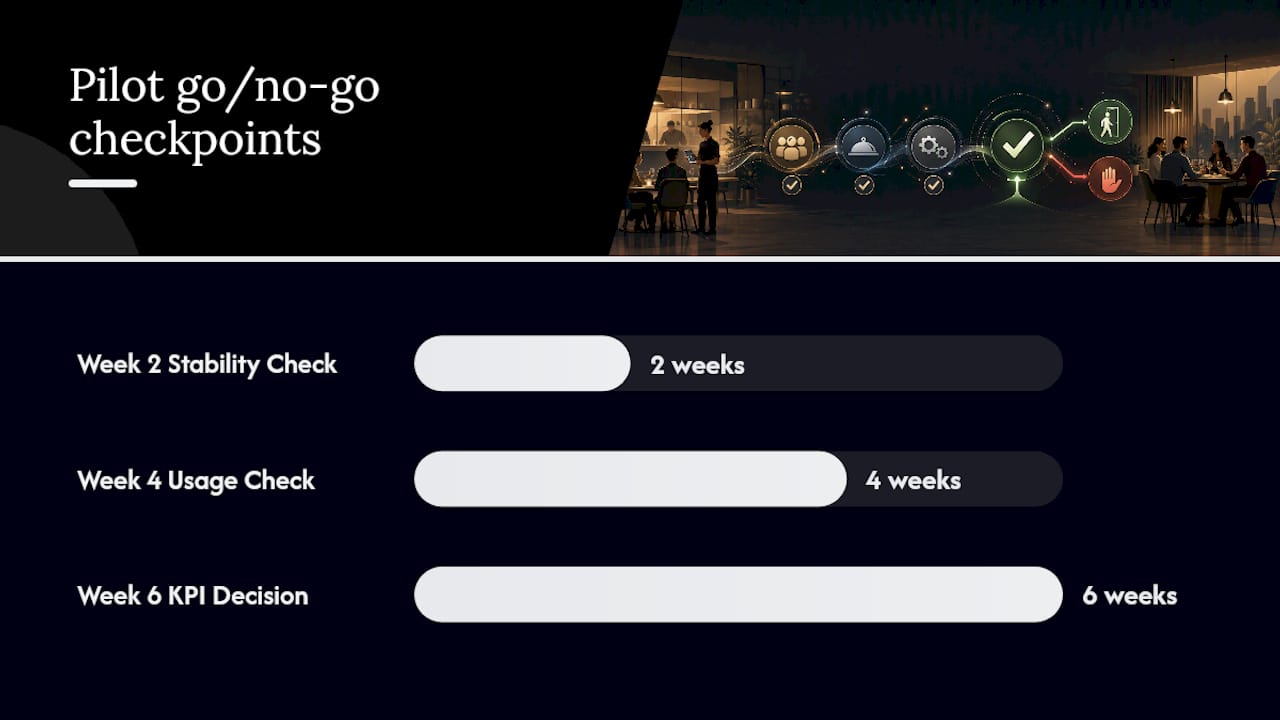
Define go/no-go decision points: Week 2 (is the system stable?), Week 4 (are guests using it?), Week 6 (do the KPIs justify full rollout?).
KPIs to track:
Order completion rate (orders started vs. orders submitted)
Average check vs. pre-pilot baseline
Time-to-first-course from seating
Uplift from suggested/featured items
Guest satisfaction score from pilot survey
Sample guest survey questions (3–5 max):
“How easy was it to find what you were looking for on the digital menu?” (1–5 scale)
“Did you discover any items you wouldn’t have noticed on a printed menu?” (Yes/No)
“How likely are you to use the digital menu again on your next visit?” (1–5 scale)
“Is there anything that would make the digital menu easier to use?” (open text)
Optimize your order flow further with Mydigimenu’s guide to optimizing restaurant online ordering, which covers conversion tactics that apply directly to the pilot phase.
What operators get wrong — and what actually works in the first 30 days
The most common deployment mistake is over-customization before launch. Operators spend weeks perfecting the menu’s visual theme, adding custom animations, and debating font choices, while the actual guest experience suffers from missing images, untested modifiers, and a POS integration that was never fully verified. The menu’s look matters, but a clean, fast-loading menu with accurate prices and great food photography outperforms a beautifully branded one with broken order flows every time.
The second mistake is skipping structured staff training. Guests who struggle with a QR code and get a blank stare from a server will not try again. A 20-minute team briefing before the soft launch, covering the guest flow and the “let me show you” script, prevents the majority of negative first impressions.
The quick wins that actually move the needle in the first 30 days are simpler than most operators expect. Adding high-quality images to your top 10 items alone tends to lift add-on selections noticeably. Featuring two or three specials prominently on the landing screen of the menu captures attention before guests scroll. And sending a push promotion to guests who opted in during a previous visit, even a simple “back this weekend” message, drives repeat covers at a cost that traditional marketing can’t match.
On data ownership: before you sign any vendor contract, confirm in writing that your guest data, order history, and menu content are exportable in a standard format at any time. A vendor who hesitates on this question is telling you something important about the relationship.
Mydigimenu brings everything on this checklist together
Mydigimenu is built specifically for restaurants, cafes, bars, and hotels that want a production-ready digital menu without the complexity of stitching together separate tools. The platform covers every item on the feature checklist above: QR menus that guests open without downloading an app, at-table tablet and iPad menus with rich food video support, pay-at-table with PCI-DSS-compliant payment flows, multi-language display, loyalty programs with digital stamp cards, and direct POS and KDS integration.

What makes the difference for operators evaluating platforms is the combination of depth and speed. Mydigimenu’s onboarding includes templates, menu-build support, and a free QR menu tier that lets you go live and test the guest experience before committing to a paid plan. The plans and pricing page lays out the tier structure transparently, so you can budget accurately from day one. To see how the platform maps to your specific POS and service model, book a demo at Mydigimenu and bring your integration checklist.
Sources
Recommended
Action gaming isn't only about shooting or fighting—it can also be about movement, survival, timing, and clever decisions. The Action Games at Freewebgames category offers room for different kinds of challenges, so players can choose between pure reflex tests and games that require a more thoughtful approach.