
Avoid Weeks of Rework: Delivery Integration for Restaurant Ops
- Abhi Bose
- 45 minutes ago
- 8 min read

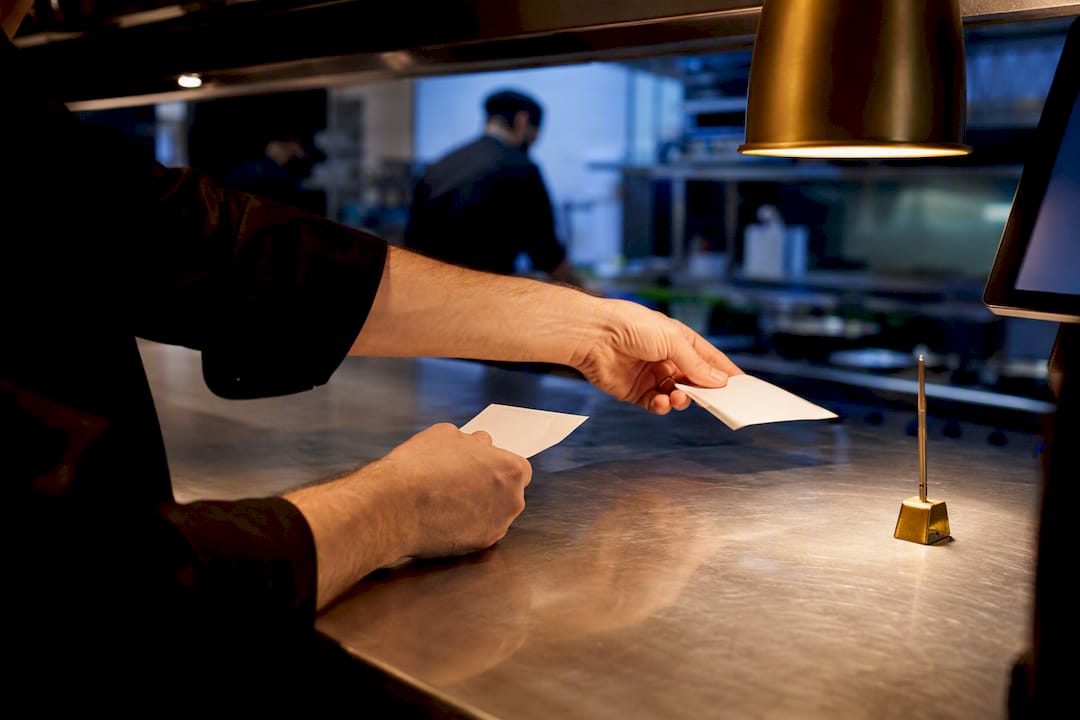
Delivery integration consolidates orders from every third-party delivery app into one system, usually your POS or a unified tablet, so staff stop juggling five screens and manually retyping tickets. The immediate move: check whether your POS provider offers a native connection to your delivery apps before you build or buy anything else. If it does, start there. If it doesn’t, middleware is your fallback. Success looks like fewer rejected orders, one reporting dashboard, and a kitchen that isn’t drowning in tablets.
TL;DR:
Native POS integrations are the fastest and simplest method, with many providers now offering certified, self-serve connectors that go live in days.
Menu mapping errors are the leading cause of order rejection and often stem from inconsistent item names, modifiers, or forgotten updates across systems.
Running full system tests, including modifier-heavy and age-restricted items, before launch helps identify issues early and prevents disruptions during peak times.
Regular staff oversight and dedicated personnel are essential to monitor webhook failures, update menu files, and address exceptions after integration goes live.
The biggest mistake operators make is treating delivery system integration as a one-time setup rather than an ongoing process requiring continuous management.
Table of Contents
What Are the Main Delivery Integration Methods?
Three paths lead to the same destination, and picking the wrong one costs weeks. Native POS integrations connect your point-of-sale system directly to delivery platforms through a certified, pre-built connector. Many major POS providers now offer these as self-serve setups that go live in days rather than months, with no custom development required.
Middleware, sometimes called an aggregator, sits between your POS and multiple delivery apps at once. It centralizes menu management and order routing across platforms, though most charge a per-order or monthly fee on top of what the delivery apps already take. This is the unified API model: one workflow normalizes rates, order formats, and webhooks so you’re not maintaining five separate integrations by hand.
Custom API builds make sense only when your menu complexity or order volume outgrows what native and middleware options support, and they demand real developer resources to maintain.
Before you choose, run through this checklist:
Does your current POS list the delivery apps you use as certified partners?
How often does your menu change (daily specials versus a static menu)?
Do you have modifiers complex enough to break a simple sync?
Do you have in-house or contracted developer support if something breaks?
How Do You Implement a Delivery Integration Step by Step?
Rushing this process is how restaurants end up with duplicate tickets during a Friday dinner rush. Work through it in order.
Map your current setup. List every delivery app, your POS, tablets, printers, and any manual steps staff currently used to bridge them.
Gather accounts and credentials. Identify who owns each delivery platform account and who holds admin access, since a missing password can stall a launch by days.
Plan menu mapping. Match SKUs, modifiers, and dayparts across systems, and decide how price changes will sync.
Test in a sandbox environment. Instacart’s own fulfillment documentation stresses running full order lifecycle tests before going live, including checkout fields like address validation, SMS opt-in, and date-of-birth checks for alcohol orders.
Build a go-live plan. Choose a soft-launch window during a slower shift, schedule extra staff for the first few days, and write down a rollback procedure in case the integration fails mid-service.
Monitor after launch. Track order acceptance times and error rates daily for at least the first two weeks.
Pro Tip: Run at least one full test order through every delivery app in your stack, including a modifier-heavy item and an alcohol order if you sell alcohol. A clean test on a simple burger tells you almost nothing about how the system handles a build-your-own bowl with six modifier groups.
A staged rollout, sandbox first, then a limited soft launch, then full production, catches payment and age-verification issues before they hit a real customer’s order. For a deeper technical walkthrough of sending orders into your POS, see this POS integration checklist.
Why Does Menu Mapping Cause So Many Integration Errors?
Inaccurate menu mapping is the single most common reason orders get rejected or arrive wrong, even on a fully certified, plug-and-play integration. The fix isn’t complicated, but it does require discipline that most teams skip in the rush to launch.
Standardize item names and SKUs across your POS and every delivery platform, and preserve the modifiers that actually matter to the kitchen. If a modifier tree is too deep, for example, twelve topping choices on a build-your-own pizza, collapse it into a shorter, delivery-friendly list rather than forcing the app to replicate every POS option.
The gap that gets missed: operations teams that maintain a simple two-column mapping file, POS modifier on one side, delivery-app modifier on the other, catch mismatches before they ever reach a customer. Teams that skip this step find out the hard way, usually during a dinner rush.
A few habits prevent most mapping disasters:
Manage item availability and dayparting from one central source, not four separate app dashboards.
Test that an item marked “sold out” actually disappears from every channel within minutes, not hours.
Version-control every menu push so you can identify exactly what changed if orders suddenly start failing.
Keep a rollback plan ready. If a bad menu update goes live, you need to revert it in minutes, not after a support ticket queue clears.
How Should Staff Handle Orders After Integration?
Consolidated tickets still need somewhere to go, and that somewhere should be a specific kitchen station, not a general pile of paper. Route delivery orders to the same print stations or kitchen display screens your dine-in tickets already use, so cooks aren’t scanning two systems mid rush.
Assign one person per shift, often a shift lead or expeditor, to watch the integration dashboard and catch exceptions: a courier that never showed, an order stuck in “pending,” a payment that failed to authorize. Set service-level targets for three moments: how fast an order gets accepted, how long prep should take, and when it’s marked ready for courier pickup.
For the first week after go-live, build in daily checks rather than waiting for a weekly report:
Pull acceptance and prep times each morning and flag anything that’s drifting.
Confirm every delivery app printed or displayed correctly the previous night.
Check for orders that arrived with missing modifiers or wrong quantities.
Know who to call, POS vendor, delivery platform support, or your integration provider, before something breaks, not during.
A streamlined digital ordering workflow makes this routing far easier to standardize across shifts and locations.
What Are the Most Common Delivery Integration Problems?
Most integration failures fall into a handful of repeat offenders, and each has a fast diagnostic path.
Duplicate or missing orders. Check whether the POS and delivery app are both trying to write the same order, a common symptom of a webhook firing twice.
Missing modifiers on tickets. This almost always traces back to a mapping gap between the POS modifier and its delivery-app equivalent.
Delayed tickets. Check webhook delivery logs first. A failed callback often means the order sat in a queue instead of printing instantly.
Credential or token expiration. Expired API tokens silently break integrations. Rotate and verify credentials on the schedule your POS or delivery partner recommends.
Tax, time zone, or payment mismatches. These usually surface as pricing discrepancies between what the customer paid and what the POS recorded.
When something breaks mid-service, fall back on manual entry or temporarily re-enable the delivery app’s own tablet until the issue clears. Keeping that manual override procedure documented and rehearsed limits how many orders you actually lose during an outage.
How Does a Digital Menu Platform Fit Into a Delivery Integration Project?
A digital menu platform sits at the content layer of your stack: it syncs menu items, pricing, and modifiers, and it captures guest profile data through social login for loyalty and CRM reporting once an order comes through. That data feed matters because delivery apps rarely hand back rich customer insight, while a connected digital menu can.
A practical implementation checklist for this layer looks like:
Generate and place QR codes at tables or entry points, then confirm each one routes to the correct location’s menu.
Map every dish, modifier, and price against your POS before publishing the live menu.
Confirm payment options, including any alternative methods you support, are active and tested.
Connect loyalty and CRM hooks so guest data captured during ordering flows into your reporting.
Plan for a few limitations up front. Not every delivery platform exposes the same modifier depth or guest-data fields, and pairing systems always benefits from a quick call with vendor support before go-live rather than after a launch-day surprise.
What Should You Prioritize in the First 30, 60, and 90 Days?
Week one is about watching, not optimizing. Run daily checks on order acceptance time, ticket error rate, and how many refunds or voids you’re issuing, since spikes there almost always point to a mapping or routing gap, not a fluke.
By month two, shift to weekly reviews: track average prep time against your SLA targets and start tuning modifier mappings that keep tripping up specific items. Watch how delivery-app promotions affect order volume and margin. A spike in orders from a platform-run discount can look like a win until you check what it did to your food cost. By day 90, you should have a clean enough error rate that monitoring becomes a five-minute daily habit, not a fire drill.
Where Can You Find More Integration Resources?
Vendor documentation is the authoritative source for credentials, tokens, and webhook event lists, and it’s worth bookmarking before you configure anything in production. DoorDash’s own merchant integration resources walk through native POS connections in detail, while Square’s delivery setup guide covers local delivery zones and fulfillment hours for merchants running on that platform.
For a broader view of why online ordering has become central to hospitality operations, see this industry perspective on digital ordering. And if you’re still deciding whether third-party integration is worth the setup effort at all, this breakdown of why restaurants use delivery integration lays out the operational case in plain terms.
Bring Your Menu, POS, and Delivery Apps Into One System
If you’ve read this far, you already know the fragmented setup, three tablets, two logins, one exhausted expeditor, isn’t sustainable past a handful of locations. A QR code menu built on Mydigimenu gives you one place to manage menu content, pricing, and guest data that feeds directly into the loyalty and CRM tools your delivery apps can’t offer. Pair it with a tablet or iPad menu setup for in-house ordering, and you’ve closed the gap between how guests order at the table and how they order for delivery, without adding another disconnected system to your counter.
What Ops Teams Get Wrong About “Set It and Forget It” Integration
The biggest misconception in this space is that integration is a one-time project with a finish line. It isn’t. Self-serve connections still need someone checking the middleware dashboard for exceptions, an item that went out of stock at 6 PM but never updated across all four apps, a courier who never picked up, a webhook that silently stopped firing three days ago. None of that shows up unless someone looks.
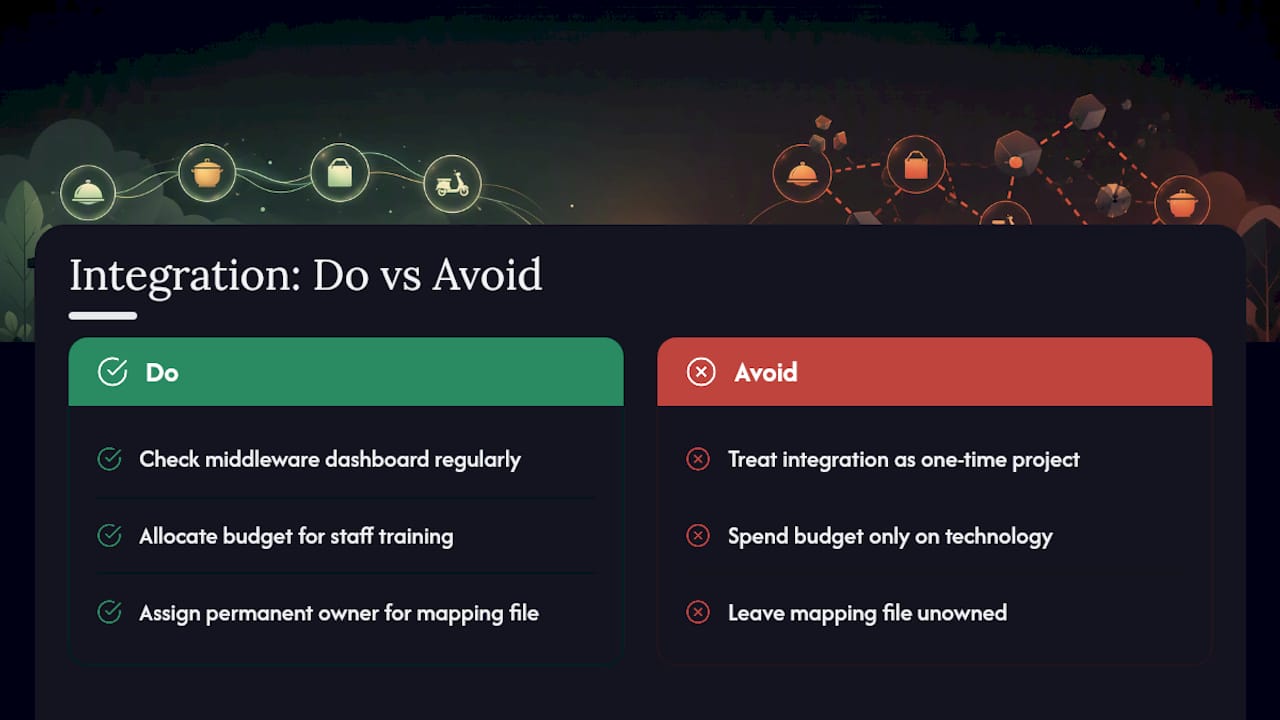
The second thing operators underestimate is how much of their integration budget should go toward staff training rather than technology. A perfectly configured API means nothing if the shift lead doesn’t know which dashboard to check when a ticket goes missing. Most of the “integration failures” restaurants report are actually training gaps wearing a technical disguise.
And the mapping file everyone treats as a one-time setup task? It needs a permanent owner. Menus change. Modifiers get added. Someone has to keep that two-column file current, or you’ll be back here in six months wondering why the same rejected-order pattern from launch week is happening again.
— Abhi
Sources
Recommended
Comments